
 Sign in
 Sign up


Flight Control System (FCS) – Drone Systems Explained 1
How Do Drones Stay Stable in the Air?
Inside the Drone Flight Control System (FCS)
Understand the flight control system—and learn why mastering the basics matters more than buying an expensive drone.
What makes a drone stay balanced when the air is moving, the pilot changes direction, or the aircraft begins to tilt? The answer is not a single chip. It is a flight control system that constantly turns sensor measurements into motor corrections.
We will explain six essential parts of that system, show what each one does in real flight, and finish with a practical path for beginners—children and adults alike—to start practicing indoors.
A stable drone is not flying on autopilot by magic. It is correcting itself continuously.
How a Drone Stays Stable
The Flight Control System (FCS) is the network of sensors, software and motor corrections that helps a drone stay stable. This guide explains the IMU, compass, barometer, optical flow, GNSS and flight controller—and what each system can and cannot do.
Even when your hands are still, a drone is constantly making tiny adjustments. It measures motion, estimates its state, compares that state with the pilot’s commands, and changes motor thrust to correct the difference.
01 · Sense
Gyroscopes and accelerometers detect rotation and acceleration.
02 · Estimate
The controller combines useful sensor readings to estimate attitude, altitude and sometimes position.
03 · Correct
Control algorithms determine the motor changes needed to follow the desired motion.
04 · Repeat
The feedback loop runs continuously while the drone is flying.
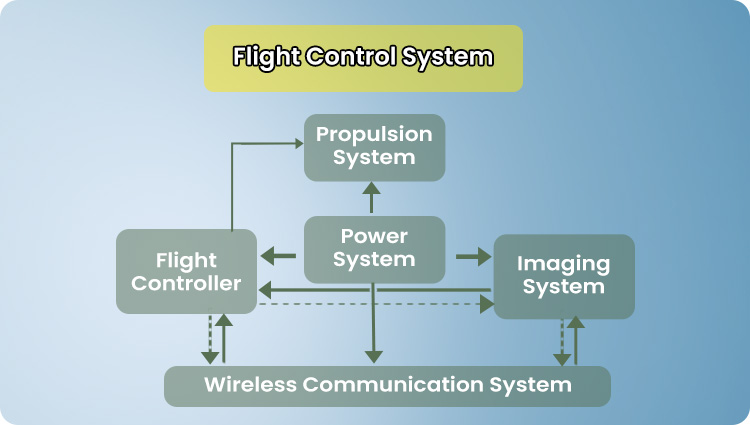
One system, several jobs
The flight controller sits at the center of a larger system. Sensors report motion and orientation, while the propulsion system turns control decisions into movement.
The diagram shows how flight, power, imaging and wireless communication interact. They are connected, but they do not all perform the same flight-control function.
How to Read This Diagram
Follow the arrows from sensing and commands to control decisions and motor response.
Stable flight is not the absence of movement. It is continuous sensing and correction.
IMU: Sensing Tilt and Rotation
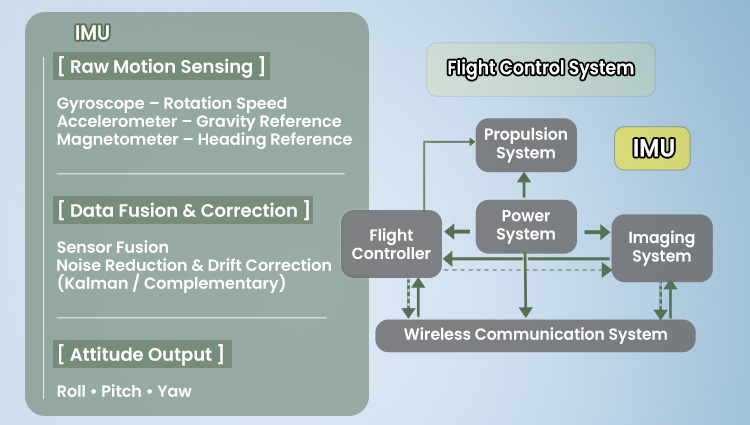
The inertial measurement unit (IMU) helps the drone understand how it is rotating and accelerating. A gyroscope measures angular rate; an accelerometer measures specific force, including the influence of gravity.
Working together with the controller’s estimation software, these readings help the aircraft detect tilt and correct its attitude quickly.
What Beginners Notice
When you release the sticks, the drone can level itself in an assisted flight mode—but leveling does not necessarily mean it will stay in the same place.
Attitude stabilization and position holding are two different jobs.
When Should You Calibrate the IMU or Gyroscope?
The inertial measurement unit (IMU) uses gyroscope and accelerometer readings to estimate the aircraft’s motion and attitude. The gyroscope measures rotation; the accelerometer measures specific force, including the effect of gravity. These readings help the flight controller correct tilt, but leveling alone does not hold the drone at one horizontal position.
If the drone or its app asks for IMU or gyroscope calibration, follow that model’s instructions on a level, stationary surface. Do not move the aircraft during calibration. A drifting drone does not automatically mean the IMU needs calibration: airflow, trim, sensor limitations and the flight environment can also cause drift.
Compass: Knowing Which Way It Faces
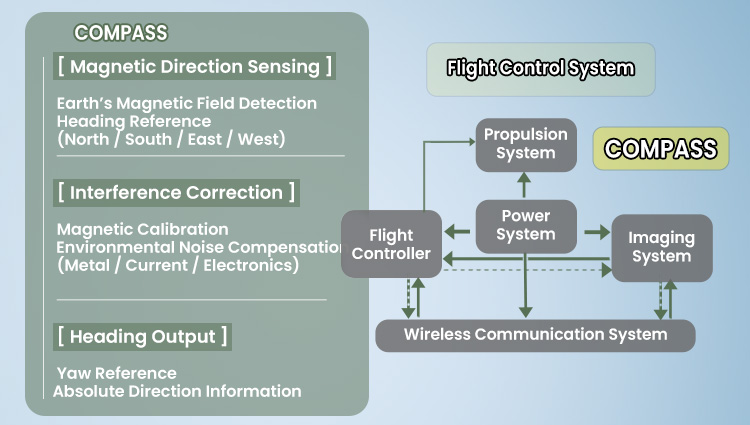
A magnetometer measures the local magnetic field and can provide a heading reference. That can support navigation and orientation on models equipped to use it.
Metal objects, reinforced concrete and electrical equipment can disturb compass readings. Do not calibrate next to large metal objects unless your model’s instructions specifically direct you there.
Important Distinction
The IMU does not always include a magnetometer. Some aircraft use a separate compass sensor, and sensor configurations vary by model.
Which Sensor Controls the Heading of a Drone?
The magnetometer (electronic compass) provides a reference to magnetic heading: which direction the drone is facing relative to the Earth’s magnetic field. The flight controller combines that information with gyroscope readings and, when available, navigation data. Heading is different from tilt, and neither is the same as holding a fixed position.
Metal structures, vehicles, reinforced concrete and electrical equipment can distort compass readings. If the aircraft reports magnetic interference or requests calibration, move to a suitable open area and follow its model-specific instructions; do not assume that recalibrating beside the interference source will solve the problem.
What Is the Toilet Bowl Effect in a Drone?
The “toilet bowl effect” describes an aircraft tracing circles or a widening spiral when it should be holding position. A mismatch between heading estimates and position-control corrections can contribute to this behavior, particularly when magnetic readings are disturbed. Circular drift can have other causes too, so it is not proof of a compass fault.
If the aircraft begins circling unexpectedly, prioritize a safe landing rather than continuing to test it in the air. Check the app for warnings, inspect the flight environment and use the manufacturer’s troubleshooting and calibration guidance before the next flight.
Barometer: Managing Altitude
A barometer estimates changes in altitude from air pressure. The flight controller can use that information to help regulate vertical movement, although pressure changes and airflow can affect readings.
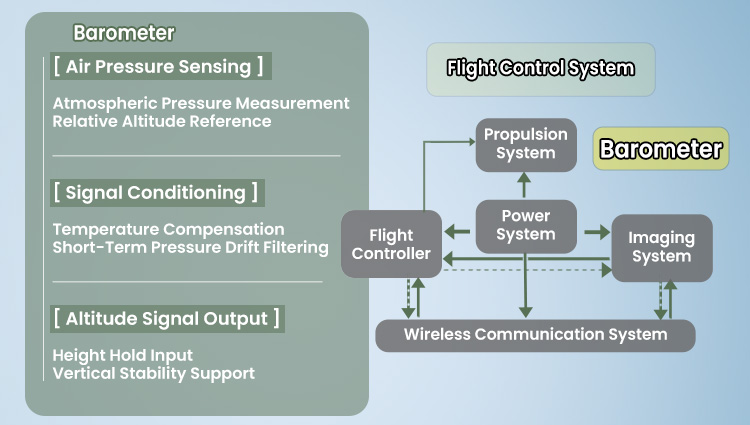
Altitude hold reduces how much constant throttle correction a beginner needs. It does not mean the drone can safely avoid ceilings, furniture or people.
Near the ground, some models may also use downward-facing ranging or vision sensors to support height estimates.
Why Can Altitude Hold Change?
A barometer estimates changes in altitude from air-pressure measurements. It does not directly measure the distance between the drone and the ground, and it cannot by itself prevent sideways drift.
Airflow from fans or air conditioners, changing weather conditions and propeller wash can affect pressure readings. For indoor practice, choose a calm area and allow enough clearance for small height changes.
Optical Flow: Helping Indoors
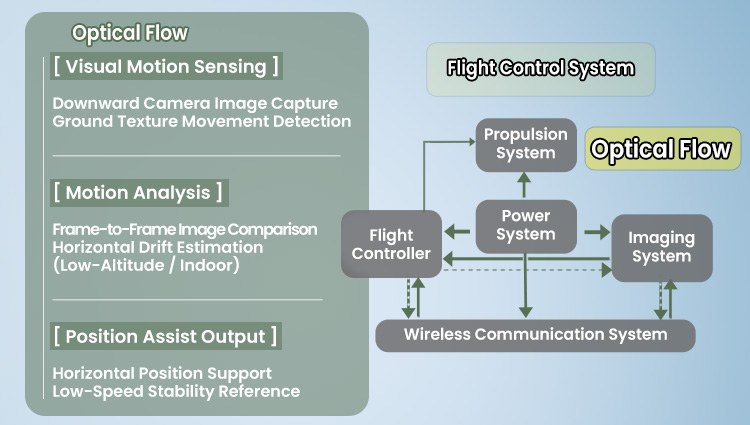
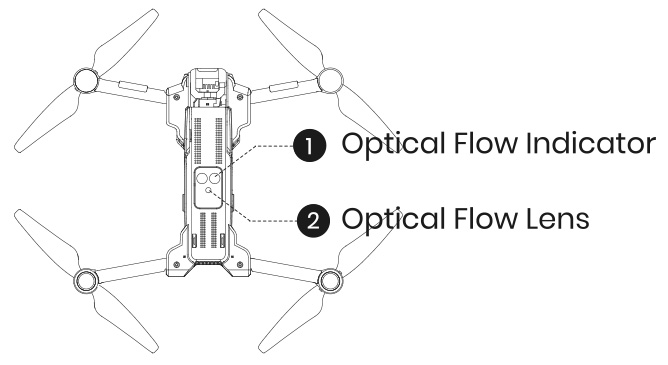
Optical flow compares visual patterns in consecutive images from a downward-facing camera to estimate movement relative to the surface below. On supported drones, this can help reduce drift when satellite positioning is unavailable.
It depends on suitable lighting, visible ground texture, operating height and the model’s sensor configuration. Plain, glossy, dark or moving surfaces can make it less reliable.
Practice Tip
Choose a well-lit room with a clear floor pattern, keep the flight area open, and do not assume optical flow will hold position perfectly.
Where is the optical-flow sensor?
It is typically located on the underside of a supported drone, facing the ground. It observes surface patterns rather than using satellite signals to estimate short-range movement.
An optical-flow camera is not the same as an obstacle-avoidance system.
When Does Optical-Flow Positioning Struggle?
Optical flow compares patterns in images from a downward-facing sensor to estimate movement relative to the surface. It works best with adequate light and a clearly textured, stationary surface within the operating range specified for the aircraft.
Low light, reflective floors, plain surfaces, moving patterns and excessive height can reduce its effectiveness. Optical-flow positioning is not obstacle avoidance: a drone can still collide with walls, people or furniture.
GNSS: Positioning Outdoors
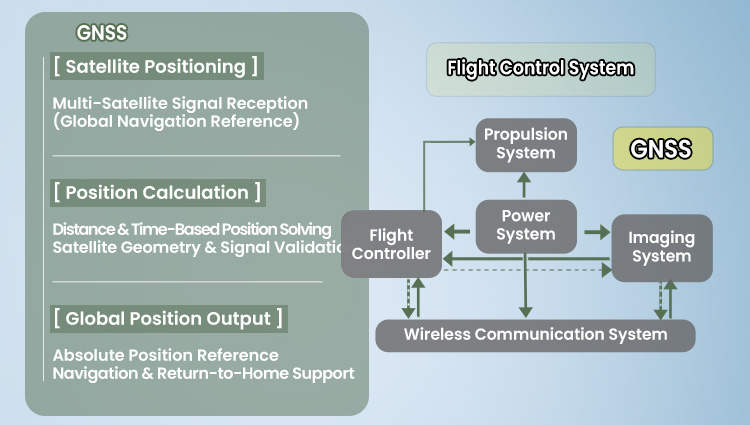
GNSS uses satellite signals to estimate geographic position and ground movement outdoors. With a suitable navigation system, it can support position hold and Return to Home.
GNSS is not the same as the IMU: it provides an outdoor location reference rather than the fast attitude feedback needed to keep the drone balanced.
Confirm the GPS-ready and Home Point indications specified in your drone’s manual. There is no universal satellite-count threshold that guarantees a safe flight.
What Should You Check Before a GPS-Assisted Takeoff?
GNSS (Global Navigation Satellite System) helps an outdoor drone estimate its geographic position. It is separate from the IMU-based stabilization that keeps the aircraft level. A good GNSS position estimate can support position hold and Return to Home, but neither feature removes the need for active piloting.
For a practical starting point, read our first GPS flight guide.
Before takeoff, check the aircraft’s own GPS-ready indication, Home Point confirmation and any compass or positioning warnings. The required satellite count and readiness criteria differ by model, so follow the product manual rather than relying on a universal number. Buildings, tree cover and other obstructions can degrade satellite reception.
GNSS positioning also supports location-related information used by some Remote ID implementations. Remote ID is a separate identification and compliance function, not a flight-control mode. For applicable U.S. requirements and model-specific setup, see our Holy Stone Remote ID Setup Guide.
Flight Controller: Turning Data Into Action
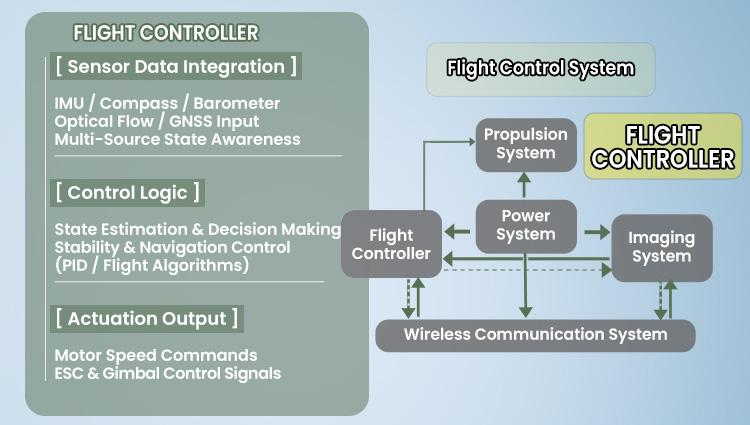
The flight controller is the decision-making computer. It receives sensor data and pilot commands, estimates the aircraft’s state, and sends control outputs through the propulsion system.
See how the controller’s motor commands become motion in the propulsion and airframe system.
What happens when you move a stick?
A stick command requests a change in movement or attitude, depending on the flight mode. The controller adjusts motor outputs while still trying to keep the aircraft stable.
Sensors provide measurements; the flight controller interprets them; motors carry out the corrections.
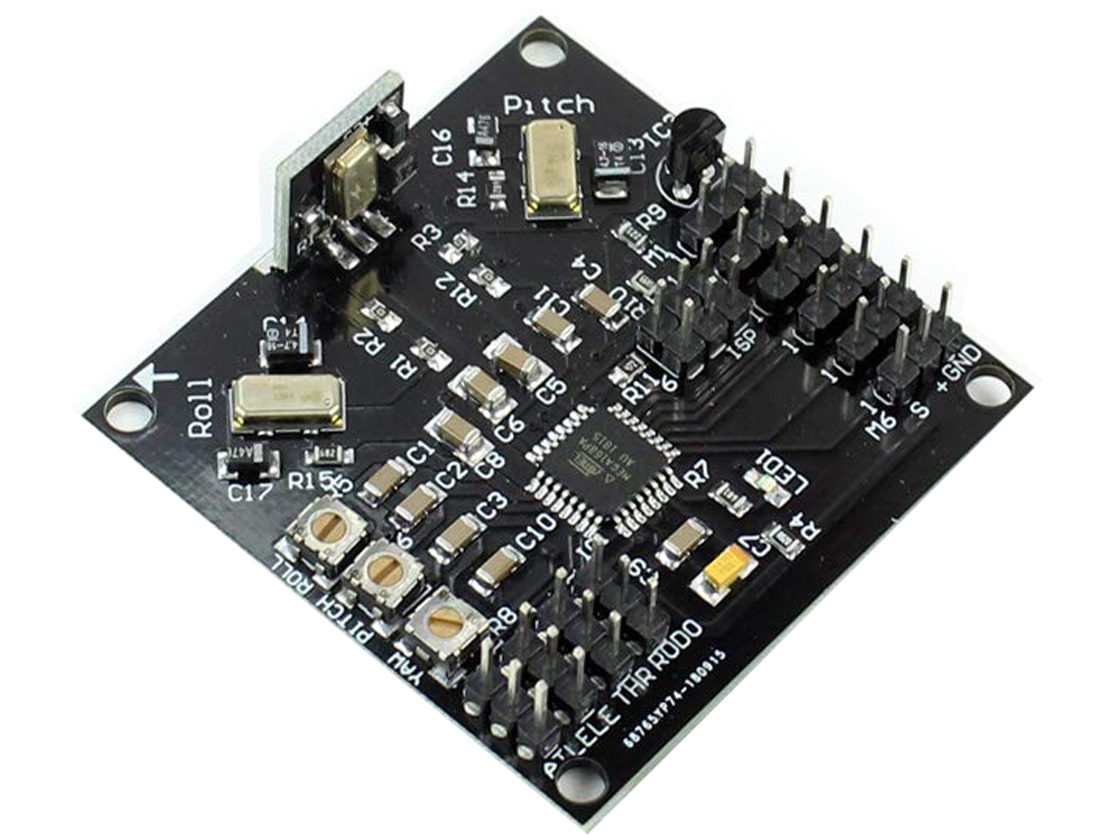
The computer behind every correction
A physical flight-control board contains electronics that read sensor data and run control logic. Its exact components and layout vary by drone model.
What matters to a beginner is the relationship: the board processes feedback, but your stick inputs and flight environment still shape the result.
A flight controller makes the drone responsive. Practice makes the pilot precise.
How Does a Drone Flight Control System Work?
A drone flight control system (FCS) is the combination of sensors, control software and motor commands that keeps the aircraft responsive. The flight controller is the onboard computer running the control algorithms; the flight control board is the physical hardware that carries the processor and connects to sensors and motor controllers.
The control loop repeatedly reads pilot commands and sensor estimates, compares the aircraft’s current state with the desired motion, and adjusts motor output. This is why a flight controller can react rapidly to changes in tilt while GNSS or optical flow, when fitted, provide additional information for position control.
A Simple Indoor Flight Practice Plan
Long winters and rainy weekends do not have to stop a beginner from learning. In a suitable indoor space, short sessions can build hand-eye coordination and orientation awareness without starting on an expensive outdoor camera drone.
To understand the controller-to-aircraft connection, explore the wireless communication system.
01 · Take Off & Land
Practice smooth takeoff and landing on a clear marked spot.
02 · Hold a Position
Make small corrections rather than repeated large stick movements.
03 · Face Different Directions
Turn the drone slowly, then practice controlling it while the nose faces toward you.
04 · Fly a Simple Route
Try a short square or rectangle at a safe, consistent height.
Safety First — Use a clear indoor area away from people, pets, loose decorations and fragile objects. Follow the aircraft manual and age guidance. Indoor training does not replace outdoor wind, GPS or airspace training.
You do not need an expensive drone to build valuable flight-control skills.
Choose a Drone for Your Learning Stage
Different flight-control features support different stages of learning. Start with simple indoor stick practice, then explore outdoor GNSS-assisted positioning or camera stabilization when those skills feel natural. A small drone can make regular practice possible during rainy days and winter months for both adults and children with appropriate supervision.
You do not need an expensive drone to build real flight-control skills. Start with repeatable practice, then add advanced flight and camera features when you are ready.
Two Small Drones. Two Ways to Learn.
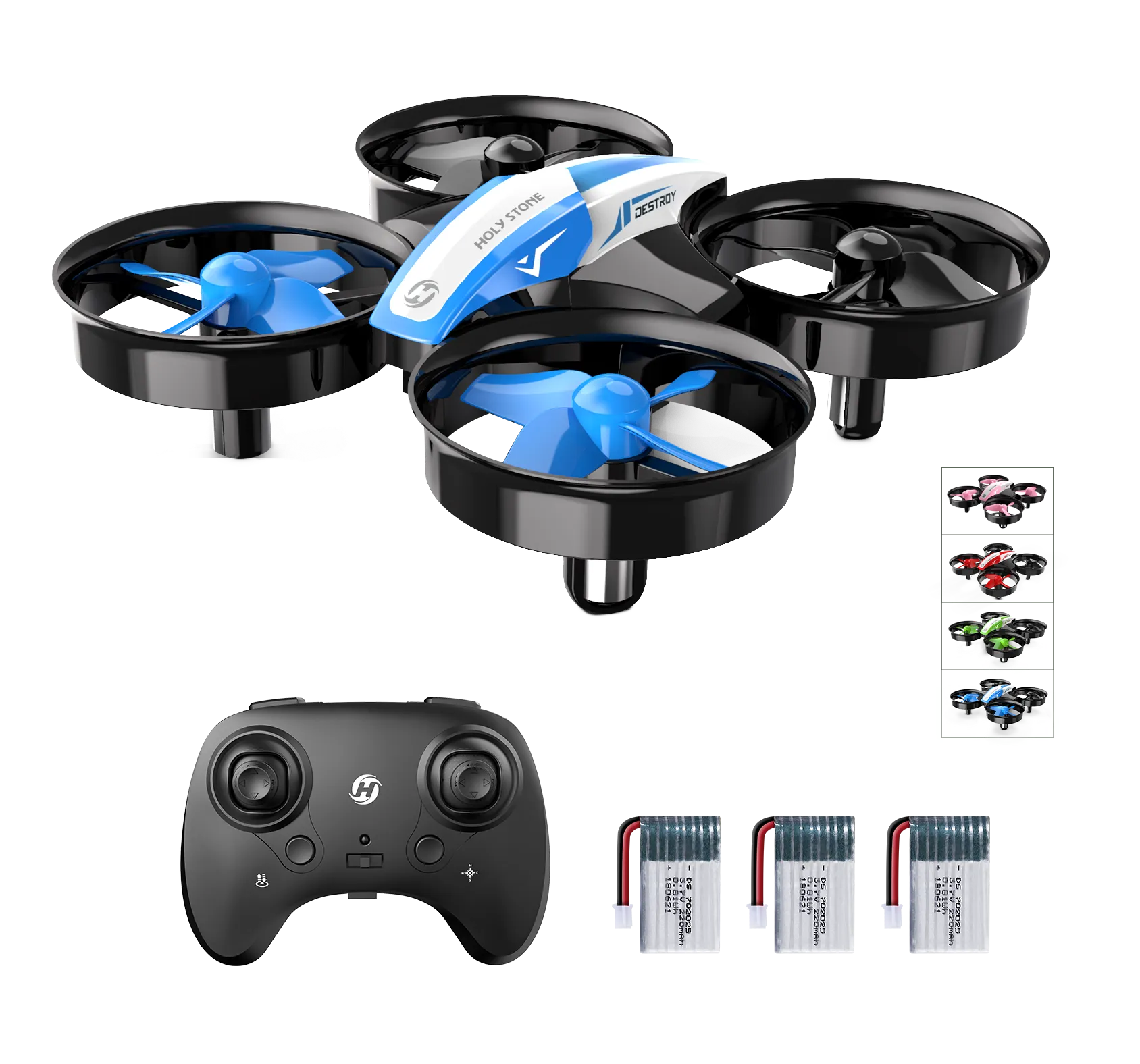
HS210 — Learn the Sticks First
Build confidence through repeated takeoffs, gentle turns, direction changes and controlled landings. With no camera or GPS to distract from the basics, your attention stays on the aircraft and your hands.
Best for: first lessons, adults starting from zero, and short repeatable indoor control drills.
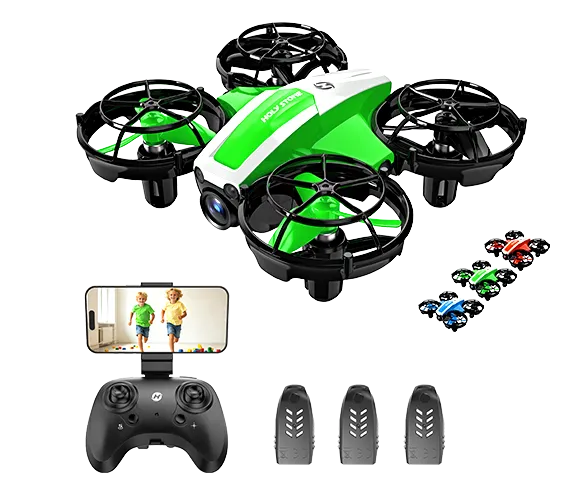
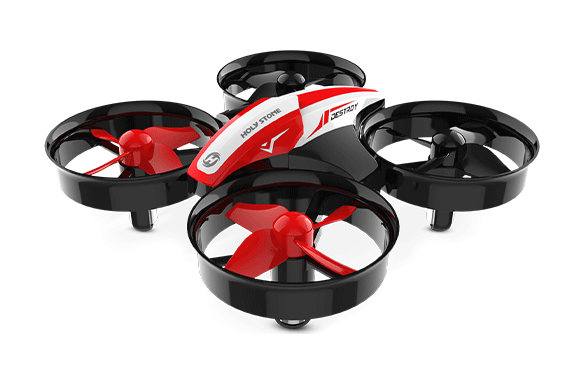
HS210P — Add the Camera View
Once basic control feels natural, explore how turns and movement change the camera view. HS210P adds 1080P recording, Wi-Fi FPV and optical-flow positioning for a different indoor learning experience.
Best for: first camera-drone lessons, indoor framing exercises, and learners ready for the next step.
Choose HS210 for hands-on stick control without a camera. Choose HS210P if you also want to explore the camera view and assisted indoor positioning. Both are starting points for beginners—not substitutes for outdoor GPS training.
Practice Note
Use a clear, adequately lit indoor space and follow each model's instructions. Optical flow and altitude assistance can make some tasks easier, but they do not replace learning how to make gentle, deliberate stick corrections.
Take Your Skills Outdoors
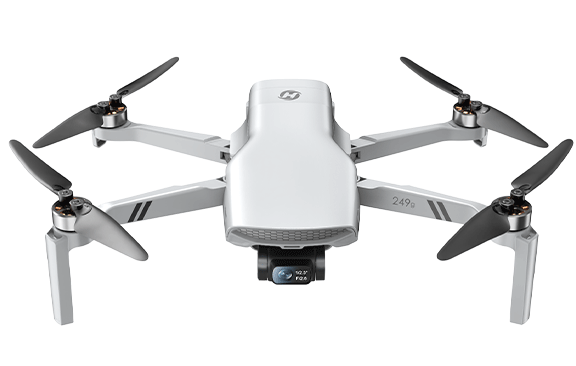
After the basics, choose an outdoor drone based on the skill you want to develop next: GPS-assisted positioning, stabilized aerial video, or more advanced creative shooting.
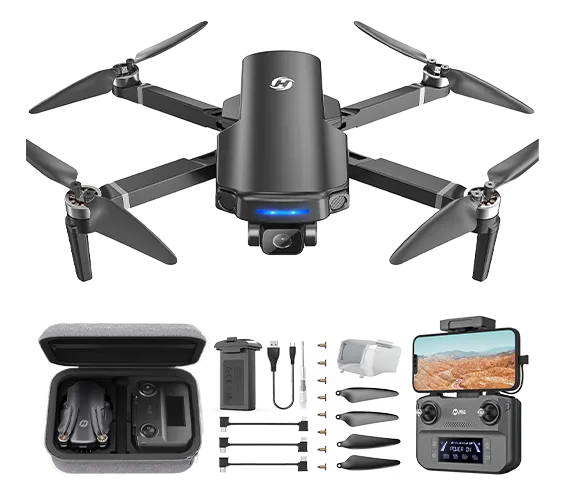
HS360S
Practice outdoor orientation, position awareness and GPS-assisted flight before moving into more advanced camera work.
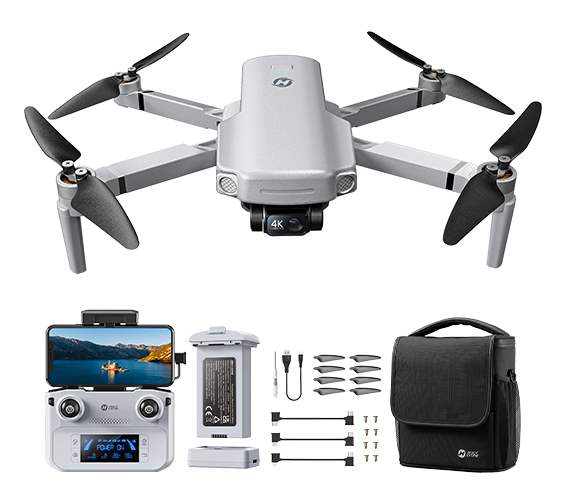
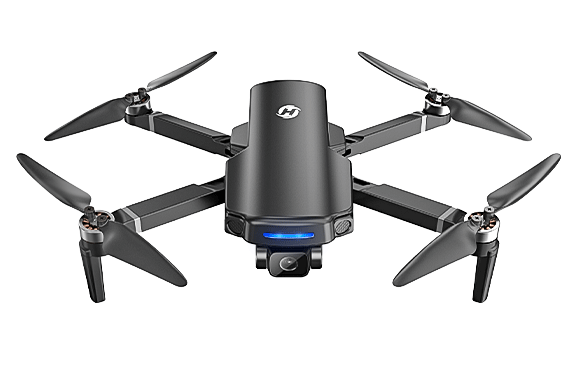
HS360G
Explore how a 3-axis mechanical gimbal keeps the camera view smooth while the aircraft itself changes attitude in flight.
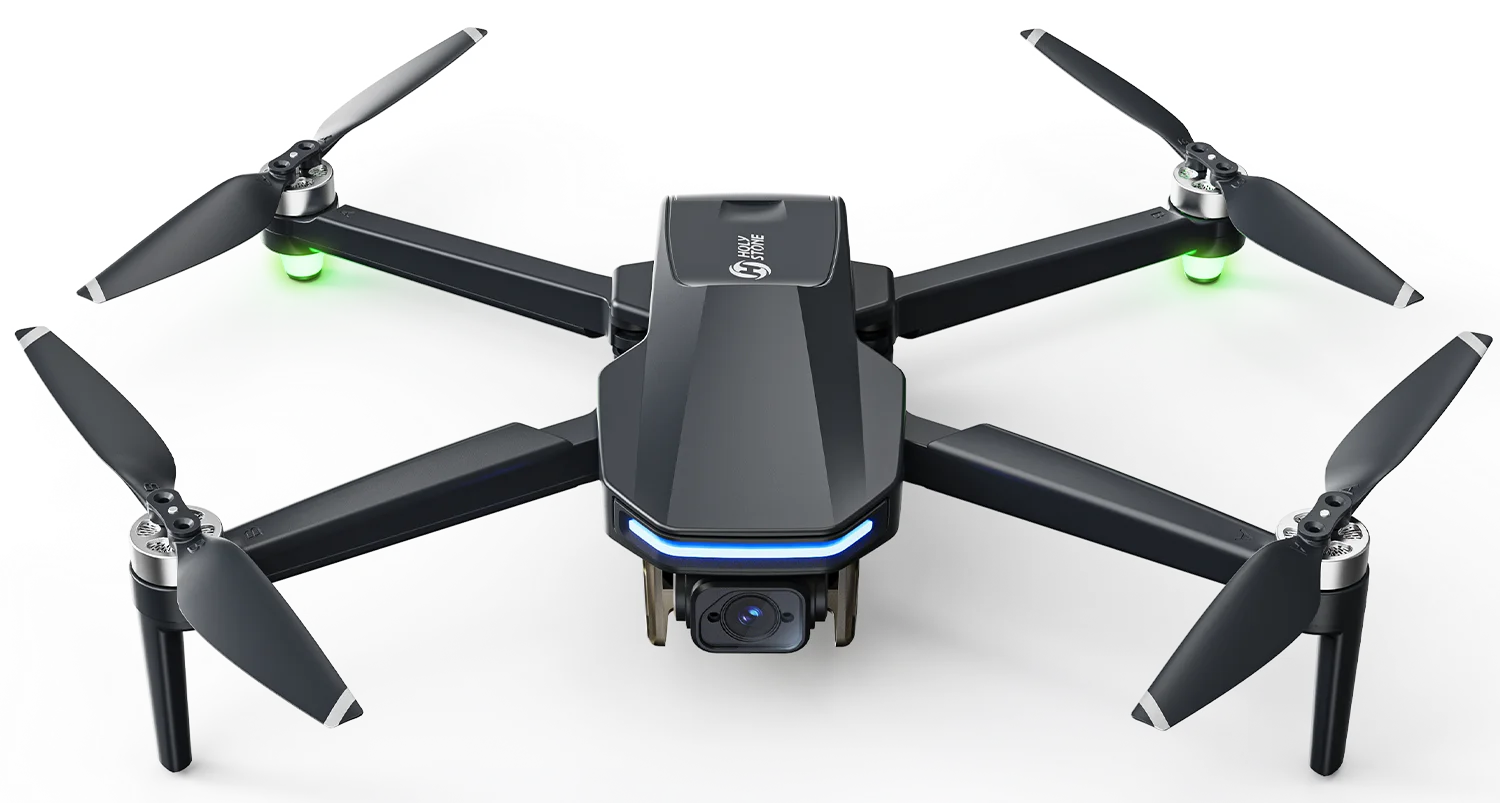
When You’re Ready to Create
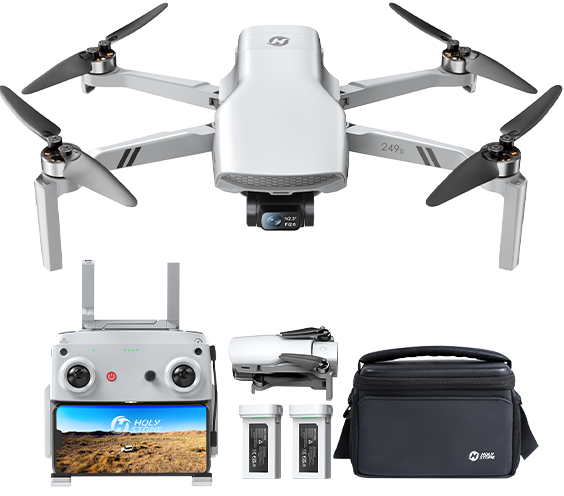
HS900 PRO
Ready to plan smoother, more intentional aerial shots? HS900 PRO pairs a 3-axis gimbal with 4K/30fps video and a lightweight body for travel-focused creators.
Frequently Asked Questions
Can I learn to fly a drone indoors?
Yes, with a suitable indoor model and a clear, safe space. Keep early sessions short and follow the manual.
Does a drone need GPS to stay level?
No. Attitude stabilization primarily relies on fast motion sensing and flight-control algorithms. GPS can support outdoor position holding.
Why does my drone drift when I release the sticks?
Leveling the aircraft is not the same as holding a fixed position. Wind, air currents, sensor limits and the flight mode can all affect drift.
Is optical flow the same as obstacle avoidance?
No. Optical flow can estimate movement relative to a surface; it does not automatically detect or avoid obstacles.
Is a mini drone only for children?
No. Small indoor drones can be useful for adult beginners who want to practice orientation and stick control before outdoor flying.
Will indoor practice prepare me for outdoor GPS flying?
It builds basic control habits, but outdoor wind, GPS setup, airspace awareness and safe return planning require additional practice.
Real Flying Skills Start With Practice
Master the basics indoors, then grow into outdoor GPS flight and aerial creativity at your own pace.
Continue Exploring Drone Systems
Choose a system to understand how its components work with the rest of the aircraft.
 – Drone Systems Explained 1&src=http%3A%2F%2Fwww.holystone.com%2FPublic%2FHome%2Fimages%2Fshare_logo.png)

COMMENTS