
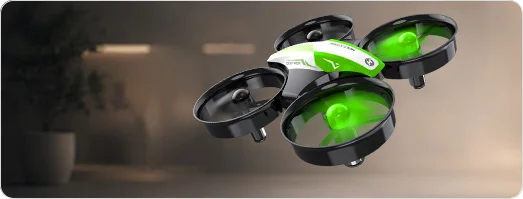
HS210FS 2-Player Battle Drone Set for Kids & Families
HS210FS Real-Time Air Battle Drone Set
2 Drones
Infrared Battle
3 Lives
Auto Landing
4 Batteries


HS210FS 2-Player Indoor Battle Drone Set for Kids & Families

Model No.: HS210FS, Weight: 59g

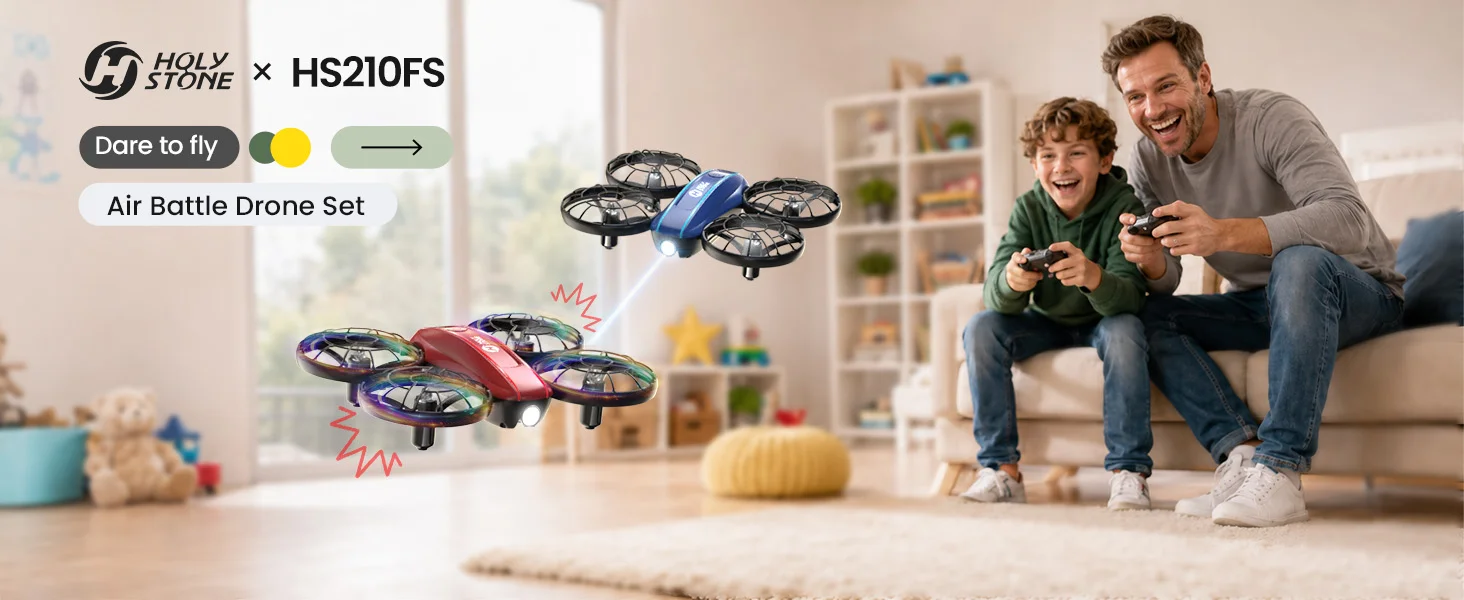
Fly, chase, and battle together. HS210FS turns mini drone flying into a real-time indoor game with two drones, infrared hit feedback, 3 lives per drone, beginner-friendly controls, 5 lighting modes, and 4 batteries for longer family fun.
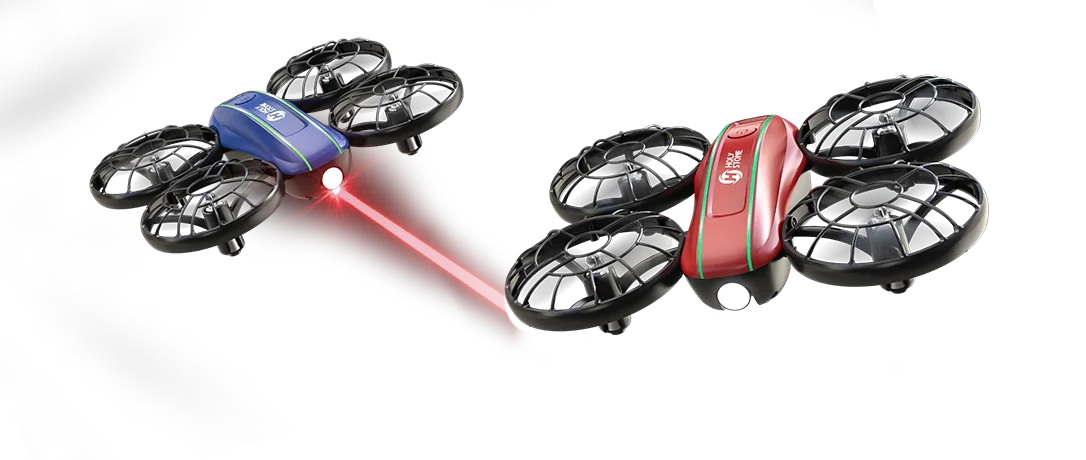
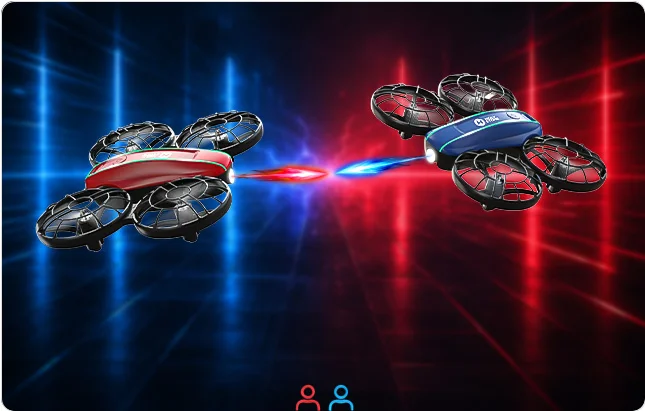
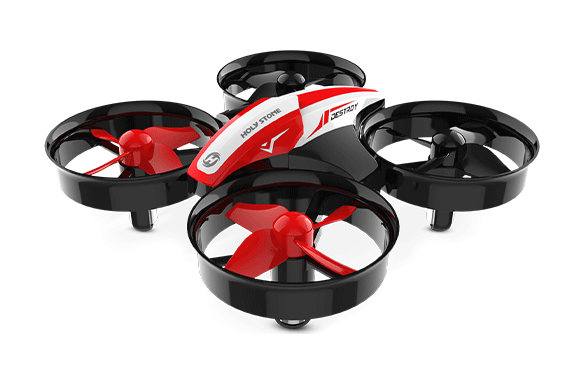
HS210FS two player indoor air battle drone set with red and blue mini drones
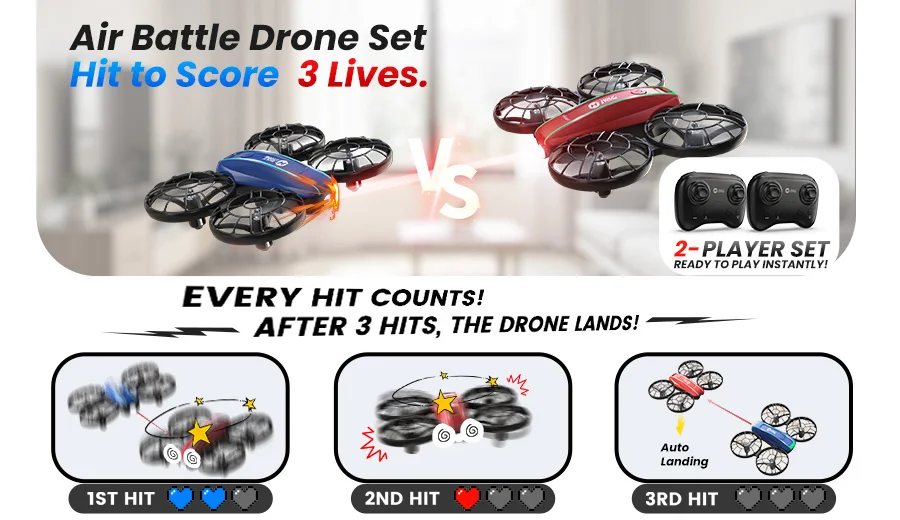
HS210FS 2-player air battle drone set with infrared hit feedback and 3 lives gameplay
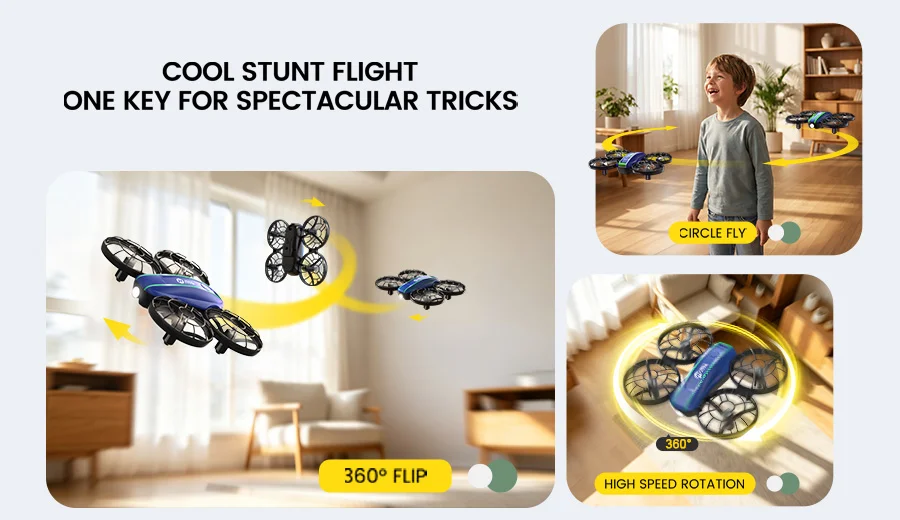
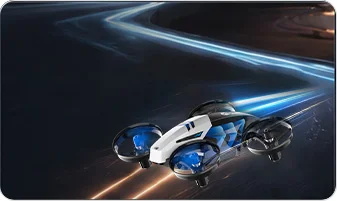
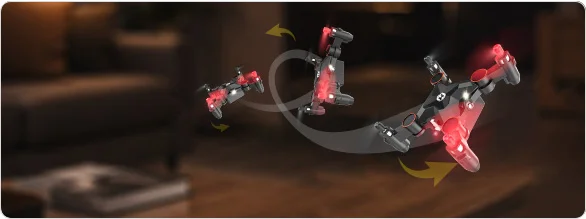
HS210FS mini drone stunt flight tricks with 360 flip circle fly and high speed rotation
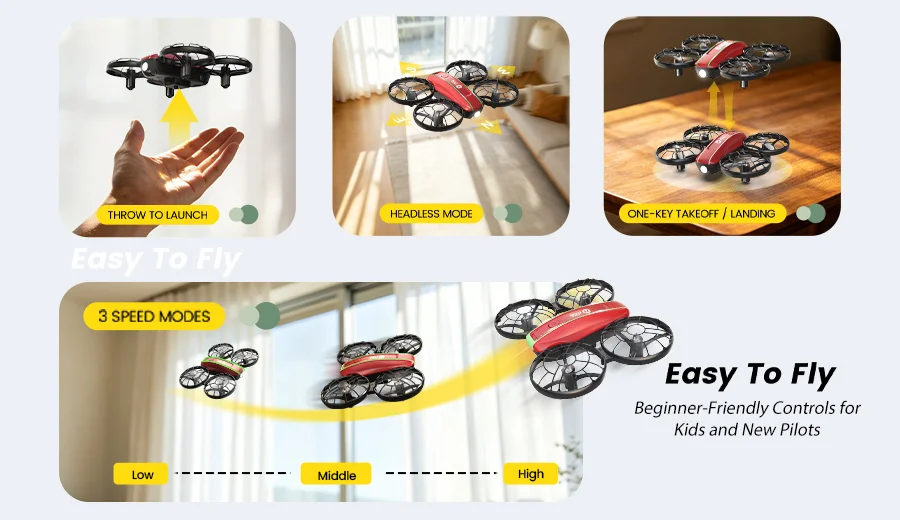
HS210FS easy to fly beginner drone features including toss launch headless mode and one key takeoff
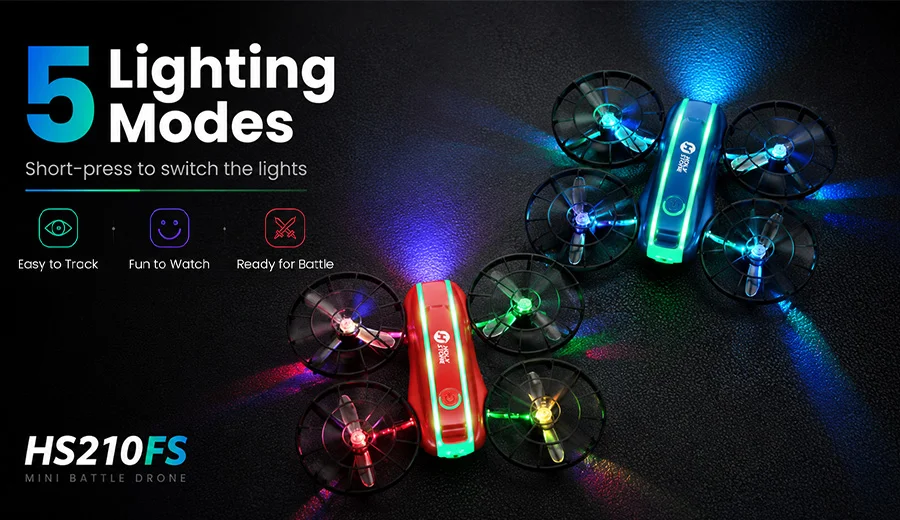
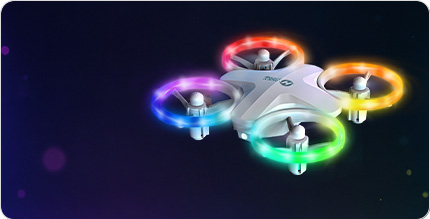
HS210FS 5 lighting modes for indoor battle fun and easier drone tracking
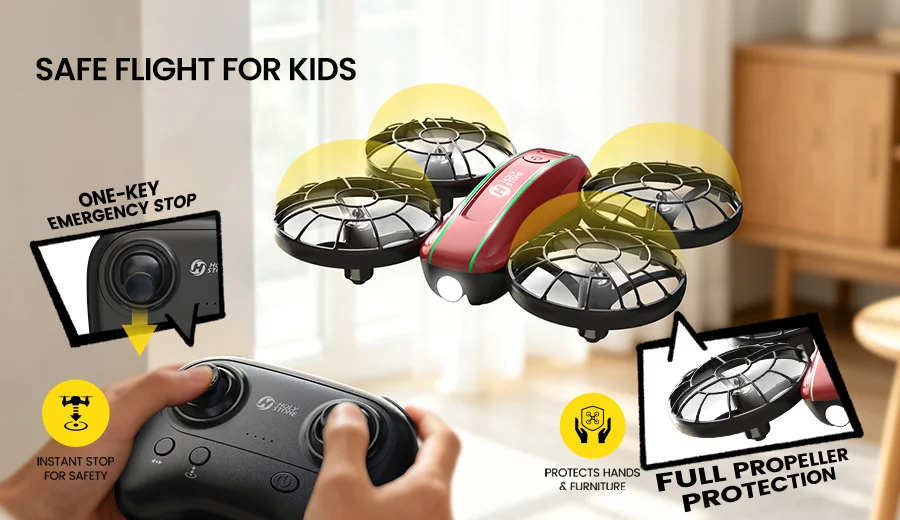
HS210FS safe flight for kids with full propeller protection and one key emergency stop
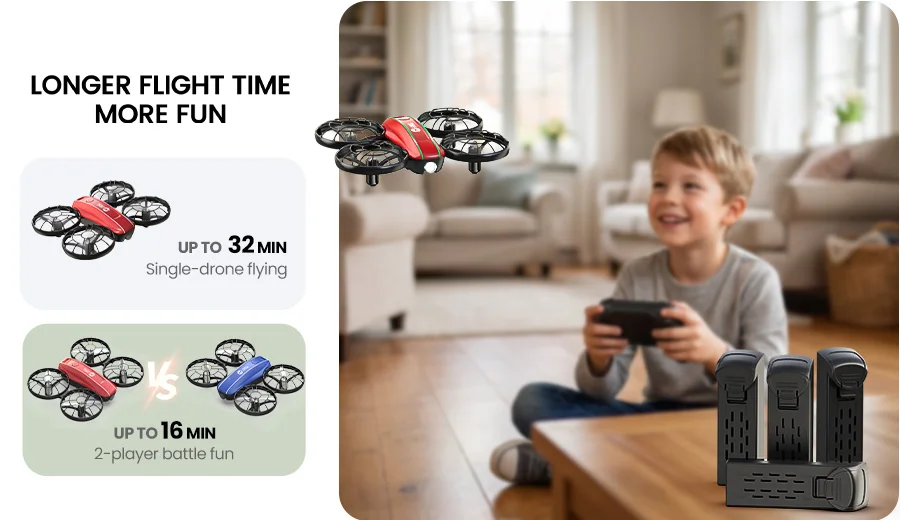
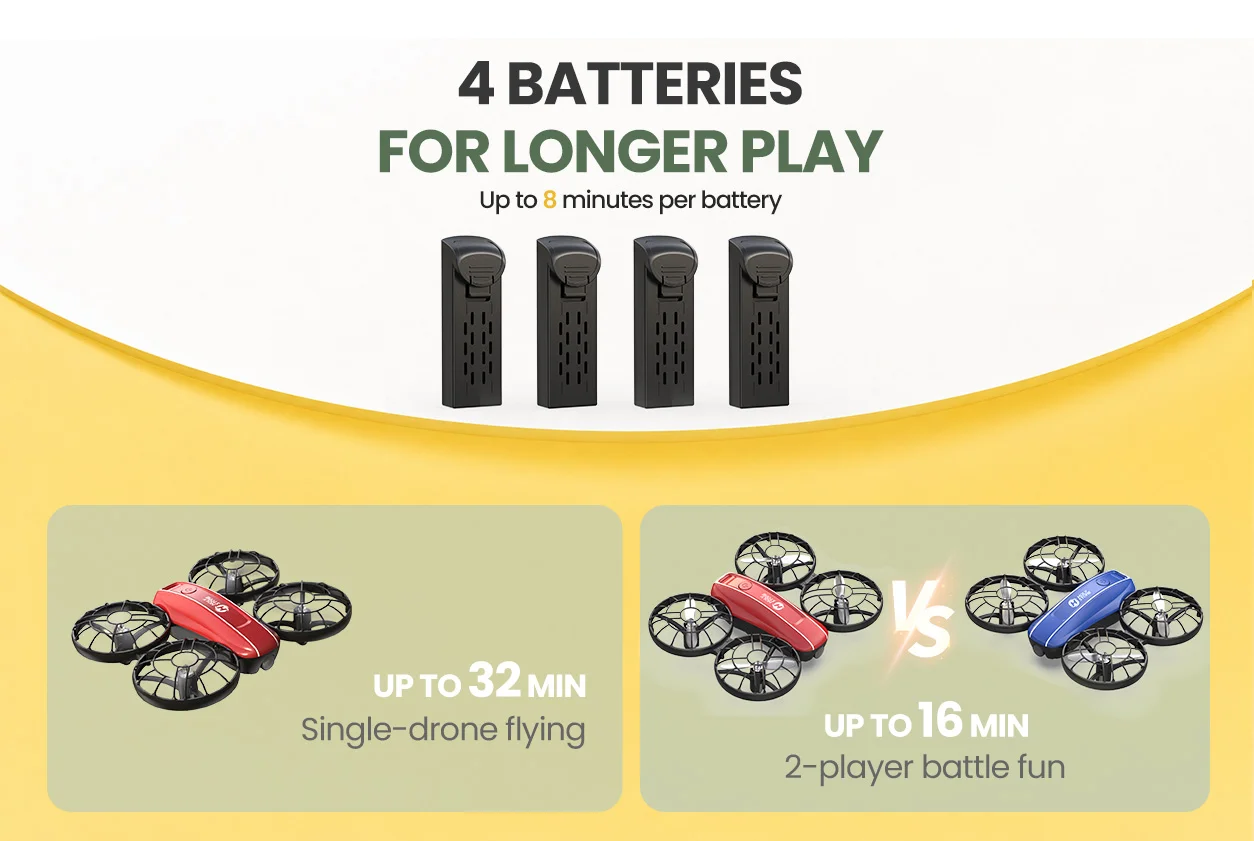
HS210FS 4 batteries for up to 32 minutes single drone flying or 16 minutes two player battle fun
Product Video

See HS210FS in Action

Watch how HS210FS turns indoor flying into a 2-player air battle game with infrared attacks, real hit feedback, 3-life gameplay, beginner-friendly controls, and fun lighting effects.
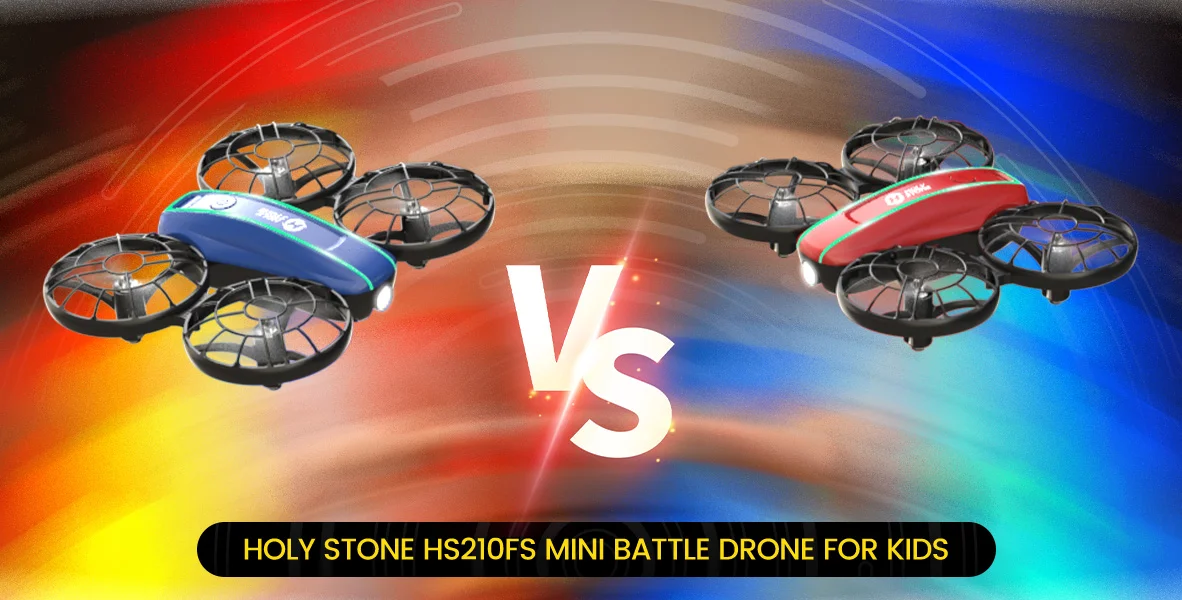
HS210FS infrared battle mode
Battle Mode

Real-Time Air Battle for Two Players

HS210FS turns indoor flying into a simple and exciting drone battle game. Each drone can launch infrared attack signals, while the other drone receives the hit and responds with visible feedback.

When a drone is hit, it briefly shakes and the light indicator updates to show the remaining lives, so players can clearly tell when a score has been made even though infrared signals are invisible.

1

Press to Attack

Press the control stick to launch one infrared attack signal toward your opponent.

2

Hit to Score

A successful hit triggers a short shake and updates the light indicator on the drone that is hit.

3

Win the Battle

After three successful hits, the defeated drone reaches 0 lives and automatically lands.
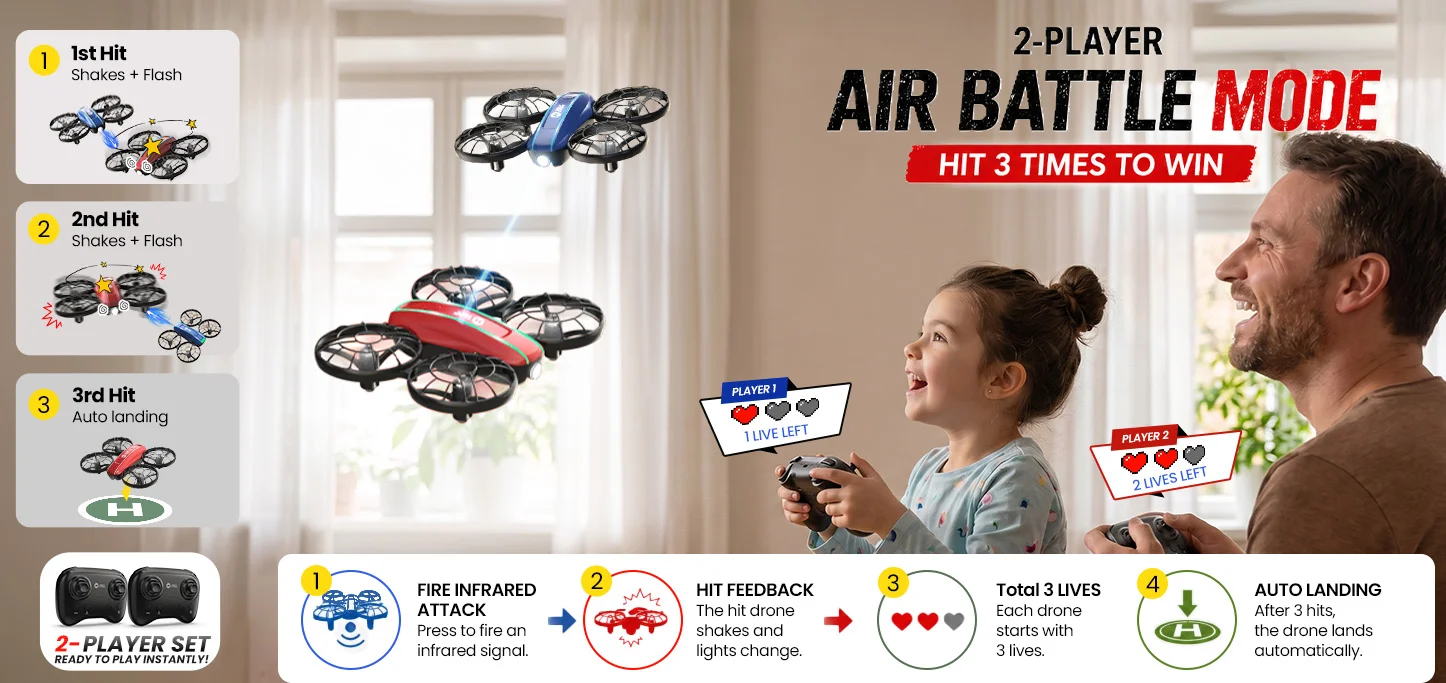
HS210FS 2-player air battle mode with infrared hit feedback 3 lives and auto landing
3-Life Battle Gameplay

3 Lives. Clear Hit Feedback. One Winner.

Each drone starts with 3 lives, just like a simple flying game. When a drone is hit, it briefly shakes and the light indicator updates to show the remaining lives.

3 Lives

Green light. The drone starts the battle with all 3 lives remaining.

2 Lives

Blue light. The drone has been hit once and stays in the battle.

1 Life

Red light. One more hit and the drone will be out of the battle.

0 Lives

Lights turn off and the defeated drone automatically lands.

Restart the Battle

When a drone reaches 0 lives and lands, short press the drone power button once. The drone will reset to 3 lives and can rejoin the battle.

!

Pairing Tip

For smoother pairing, turn on the transmitter first, then turn on the drone. When using two drones, pair each drone with its own transmitter separately to avoid pairing issues or signal interference.

Ready for 2 Players

Everything You Need for a 2-Player Battle

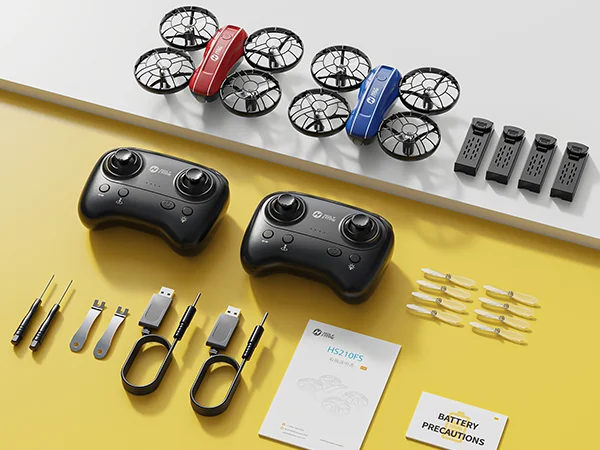
With 2 drones, 2 transmitters, and 4 drone batteries included, HS210FS is ready for two players right out of the box.

2

Drones

Fly and battle with a friend, sibling, or parent.

2

Transmitters

Each player gets their own controller.

4

Drone Batteries

Keep the fun going with more play time.

1

Battle Game Set

No need to buy a second drone separately.
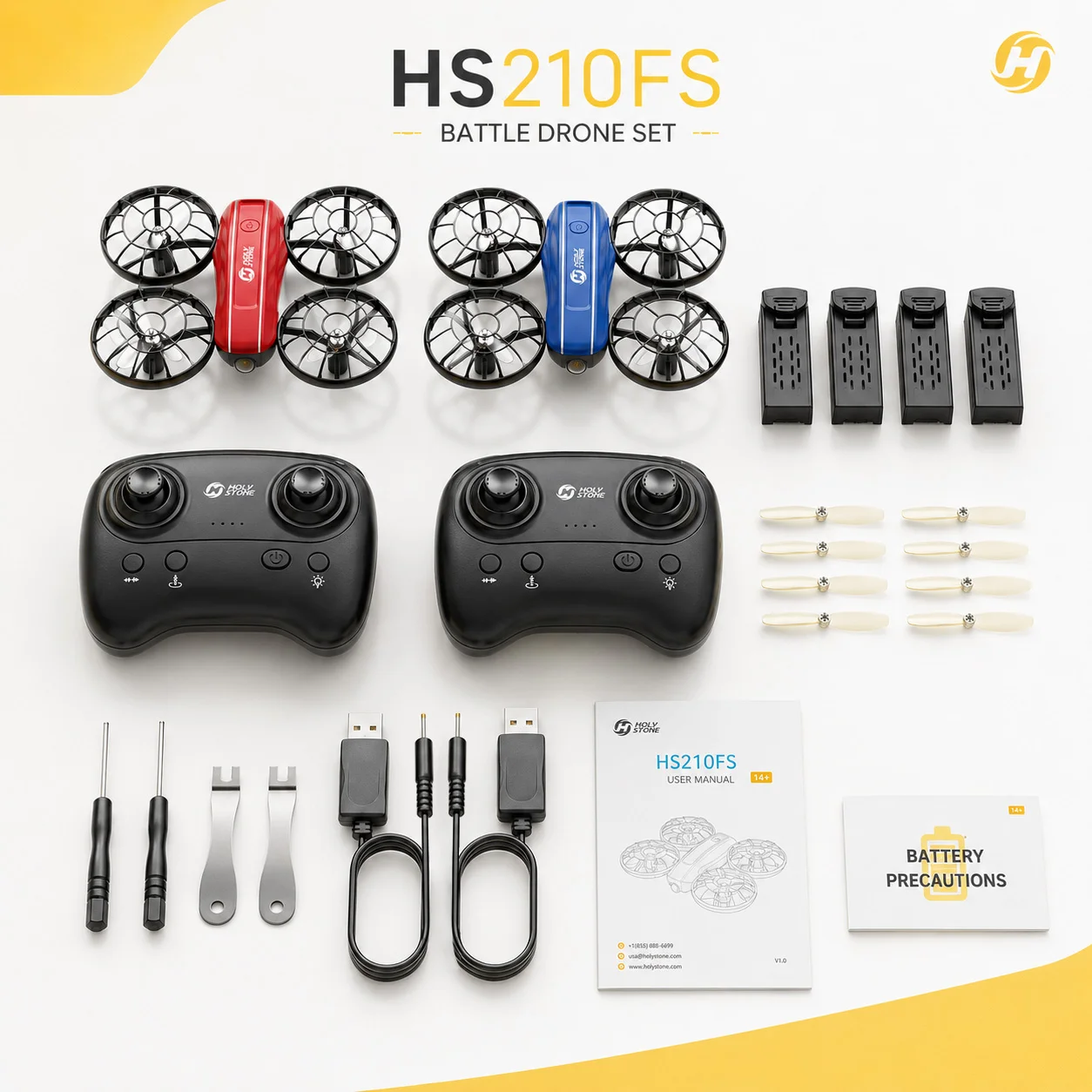
HS210FS package contents with two drones two controllers and four batteries
HS210FS four batteries for longer play sessions
Longer Play Sessions

Up to 32 Minutes of Flying or 16 Minutes of Battle Fun

Each battery provides up to 8 minutes of flight time. Use all 4 batteries for longer single-drone flying, or split them between two drones for longer battle sessions.

32 min

Up to 32 minutes of single-drone flying with 4 batteries.

16 min

Up to 16 minutes of 2-player battle time when both drones fly together.

Actual flight time may vary depending on speed, flying style, battery condition, and environment.

Easy Indoor Flying

Beginner-Friendly Controls for Kids and New Pilots

HS210FS keeps beginner flying simple with manual-based controls for takeoff, hover, speed switching, toss launch, headless mode, and safer indoor preparation before each flight.
One-key takeoff and landing icon
One-Key Takeoff / Landing After pairing and unlocking, short press the takeoff/landing button to take off automatically and hover at about 1.5 m (5 ft). During flight, short press again to land.
Altitude hold icon
Altitude Hold Release the left joystick and it springs back to the middle; the drone is designed to maintain its current altitude for steadier indoor flying.
Headless mode icon
Headless Mode Long press the Headless Mode button to activate it. The indicator flashes during Headless Mode; long press again to exit and hear a prolonged beep.
Speed switch icon
3 Speed Modes Short press the speed button to switch Low, Medium, and High. The transmitter beeps once, twice, or three times to confirm the selected speed.
Toss launch icon
Toss Launch After pairing, place the drone flat on your palm and gently toss it into the air; it will hover in place.
Full protection propeller guards icon
Full Protection Before takeoff, make sure nothing obstructs the motors and that the battery and propellers are mounted securely. Fly in a spacious indoor area with no obstacles.
More Ways to Play

Not Just Battle — More Fun Flying Tricks

When players want a break from battle mode, HS210FS also supports classic mini drone tricks for extra indoor fun.
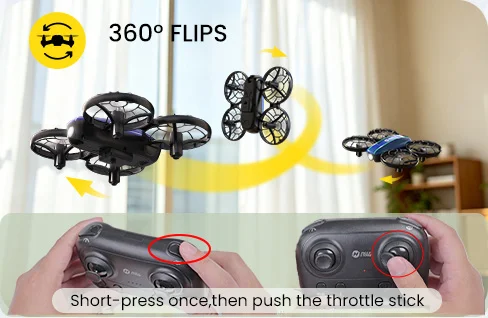
HS210FS 360 degree flip stunt flight

360° Flip

Perform fun flips once you are familiar with the controls.
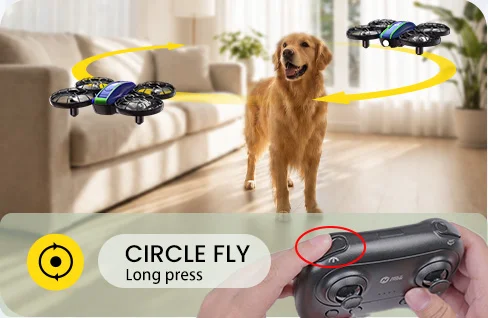
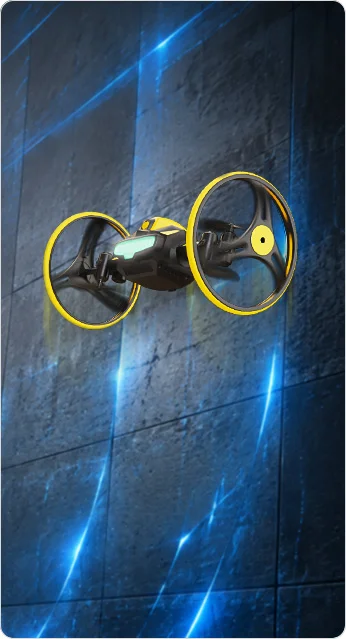
HS210FS circle fly stunt flight

Circle Fly

Let the drone fly in a circle for a playful indoor flight effect.
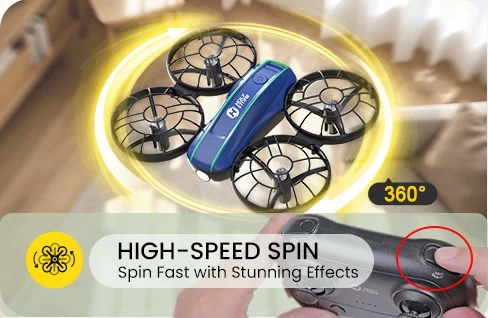
HS210FS high-speed rotation stunt flight

High-Speed Rotation

Add quick spinning action to make flying feel more exciting.

Best For

Built for Indoor Family Game Time

HS210FS is made for people who want more than basic flying. It is a mini drone battle game for kids, families, siblings, and friends.

Parent-Child Play

Turn flying practice into a shared indoor game that parents and kids can enjoy together.

Siblings & Friends

Two players can chase, dodge, attack, and compete in the same room.

Birthday & Holiday Gifts

A more interactive drone gift for kids who want something fun and different.

Beginner Indoor Practice

Easy controls help new pilots build confidence before trying more advanced drones.
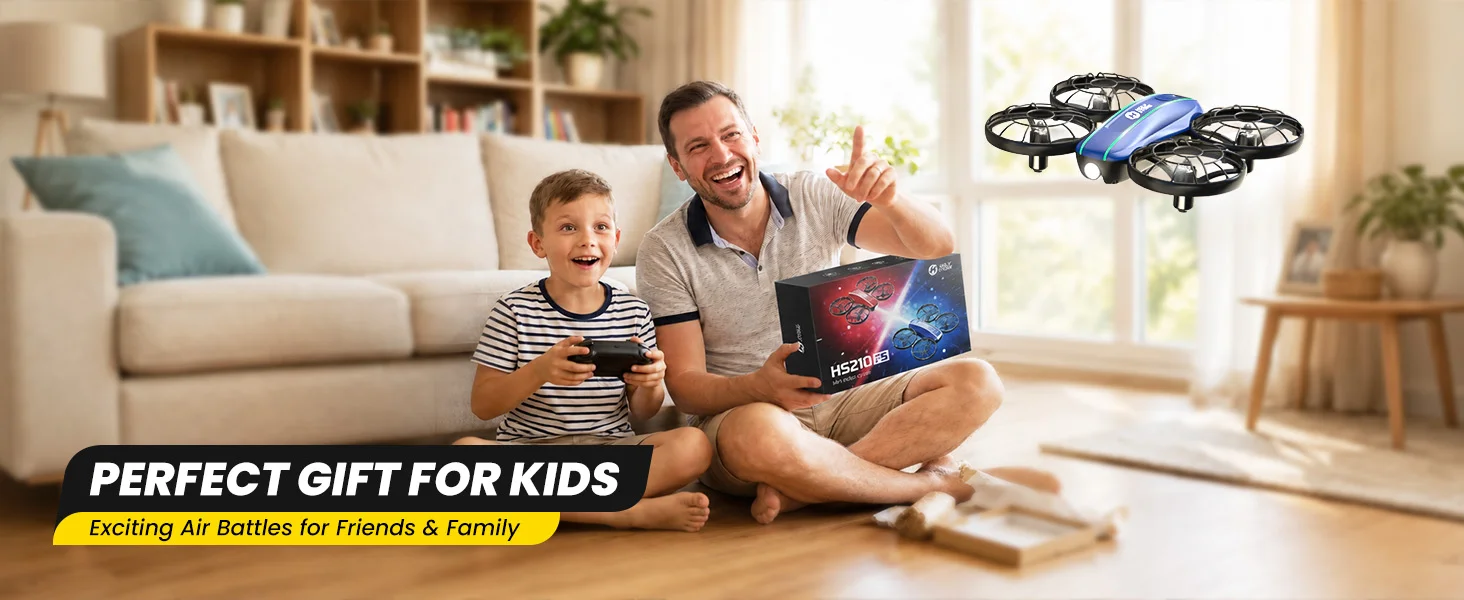
HS210FS indoor battle drone gift for kids families and friends
Buying Guide

Is HS210FS Right for You?

HS210FS is best for indoor battle fun, family play, and beginner-friendly flying. It is not designed as a camera drone or outdoor GPS drone.

Good Fit If You Want:

  • A 2-player indoor drone battle game.

  • A gift for kids, siblings, or family game time.

  • A mini drone set with two drones included.

  • Beginner-friendly flying controls.

  • More interaction than a regular mini drone.

Not the Best Fit If You Need:

  • A drone with a camera or FPV video.

  • Outdoor flying in wind or direct sunlight.

  • GPS, return-to-home, or long-range flight.

  • A single basic practice drone only.

  • Aerial photography or video recording.
Mini Drone Guide

Not Sure Which Mini Drone to Choose?

Choose HS210FS if you want two-player battle fun. If you need a different type of mini drone, explore more Holy Stone options below.

User Need
Recommended Model
Best Reason to Choose
Simple indoor flying practice
A classic mini drone for easy indoor practice.
2-player battle game
HS210FS
Two drones, infrared battle mode, 3 lives per drone, hit feedback, and 4 batteries.
Mini drone with camera or FPV
Better choice if you want camera-based flying or FPV viewing.
HS210FS 2-Player Battle Drone Set for Kids & Families SPECS

DRONE

Model:
HS210FS
Weight:
59 g / 2.1 oz
Max Flight Time:
8 minutes per battery
Max Flight Speed:
9.8 ft/s
Max Flight Height:
98 ft / 30 m
Max Wind Speed Resistance:
5.3 ft/s
Operating Temperature Range:
32° to 104°F (0° to 40°C)
Size:
147 × 121 × 38 mm
Usage Environment:
For indoor use only. Not intended for outdoor operation.

DRONE BATTERY

Model:
SDL-102245
Capacity:
1050 mAh
Voltage:
3.7 V
Max Charging Voltage:
4.2 V
Energy:
3.88 Wh
Charging Time:
About 90 minutes
Battery Type:
Lithium-ion Polymer Battery
Charging Temperature Range:
41° to 104°F (5° to 40°C)

TRANSMITTER

Operating Frequency:
2450–2480 MHz
Max Flight Distance:
262 ft / 80 m, outdoor and unobstructed
Operating Temperature Range:
32° to 104°F (0° to 40°C)
Battery Type:
3 × AAA batteries, not included

USB CHARGING CABLE

Input:
5V / 1A
Rated Power:
≤ 5 W
HS210FS 2-Player Battle Drone Set for Kids & Families IN THE BOX
hs210fs-package-content.webp

*Accessories configuration may vary depending on the purchase channel. Please refer to the actual product package on the purchasing platform for final confirmation.*

Package Content

  • 2× HS210FS Mini Battle Drones

  • 2× Transmitters

  • 4× Drone Batteries

  • 2× USB Charging Cables

  • 8× Spare Propeller Blades

  • 2× Screwdrivers

  • 2× Propeller Spanners

  • 1× User Manual

  • 1× Battery Precautions Card

HS210FS 2-Player Battle Drone Set for Kids & Families DOWNLOAD

User Manual

Setup & Flight Guide

Download the official HS210FS user manual for setup instructions, safe operation, flight controls, battery charging, and troubleshooting.

Download HS210 Manual (PDF)
HS210FS 2-Player Battle Drone Set for Kids & Families FAQ

Buying Decision

Is HS210FS a good drone for kids and families?

Yes. HS210FS is a 2-player indoor battle drone set designed for kids, families, siblings, and friends who want more interactive fun than a regular mini drone.

It includes two mini drones, two transmitters, infrared battle mode, 3-life gameplay, beginner-friendly controls, full propeller protection, and 4 drone batteries.

Who is HS210FS best for?

HS210FS is best for kids, parents, siblings, and beginners who want an indoor flying game they can play together.

It is especially suitable for family game time, birthday gifts, holiday gifts, and beginner indoor drone practice.

What makes HS210FS different from a regular mini drone?

Unlike a basic single mini drone, HS210FS is built around 2-player air battle. Each drone can fire infrared attack signals, receive hits, show hit feedback, and lose lives during the game.

It is not just for flying practice — it turns indoor flying into a chase, dodge, and battle game.

Is HS210FS a camera drone?

No. HS210FS does not have a camera or FPV live view. It is designed as an indoor battle drone set for flying games.

If you want a mini drone with camera or FPV features, HS210P or HS420 may be a better fit.

What is the difference between HS210, HS210P, and HS210FS?

HS210 is a classic mini drone for simple indoor flight practice. HS210P adds a camera and FPV live view. HS210FS is the better choice if you want two-player indoor battle gameplay.

Choose HS210FS when the main goal is shared play, competition, and family air battle fun.

Is HS210FS a good gift for kids?

Yes. HS210FS is a strong gift choice because it includes two drones and two transmitters, so two players can start battling right out of the box.

It is a more interactive gift than a single mini drone, especially for siblings, friends, and parent-child play.

Battle Mode

How does HS210FS battle mode work?

HS210FS uses infrared signals for drone-to-drone battle. Press down the left or right joystick once to fire one infrared attack signal toward the opponent.

Each press launches one attack, making the game easy for beginners to understand.

Can two players fly and battle at the same time?

Yes. HS210FS includes 2 drones and 2 transmitters, so two players can fly, chase, dodge, and battle together.

When using two drones, pair each drone with its own transmitter separately to help avoid pairing issues or signal interference.

What happens when a drone is hit?

When a drone is hit, it briefly shakes and the light indicator updates to show the remaining lives.

This makes it easier for players to know when a score has been made, even though infrared signals are invisible.

What does 3 lives mean on HS210FS?

Each drone starts the battle with 3 lives. The light indicator shows the current life status: green for 3 lives, blue for 2 lives, red for 1 life, and lights off at 0 lives.

We use “3 lives” on the product page because it is easier for kids and parents to understand than “HP.”

What happens after three successful hits?

After three successful hits, the defeated drone reaches 0 lives. Its lights turn off and the drone automatically lands.

This creates a clear win condition: hit 3 times to win the battle.

How do you restart the battle after a drone lands?

When a drone reaches 0 lives and lands, short press the drone power button once. The drone will reset to 3 lives and can rejoin the battle.

Make sure the landing area is clear before restarting the game.

How can I get better battle performance?

For better battle performance, keep the drones within about 3–5 meters of each other, play in an open indoor area, and point the front of your drone toward your opponent before firing.

Strong lighting or direct sunlight may affect infrared signals, so indoor play with suitable lighting is recommended.

Flight & Battery

How long does HS210FS fly?

Each HS210FS drone battery provides up to 8 minutes of flight time.

With 4 included batteries, you can get up to 32 minutes of single-drone flying or up to 16 minutes of 2-player battle time when both drones fly together.

How long does it take to charge the HS210FS battery?

Charging time is about 90 minutes with the USB charging cable.

The USB charging cable indicator is red while charging and green when the battery is fully charged.

What is the flight range of HS210FS?

HS210FS has a maximum flight distance of up to 262 ft / 80 m in outdoor and unobstructed test conditions.

For normal use, HS210FS is designed for indoor flying, so keep the drone within a safe visible range.

How high can HS210FS fly?

HS210FS supports a maximum flight height of up to 98 ft / 30 m.

For kids and beginners, low indoor practice is recommended for easier control and safer play.

What batteries does the transmitter use?

Each HS210FS transmitter uses 3 AAA batteries, which are not included.

Install the batteries carefully and follow the correct polarity before powering on the transmitter.

Safety & Setup

Is HS210FS suitable for outdoor use?

HS210FS is designed for indoor use only and is not recommended for outdoor or windy conditions.

A spacious indoor area with no obstacles is the best environment for flying and battle play.

Are the propellers protected?

Yes. HS210FS uses full propeller protection to help reduce direct contact with the propellers during indoor flying.

Children should still avoid touching the propellers while they are spinning, and adult supervision is recommended.

How do I pair two HS210FS drones?

After turning on both the drone and transmitter, they will automatically connect. Successful pairing is confirmed when the lights on both the drone and transmitter become steady.

When using two drones, pair each drone with its own transmitter separately to avoid signal interference or unintended operation.

What should I do before the first flight?

Make sure the transmitter batteries and drone battery are installed, the drone battery is fully charged, the propellers are mounted securely, and nothing is obstructing the motors.

Use the included accessories and fly in a spacious indoor area away from people, pets, and fragile objects.

Does HS210FS have emergency stop?

Yes. Press and hold both upper function buttons at the same time to activate Emergency Stop. The drone will rapidly descend and land immediately.

Emergency Stop should only be used in emergency situations because the propellers stop spinning and the drone may fall.

What is included in the HS210FS package?

A typical HS210FS package includes 2 drones, 2 transmitters, 4 drone batteries, USB charging cables, spare propellers, screwdrivers, propeller spanners, and a user manual.

Accessories may vary by purchase channel, so check the actual package before ordering.

Flight Features

Does HS210FS have beginner-friendly flight features?

Yes. HS210FS supports beginner-friendly functions such as one-key takeoff/landing, altitude hold, headless mode, speed switch, toss launch, trimming, and gyro calibration.

These features help new pilots focus on control and game play instead of complex setup.

Does HS210FS support 360° flips and stunt flying?

Yes. HS210FS supports 360° flips, circle fly, and high-speed rotation for extra indoor flying fun.

These stunt functions work better when the battery is fully charged and the drone has enough open space.

Does HS210FS have lighting modes?

Yes. HS210FS supports five lighting modes. Short press the light button to switch between different light states.

The lights help players track the drone more easily and make indoor battle play more exciting.

How does Headless Mode help beginners?

Headless Mode helps beginners control the drone when it is difficult to tell its orientation. The drone will move according to the joystick direction, regardless of which way the front is pointed.

The pilot should stay facing the same direction as the drone’s head when it takes off.