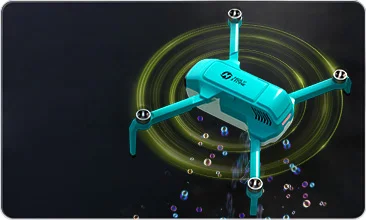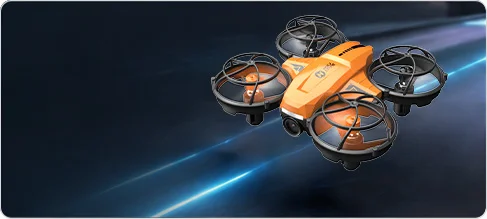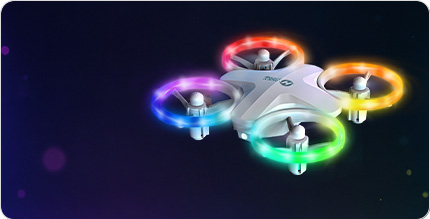

H4831 Multi-Surface Stunt Drone with Wheels
h4831-rolling-stunt-drone-family-play.webp


H4831 Rolling Stunt Drone with Wheels

Model No.: H4831

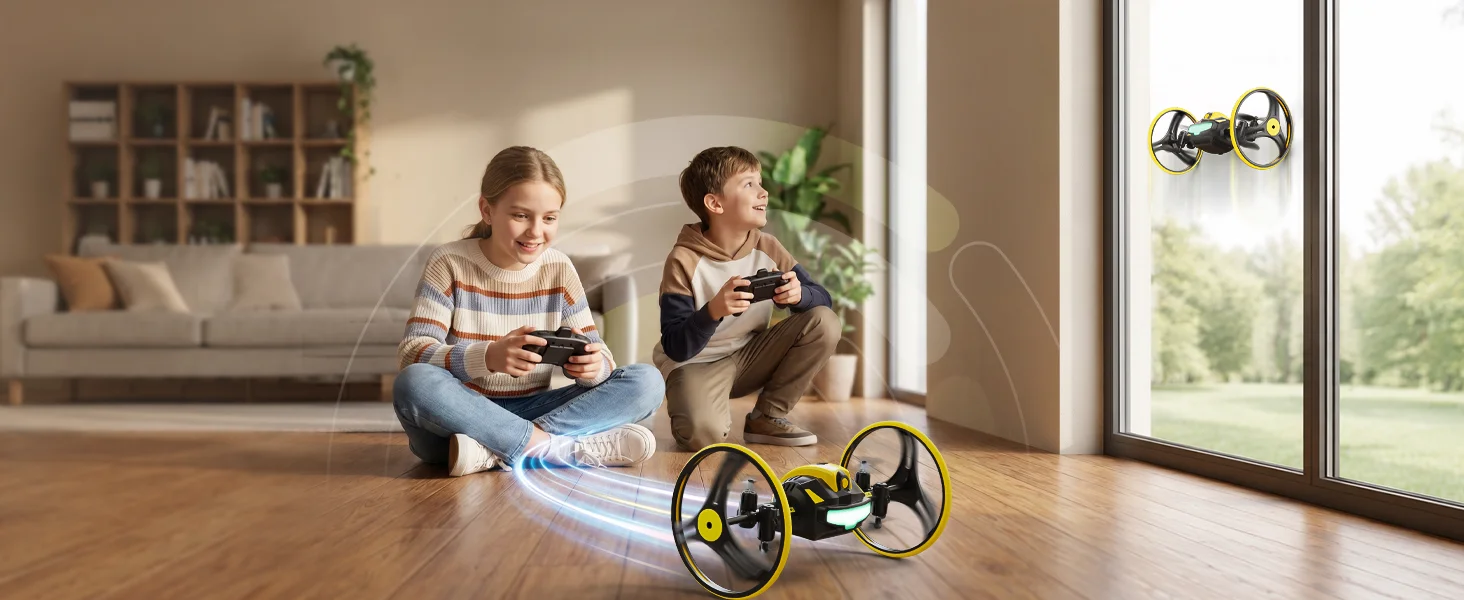
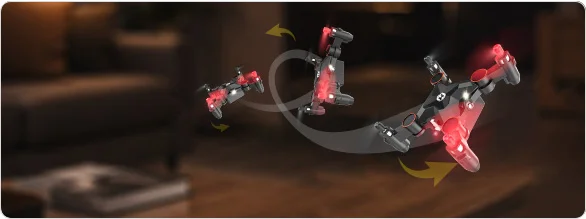
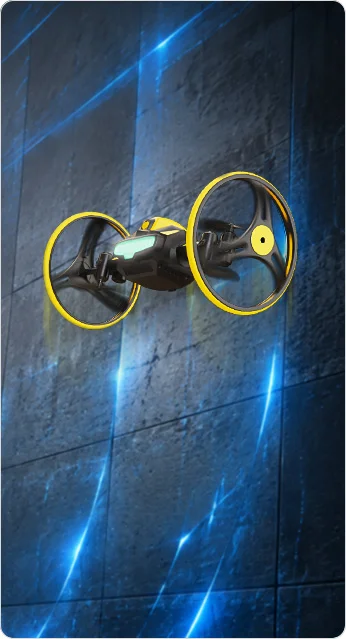
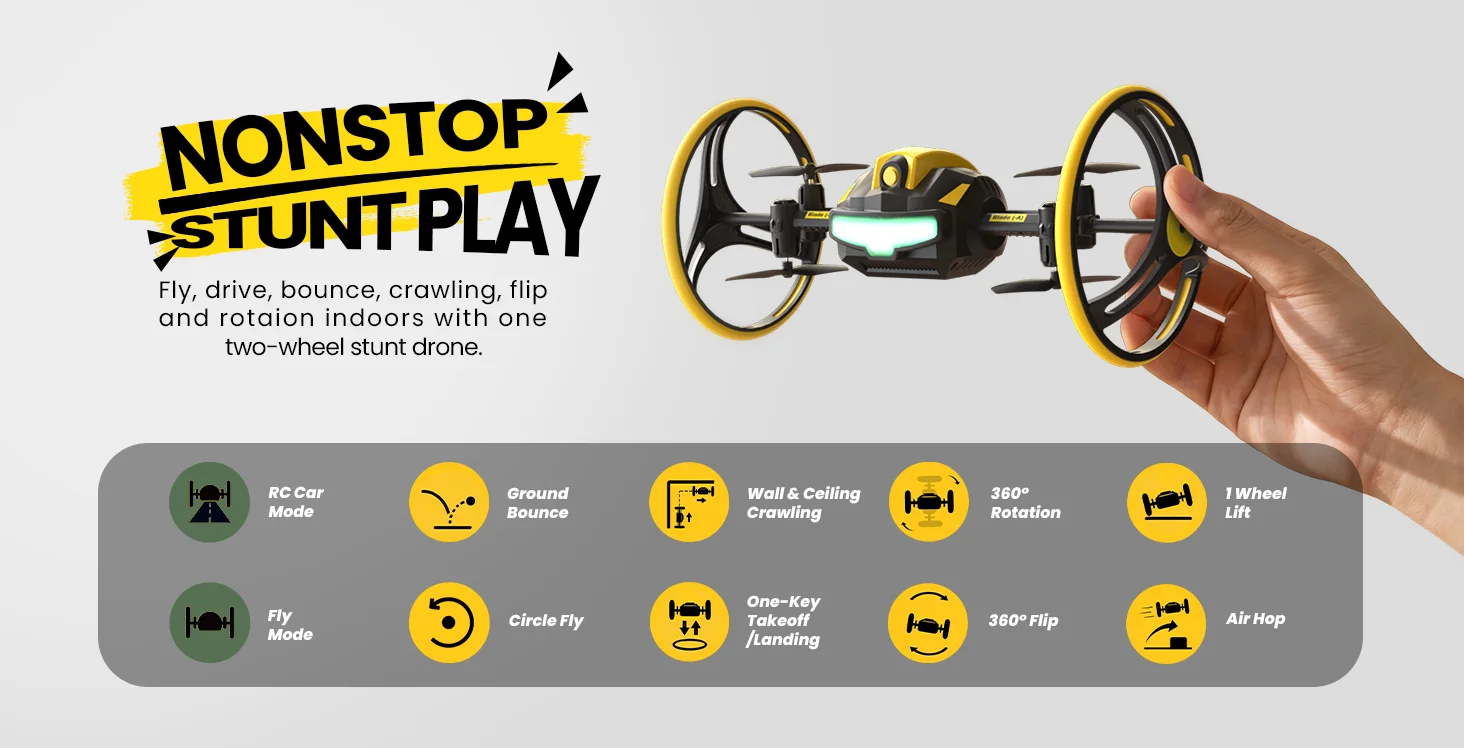
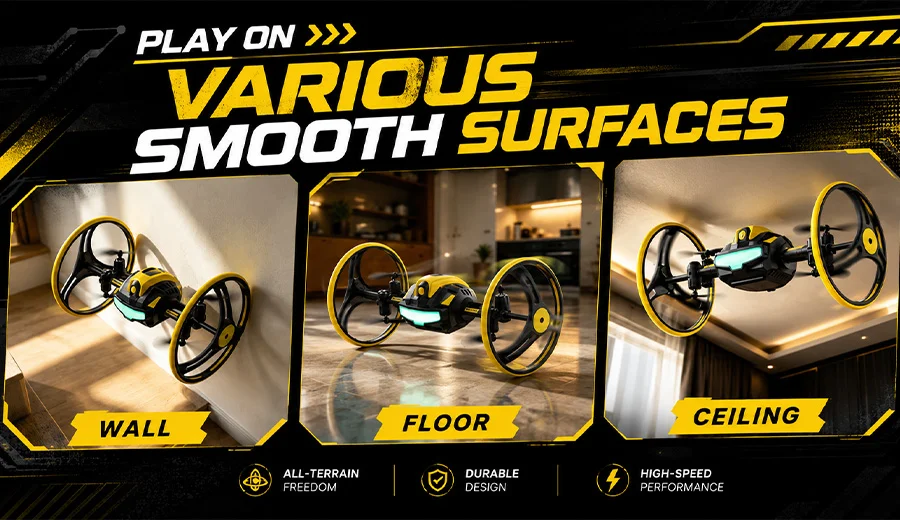
H4831 is a multi-surface stunt drone built for air, floor, wall, and ceiling play. It flies like a mini drone, drives like an RC car, bounces and spins on suitable smooth floors, and crawls on suitable smooth walls and ceilings.
h4831-nonstop-stunt-play-drone.webp
h4831-wall-floor-ceiling-play.webp
h4831-one-wheel-lift-ground-trick.webp
h4831-ground-bounce-stunt-drone.webp
h4831-circle-fly-indoor-drone.webp
h4831-360-ground-spinning-stunt.webp
What Makes H4831 Different

Fly, Drive, Bounce, and Crawl.

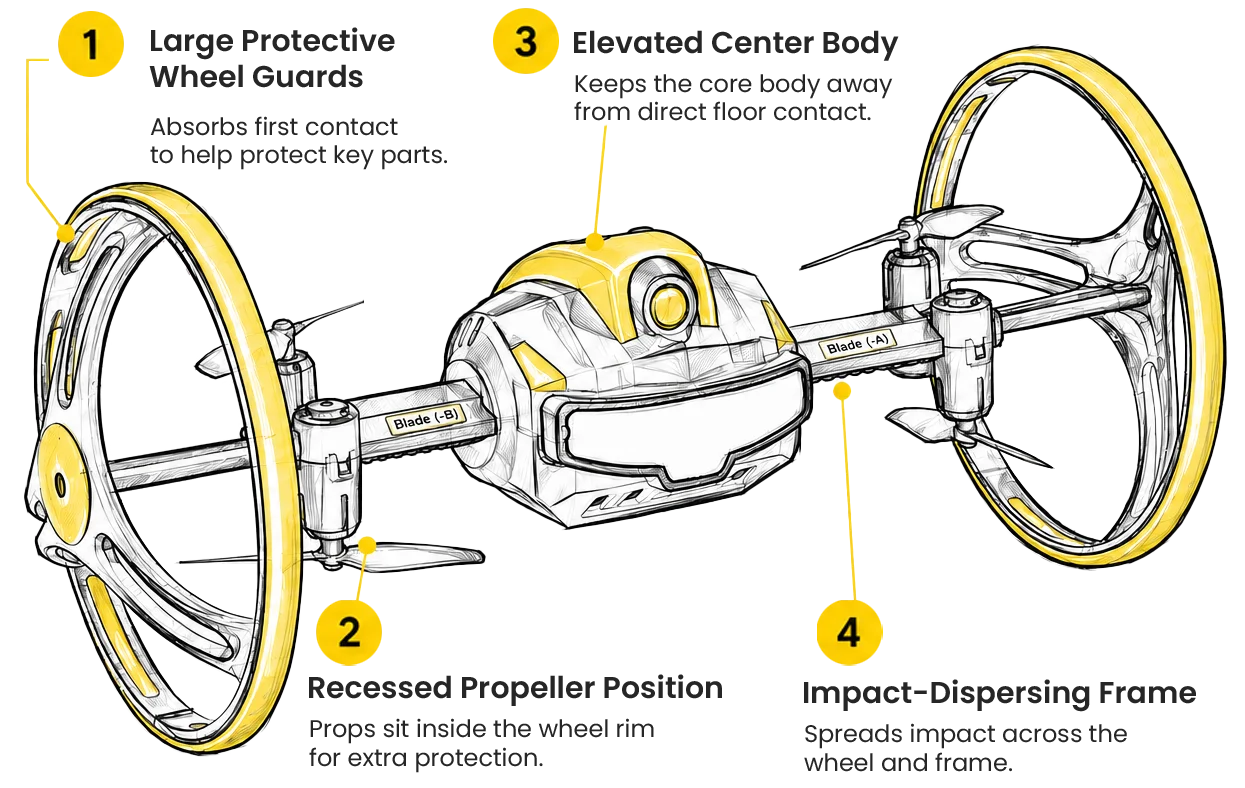
H4831 is not just a mini flying drone. Its two-wheel design adds floor driving, ground stunts, wall crawling, and ceiling play on suitable smooth surfaces.

1

Protected Flying

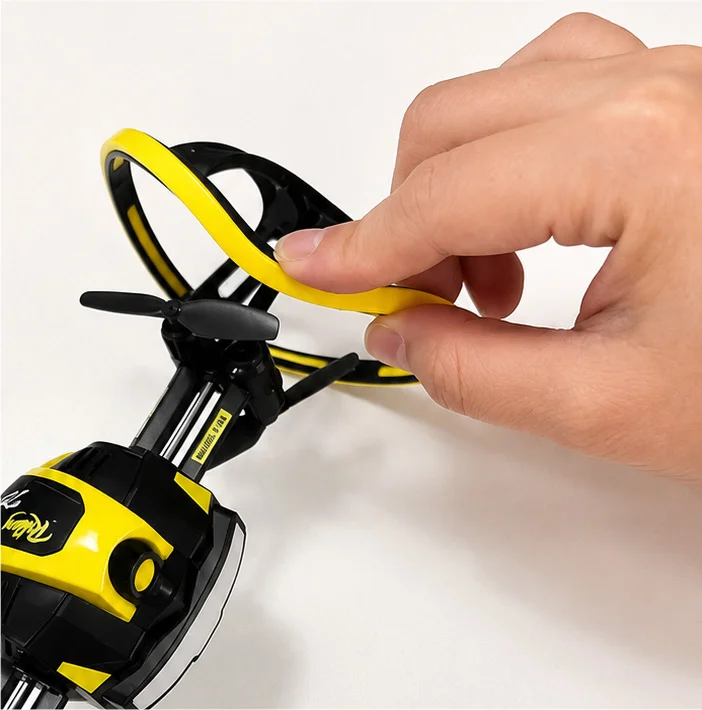
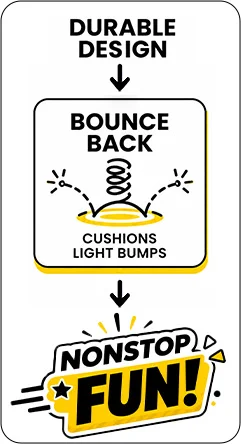
Large wheel guards help protect the propellers during indoor practice and stunt play.

2

Drive on the Floor

Switch from flying to ground play and move across suitable smooth floors like an RC car.

3

Bounce & Spin

Use ground bounce, lift-up tricks, and 360° rotation for quick stunt actions.

4

Crawl Up & Over

Crawl up suitable smooth walls and move upside down on the ceiling.

Watch H4831 in Action

Fly, Drive, Jump, Spin, and Crawl.

Short action videos show each play mode clearly, while the quick operation tips explain how to control the drone for flying, ground driving, jumping, spinning, wall crawling, and ceiling play.

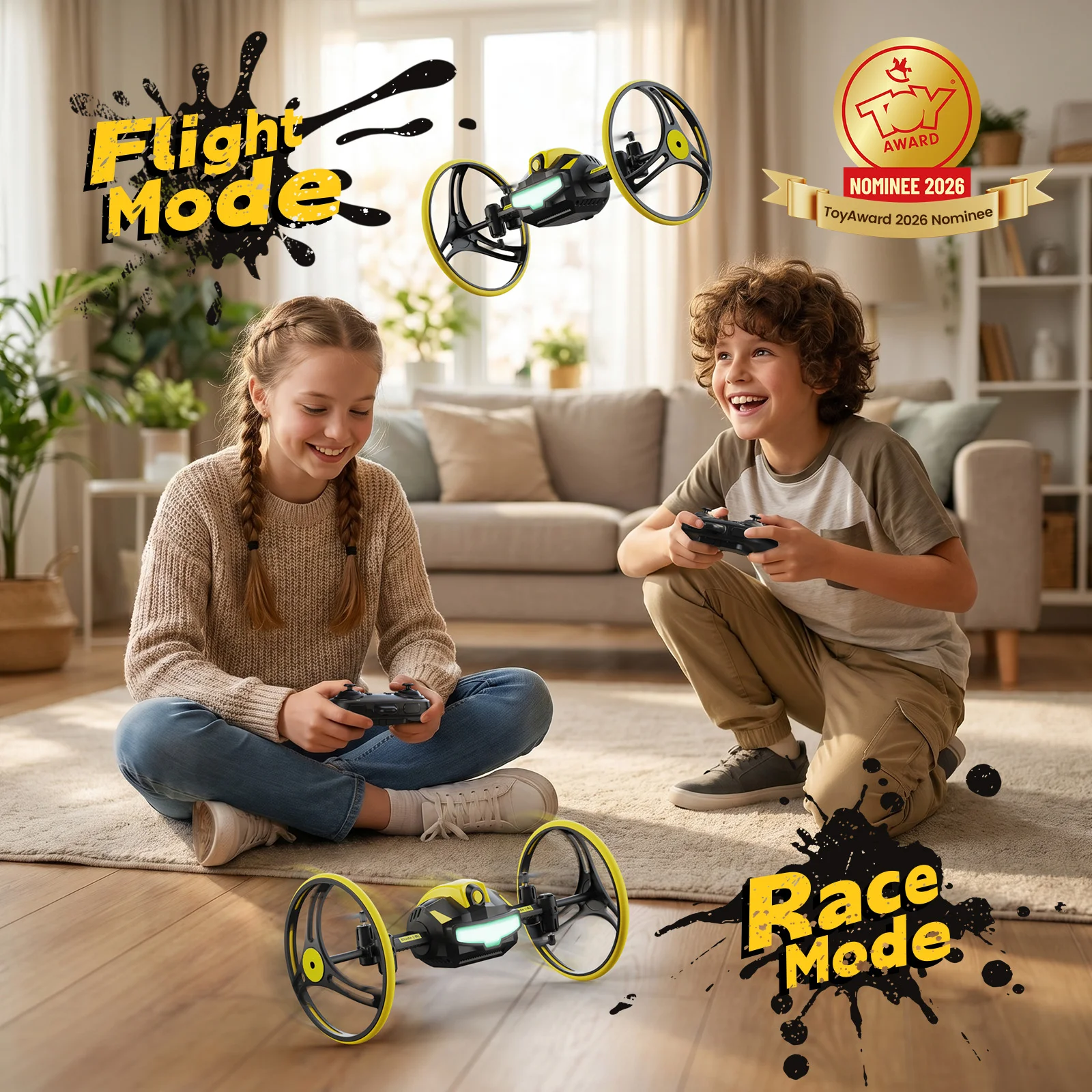
Fly Mode

Fly, Circle, Flip, and Air Hop

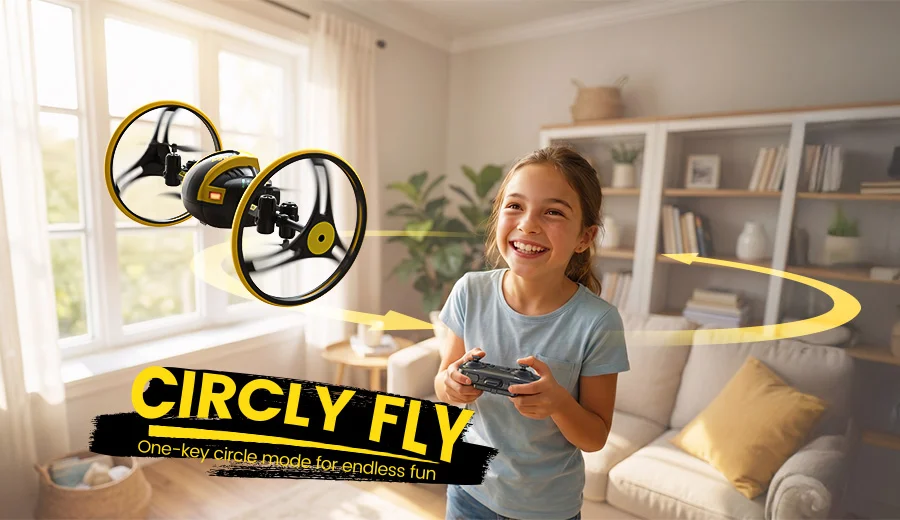
H4831 can fly like a mini drone, hover indoors, enter circle fly mode, perform 360° flips, and make quick air-hop moves for more active stunt play.

How to Use: Short press the one-key takeoff/landing button to lift off and hover. Press the Circle Fly button to enter circle mode, then use the left joystick to adjust the circle size. Press the 360° Flip / Air Hop button, then push the right joystick once to perform a flip or air-hop move.
One-Key Takeoff Altitude Hold Circle Fly 360° Flip Air Hop

RC Car Mode

Drive Like an RC Car

Put H4831 on a suitable smooth floor and switch from air play to ground play. It can drive forward, move backward, and turn left or right like a remote-control car.

How to Use: After pairing on the ground, push the right joystick up to drive forward and down to drive backward. Push the left joystick left or right to turn the drone left or right.
Ground Mode Forward / Backward Left / Right Turns RC Car Drone Smooth Floor Play

Ground Bounce

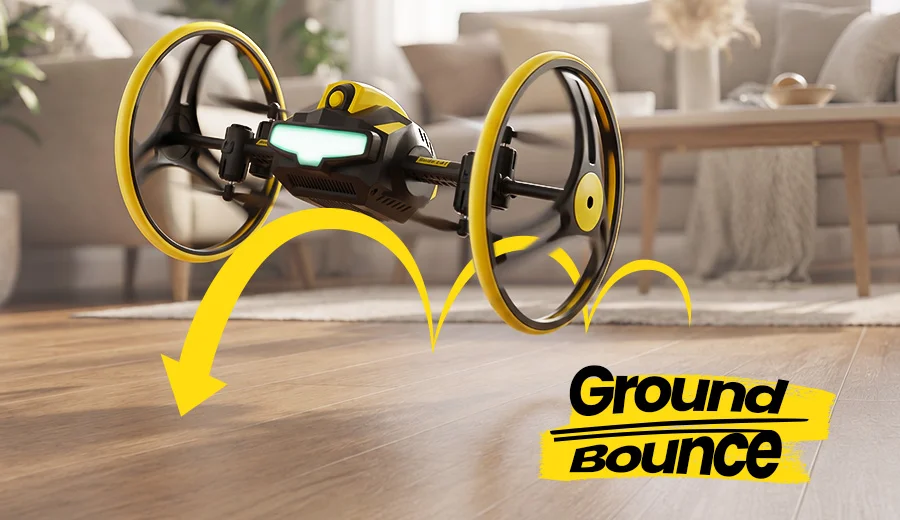
Jump and Bounce on the Floor

In ground mode, H4831 can bounce forward or backward instead of only driving. The stronger and longer the joystick push, the farther and higher the bounce can be.

How to Use: In ground mode, press the 360° Flip button once, then push the right joystick forward or backward once. The drone will bounce forward or backward according to the joystick direction.
Ground Bounce Forward Hop Backward Hop Jumping Drone Toy Ground Stunts

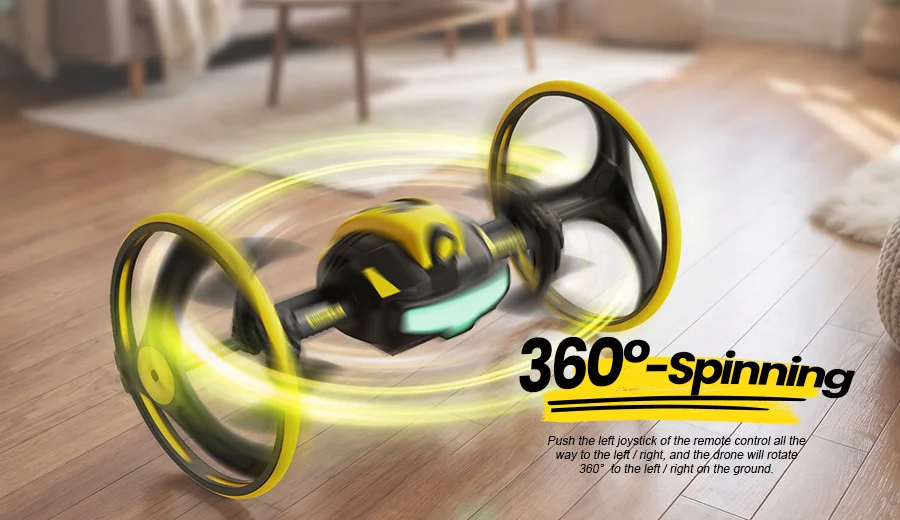
Ground 360° Spin

Spin 360° on the Ground

The two-wheel body can rotate quickly on suitable smooth floors, creating a fast ground stunt that makes H4831 feel more like a rolling stunt vehicle than a regular mini drone.

How to Use: When the drone battery is fully charged, push the left joystick fully left or fully right. The drone will rotate 360° on the ground in the selected direction.
360° Ground Spin Rolling Stunt Drone Left / Right Rotation Remote-Control Stunt Toy

Lift-Up Function

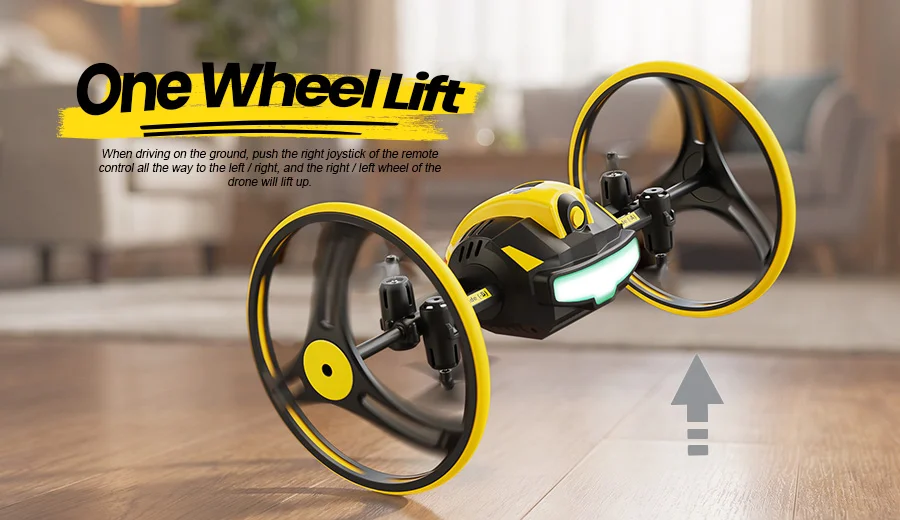
Lift One Wheel for Ground Tricks

While driving on the floor, H4831 can lift one side of its wheel body for a quick trick effect. This makes ground mode feel more playful than standard RC driving.

How to Use: In ground driving mode, push the right joystick fully left to lift the right wheel. Push the right joystick fully right to lift the left wheel.
Lift-Up Function Two-Wheel Body Ground Trick Indoor Action Toy

Wall Crawling

Crawl Up Suitable Walls

Place H4831 near a suitable smooth 90° wall and guide it from the floor onto the wall. This wall-crawling action is one of the clearest ways to see what the two big wheels can do.

How to Use: Place the drone at the foot of a suitable vertical wall. Press the one-key takeoff button, immediately push the right joystick forward, and keep it pushed forward. Use the left joystick up or down to guide the drone along the wall.
Wall Crawling Wall Climbing Drone 90° Wall Play Smooth Surface

Ceiling Play

Move Upside Down on the Ceiling

After crawling from the wall to a suitable ceiling surface, H4831 can move upside down along the ceiling for a floor-to-wall-to-ceiling stunt experience.

How to Use: Keep the left joystick pushed upward while the drone climbs toward the ceiling. Once it reaches a suitable ceiling surface, push the right joystick up or down to move forward or backward, and push the left joystick left or right to turn.
Ceiling Crawling Drone Upside-Down Play Floor Wall Ceiling Indoor Stunt Mode
Buyer Guide

Is H4831 the Right Drone for You?

H4831 is a stunt toy drone, not a camera drone. Choose it for indoor action, family fun, and creative movement challenges.

Best For

  • Kids, teens, and beginner pilots who want a fun indoor stunt drone.

  • Parents looking for a different drone gift with more ways to play.

  • Users who want flying, ground racing, jumping, and wall-crawling in one toy.

  • Indoor playrooms, living rooms, smooth floors, and open obstacle-free areas.

Not Designed For

  • Aerial photography, video recording, or FPV camera flying.

  • GPS outdoor flight, long-distance flying, or windy conditions.

  • Very small indoor spaces, crowded rooms, fragile areas, or rough surfaces.

Easy Indoor Controls

Learn the Controls, Then Start the Stunts.

A clear guide to the key buttons and action modes helps you fly, drive, bounce, flip, circle, crawl up suitable walls, and move along the ceiling with more confidence.

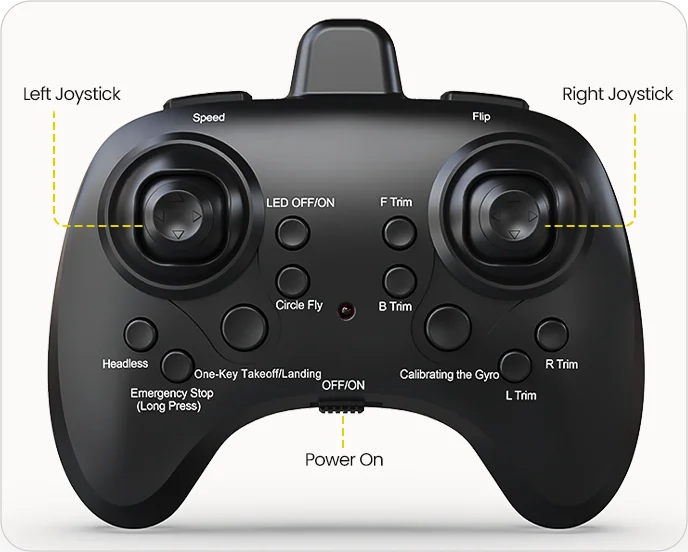
Quick Controller Guide

FunctionRelated Info
Drone Power OnLong press the drone power button until the drone lights flash.
Controller Power OnSwitch the controller to ON; the controller light flashes and beeps once.
PairingPush the left joystick fully up, then fully down; the lights turn solid after pairing.
Gyro CalibrationShort press the gyro calibration button; the controller beeps once and the lights turn solid.
Takeoff / LandingUse the left joystick or short press the one-key takeoff/landing button to take off or land.
Headless ModeShort press the headless button to enter or exit headless mode; it works only in the air.
LED Light SwitchShort press the LED button to switch between 8 colors and 12 light modes, with the final mode turning lights off.
Circle FlyShort press the Circle Fly button to enter; short press again or move the right joystick to exit.
Speed SwitchShort press the speed button to switch speed levels: one beep for low, two for medium, and three for high.
Emergency StopLong press the emergency stop button; the propellers stop immediately and the lights flash quickly.
H4831 remote controller button layout for indoor stunt drone controls

Before You Play

A few quick setup habits help H4831 perform better in flight mode, ground mode, wall crawling, and ceiling play.

1

Pair & Calibrate First

Turn on the drone and controller, complete pairing, then short press the gyro calibration button before flying or after the drone feels unbalanced.

2

Use Suitable Smooth Surfaces

Ground driving, wall crawling, and ceiling play work best on suitable smooth floors, walls, and ceilings with enough open space.

3

Recalibrate After Stunts

After repeated bounce, impact, or heavy stunt play, recalibrate the gyro before switching back to flight mode for steadier control.
Tip: Keep H4831 away from people, pets, heat sources, wires, and fragile objects. Use emergency stop only when needed.
h4831-a-high-energy-gift-for-teens-beginners-family-play.webp
Gift-Ready Fun

A High-Energy Gift for Teens, Beginners & Family Play.

Looking for a drone gift that feels more exciting than a standard toy quadcopter? H4831 brings together flying, racing, bouncing, wall-crawling, and light-show fun in one compact stunt drone.

Good for birthday gifts, holiday gifts, weekend play, and family challenges.

Two modular drone batteries provide up to 14 minutes total play time.

Beginner-friendly controls help new pilots start with less stress.
H4831 Multi-Surface Stunt Drone with Wheels SPECS

DRONE

Model:
H4831
Weight:
90 g / 3.17 oz
Weight with Package:
300 g / 10.58 oz
Max Flight Time:
7–9 minutes per battery
Operating Temperature Range:
32° to 104°F (0° to 40°C)
Size:
220 × 100 × 100 mm / 8.66 × 3.94 × 3.94 in
Usage Environment:
Indoor or outdoor use in open areas. Avoid obstacles, crowds, pets, heat sources, wires, and strong wind.

DRONE BATTERY

Capacity:
1100 mAh
Voltage:
3.7 V
Energy:
4.07 Wh
Battery Type:
Lithium-ion Polymer Battery
Charging Time:
About 120–150 minutes, depending on charging power
Charging Temperature Range:
41° to 104°F (5° to 40°C)

TRANSMITTER

Operating Frequency:
2.4 GHz
Max Flight Distance:
30–40 m / 98–131 ft, outdoor and unobstructed
Battery Type:
3 × AAA batteries, not included

USB CHARGING CABLE

Input:
USB adapter, power bank, or computer USB port
Recommended Charging Input:
5V @ 0.5–2.0A
H4831 Multi-Surface Stunt Drone with Wheels IN THE BOX
h4831-package-content.webp

*Accessories configuration may vary depending on the purchase channel. Please refer to the actual product package on the purchasing platform for final confirmation.*

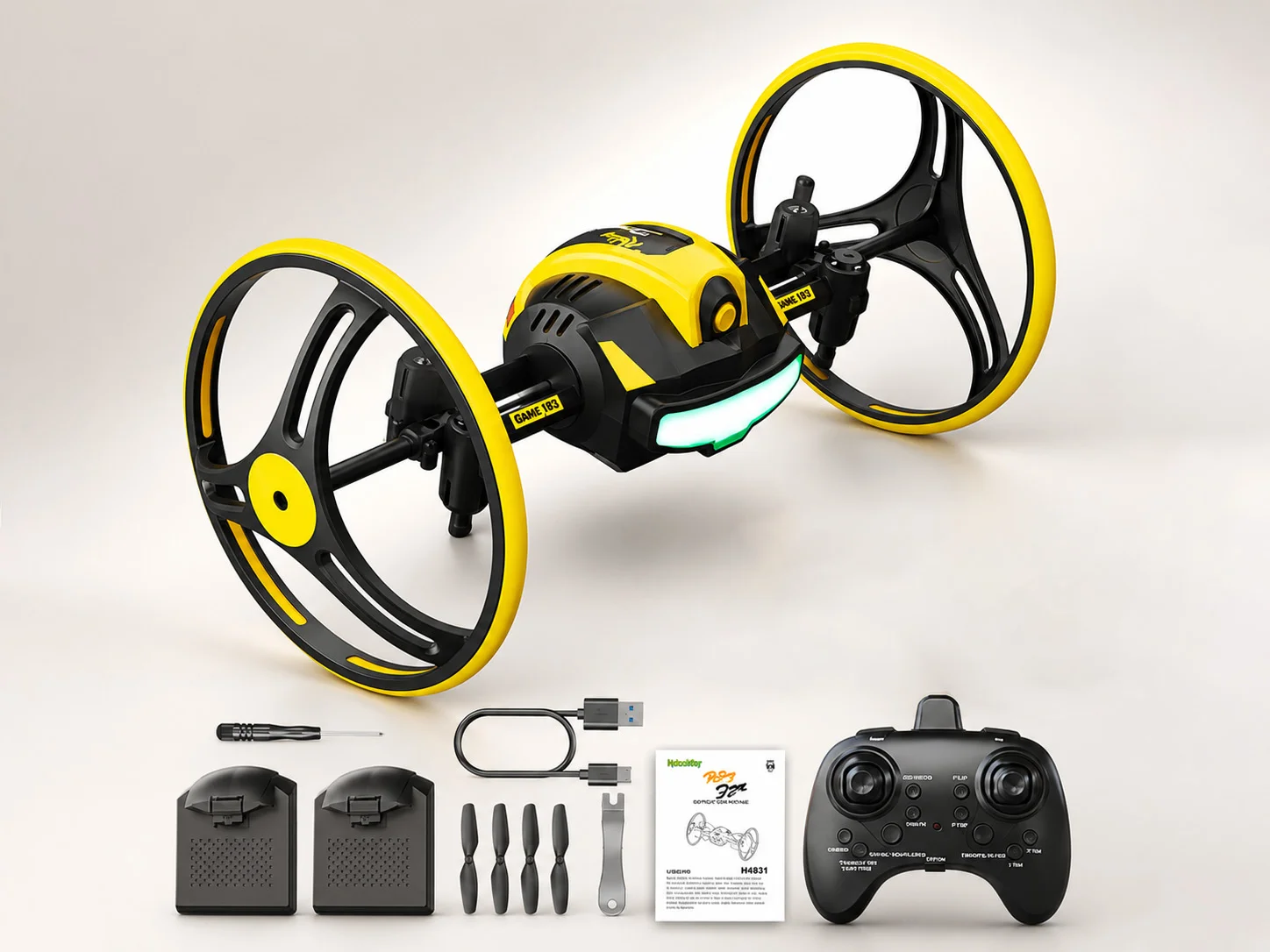
Package Content

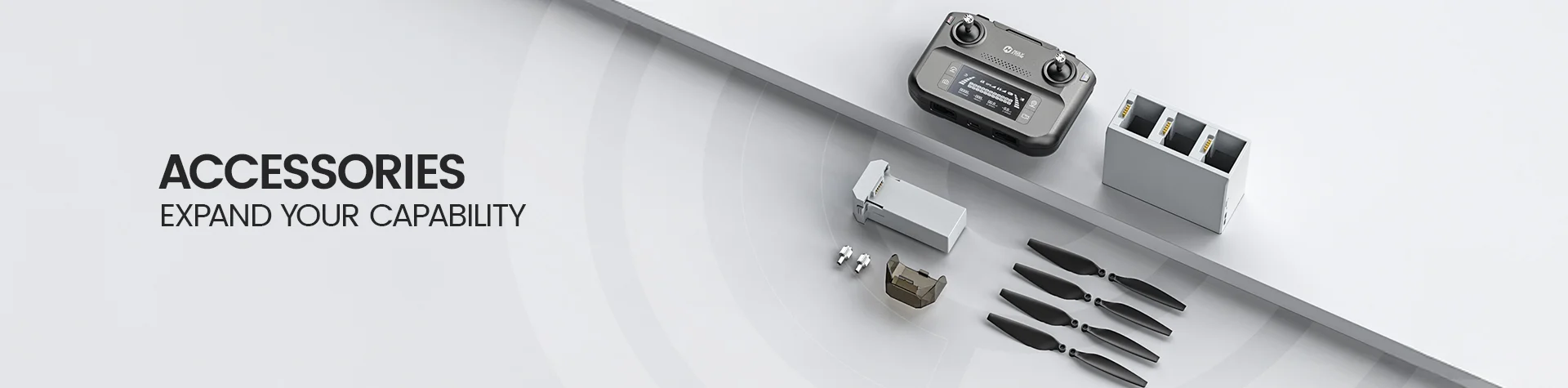
  • 1× H4831 Rolling Stunt Drone

  • 1× Transmitter

  • 2× Drone Batteries

  • 1× USB Charging Cable

  • 4× Spare Propeller Blades

  • 1× Propeller Spanner

  • 1× Screwdriver

  • 1× User Manual

H4831 Multi-Surface Stunt Drone with Wheels DOWNLOAD

User Manual

Setup & Stunt Play Guide

Download the official H4831 user manual for setup instructions, safe operation, pairing, calibration, flight controls, ground driving, wall crawling, ceiling play, battery charging, and troubleshooting.

Download H4831 Manual (PDF)
H4831 Multi-Surface Stunt Drone with Wheels FAQ

Buying Decision

What makes H4831 different from a regular mini drone?

H4831 is a multi-surface stunt drone with two large wheel guards. It can fly like a mini drone, drive like an RC car, bounce and spin on suitable smooth floors, crawl up suitable walls, and move upside down on the ceiling.

The two-wheel design is the key difference. It helps protect the propellers and makes floor, wall, and ceiling play possible.

Who is H4831 best for?

H4831 is best for users who want an active stunt toy drone instead of a camera drone. It is a good choice for indoor flying practice, ground racing, wall crawling, ceiling play, and family movement challenges.

Choose H4831 if you want one drone toy that can fly, drive, bounce, spin, and crawl indoors.

Is H4831 a camera drone?

No. H4831 is not a camera drone. It does not focus on aerial photography, video recording, GPS flight, or long-distance outdoor flying.

It is designed as a rolling stunt drone for flight tricks, ground play, wall crawling, and ceiling movement.

Is H4831 a good drone gift?

Yes. H4831 works well as a drone gift for users who prefer active play over camera filming. It combines the feeling of a mini drone, an RC car, and a stunt toy in one compact design.

Its multi-surface play makes it suitable for birthdays, holidays, weekend fun, and family indoor challenges.

Multi-Surface Play

What is a multi-surface stunt drone?

A multi-surface stunt drone is a drone toy designed to move across more than one play surface. H4831 can play in the air, on suitable smooth floors, on suitable smooth walls, and on suitable ceilings.

This makes it different from ordinary mini drones that mainly fly in the air.

Can H4831 drive on the floor like an RC car?

Yes. After H4831 is paired on the ground, it can drive forward, move backward, and turn left or right on suitable smooth floors.

Use the right joystick to move forward or backward, and use the left joystick to turn left or right.

Can H4831 crawl up walls?

Yes. H4831 can crawl up a suitable smooth 90° wall after starting from the floor.

Place the drone at the foot of a vertical wall, press the one-key takeoff button, keep the right joystick pushed forward, and use the left joystick to guide it up or down.

Can H4831 move upside down on the ceiling?

Yes. After climbing from a suitable wall to a suitable ceiling surface, H4831 can move upside down on the ceiling.

Once it reaches the ceiling, use the right joystick to move forward or backward and the left joystick to turn left or right.

What surfaces work best for H4831?

H4831 works best on suitable smooth floors, suitable smooth walls, and suitable ceiling surfaces with enough open space.

Rough surfaces, thick carpets, crowded rooms, fragile areas, and uneven walls may reduce performance or make stunt play harder to control.

Stunt Actions

How do I use ground bounce on H4831?

In ground mode, press the 360° Flip button once, then push the right joystick forward or backward once. H4831 will bounce forward or backward according to the joystick direction.

The distance and height of the bounce depend on how strongly and how long the joystick is pushed.

How does the one-wheel lift function work?

When H4831 is driving on the ground, push the right joystick fully left to lift the right wheel, or push the right joystick fully right to lift the left wheel.

This adds a quick stunt effect during ground driving and makes H4831 feel more playful than a standard RC car toy.

How do I make H4831 spin 360° on the ground?

When the drone battery is fully charged, push the left joystick fully left or fully right. H4831 will rotate 360° on the ground in the selected direction.

For faster response on some surfaces, the manual notes that removing the wheel skin can reduce friction during ground control.

How do I use Circle Fly on H4831?

Short press the Circle Fly button to enter Circle Fly mode. Use the left joystick to adjust the circle size, and move the right joystick to exit the mode.

Use Circle Fly in an open area with enough space around the drone.

How do I use 360° Flip and Air Hop?

Press the 360° Flip / Air Hop button, then push the right joystick once in the desired direction to trigger a flip or air-hop move.

Make sure there is enough space around the drone. The manual recommends keeping safe clearance from the ground and ceiling before using this function.

Setup & Controls

How do I pair H4831 with the controller?

Turn on the controller and drone, place the drone on a flat level surface with the head facing forward, then push the left joystick fully up and fully down.

Pair one drone at a time. Do not turn on two or more drones at the same time before pairing is completed.

Do I need to calibrate H4831 before flying?

Yes. Calibration is recommended after pairing or whenever the drone loses balance.

Short press the gyro calibration button after pairing. Recalibration is also useful after repeated bounce, impact, or heavy stunt play.

How do I take off and land H4831?

You can short press the one-key takeoff/landing button to take off and hover, then short press it again to land.

You can also pull the left joystick down until the propellers stop rotating to land slowly.

What does the speed switch do on H4831?

The speed button switches among three speed levels: slow, fast, and super-fast flight.

The controller beeps once for slow speed, twice for fast speed, and three times for super-fast speed.

What does the LED button do?

Each press of the LED button changes the lighting mode. After cycling through the lighting modes, pressing the LED button again turns off the drone lights.

Colorful lighting helps make H4831 easier to see during indoor flying and stunt play.

Battery, Range & Size

How long can H4831 fly per battery?

H4831 provides about 7–9 minutes of flight time per battery.

Actual play time may vary depending on speed, stunt use, ground driving, surface friction, battery condition, and operating environment.

How long does the H4831 battery take to charge?

The H4831 drone battery takes about 120–150 minutes to charge, depending on charging power.

Use the included USB charging cable with a computer USB port, power bank, or USB adapter rated 5V @ 0.5–2.0A.

How far can H4831 fly?

H4831 supports a control distance of about 30–40 m / 98–131 ft in outdoor, unobstructed conditions.

For safer play, keep the drone within sight and avoid obstacles, crowds, pets, wires, and signal-blocking environments.

How big and heavy is H4831?

H4831 weighs about 90 g / 3.17 oz. Its size is about 220 × 100 × 100 mm / 8.66 × 3.94 × 3.94 in.

With packaging, the listed weight is about 300 g / 10.58 oz.

Troubleshooting

Why does H4831 move slowly on the ground?

Ground speed can vary because different surfaces create different friction. Smooth floors, carpets, and wooden floors may all affect how quickly H4831 responds.

Make sure the battery is fully charged. If the drone moves slowly on the ground, try using a smoother surface and give joystick inputs in short repeated pushes.

Why does H4831 lose power after a strong bounce?

If H4831 bounces too high or impacts heavily, the battery may become loose and the drone may lose power.

Reinstall the battery firmly, turn the drone and controller on again, then pair them before continuing play.

Why is H4831 drifting or unstable after stunt play?

Repeated bounce, impact, or heavy stunt play can affect gyro data and make the drone drift or fly unstably.

Land the drone, place it on a flat surface, and press the gyro calibration button before flying again.

Why can’t H4831 use 360° Flip or Air Hop?

The 360° Flip / Air Hop function may be deactivated when the drone battery is low.

Recharge the battery fully and make sure there is enough open space before trying 360° Flip or Air Hop again.

What should I do if H4831 crashes or hits an object?

Stop flying and check the drone before using it again. Make sure the wheels, propellers, battery, and body parts are firmly installed and not damaged.

If the drone feels unbalanced after impact, recalibrate the gyro before taking off again.