

 Sign in
 Sign up


7 Halloween Drone Games for Kids: Indoor & Backyard Ideas for 2026
Halloween 2026 Family Activity Guide
7 Halloween Drone Games for Kids: Indoor & Backyard Ideas for 2026
Mini drones can turn Halloween into an interactive family game night. Kids can create a backyard bubble show, complete an LED ghost patrol, practice indoor flight control, record a haunted photo mission, compete in a two-player battle, or take on a land-and-air obstacle course. The best activity depends on the available space, lighting, number of players, and the pilot’s experience.
The key is to match each activity to the right space. Start outdoors while it is still light, move to LED games around dusk, and bring the fun indoors when trick-or-treating winds down. The ideas below are designed to be simple to set up, easy to photograph, and flexible enough for a small family gathering or Halloween party.
Choose Your Halloween Drone Game
Find the right mini drone activity for your space, time, and players. Select a card to jump to the full game guide.
Before You Start: Build a Simple Halloween Flight Zone
You do not need an elaborate haunted house. A few pumpkins, removable floor markers, paper ghosts, and battery-powered lights can create a clear Halloween theme without crowding the flying area.
- Leave a wide, uncluttered area for takeoff, turns, and landing.
- Use LED candles instead of real flames.
- Secure hanging decorations so they cannot drift into the propellers.
- Keep spectators, pets, candy bowls, and breakable decorations outside the flight zone.
- Choose lightweight props that are visible but not loose enough to blow around.
For younger or first-time pilots, let an adult set the boundaries and demonstrate the controls before the game begins. Short practice rounds are more fun than learning during a timed challenge.
1. Before Dark: A Backyard Halloween Bubble Show with HS320
Best for: Daytime backyard play and family photos
Players: One adult pilot plus participating children
Suggested setup time: 5–10 minutes
You’ll need: Open lawn, stable decorations, phone or camera
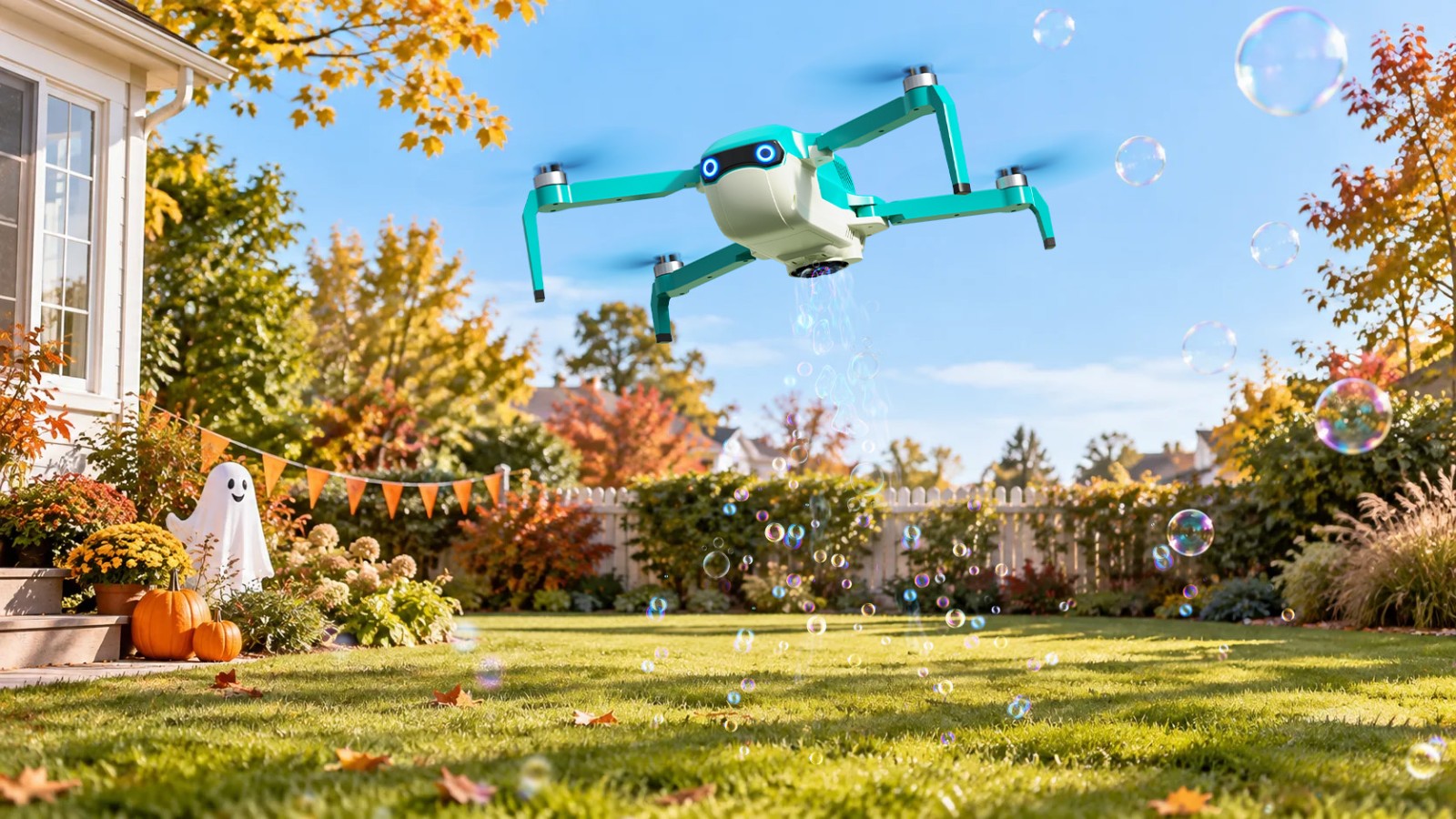
Halloween activities often begin before sunset, especially for younger children. That makes the backyard a natural place to start. The Holy Stone HS320 combines beginner-friendly flight with two bubble-output modes, turning an ordinary decorated yard into a moving bubble show.
Instead of treating it as a race, make this activity about movement and photos. Fly above an open patch of lawn while children follow the bubbles from a safe distance. A parent can take pictures with a phone as bubbles pass through the Halloween decorations.
- Create three bubble zones: mark a pumpkin patch, a friendly ghost corner, and a photo spot.
- Fly one zone at a time: keep the drone over open ground rather than directly above children.
- Use a simple photo prompt: catch a bubble, make a monster pose, or stand beside a favorite pumpkin.
- Finish with a bubble parade: fly a slow, short route while the family walks alongside the marked boundary.
Use the HS320 only in suitable weather and open space. Strong wind can carry bubbles away and make a small drone harder to control. If the grass is wet or the yard is crowded, save the flight for another time.
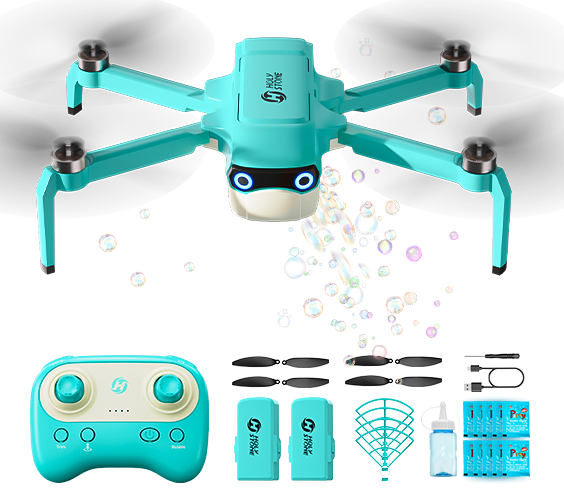
Why HS320 Fits This Game
Its built-in removable bubble tank and selectable bubble output make the drone part of the activity rather than simply something to watch. The best setting is a calm, open yard with an adult pilot and children outside the flight path.
Explore HS3202. At Dusk: Ghost Light Patrol with HS180
Best for: A simple LED mission for beginner pilots
Players: One pilot at a time
Suggested setup time: About 5 minutes
You’ll need: Paper ghosts, number cards, flameless LED lights
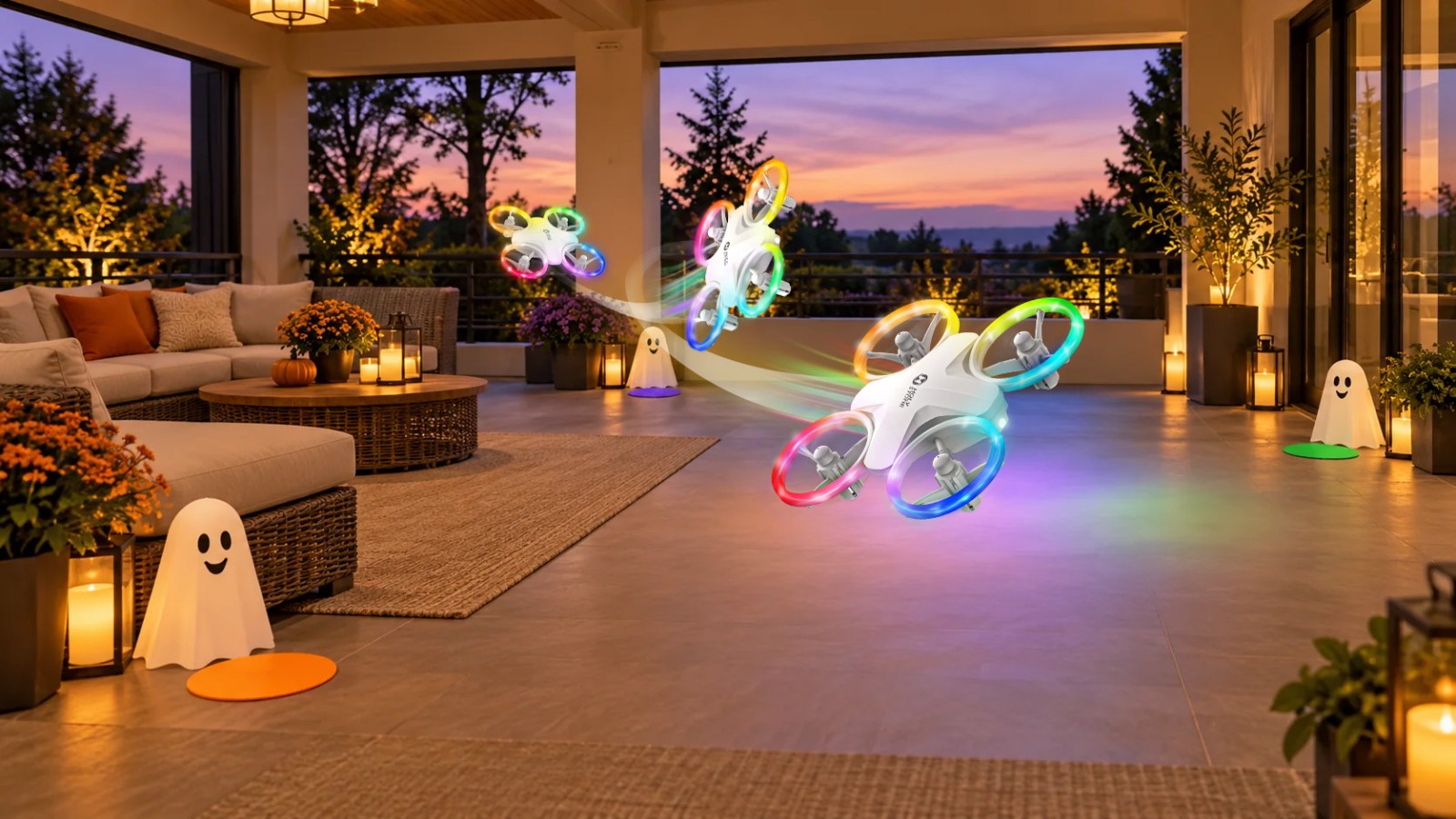
As daylight fades, switch from bubbles to light. The compact HS180 LED mini drone offers colorful lighting modes along with one-key takeoff and landing, altitude hold, headless mode, flips, and circle flight. These features make it a natural fit for a short “ghost patrol” in a controlled space.
- Place three or four paper ghosts around the edge of the flight zone.
- Assign each ghost a color or number.
- Call out a target and ask the pilot to hover near it for three seconds.
- After all ghosts are found, finish the patrol with one planned stunt in the center of the space.
Keep enough ambient light to see the drone, obstacles, and people clearly. The LEDs create the Halloween mood; the room should never be completely dark.
3. Pumpkin Landing Challenge with HS190
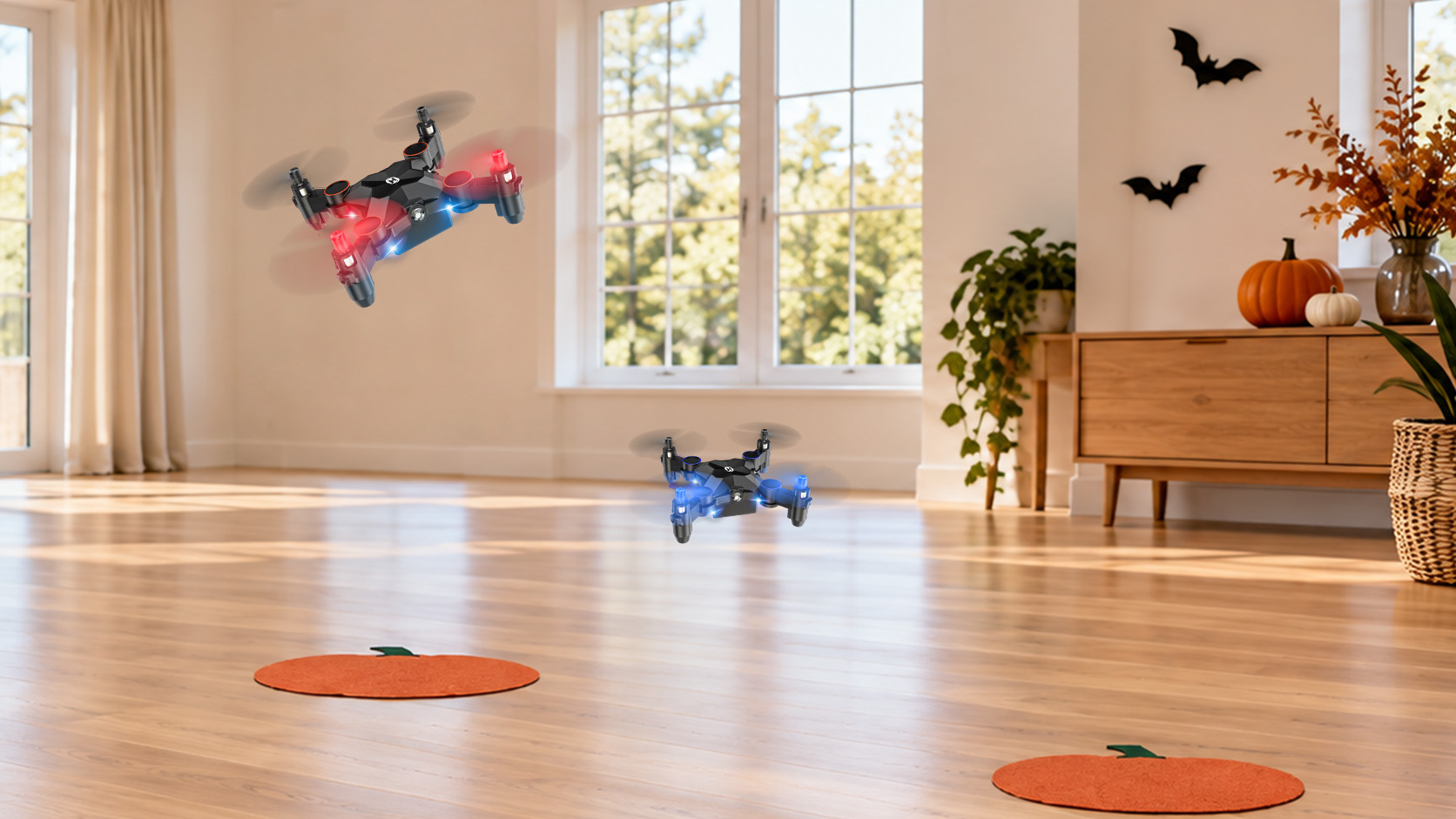
Best for: Practicing hovering and controlled landings
Players: 1–4 taking turns
Suggested setup time: About 5 minutes
You’ll need: Orange paper circles or removable floor tape
The pocket-size HS190 turns basic indoor control into a simple precision game. Its one-key takeoff and landing, altitude hold, and three speed modes let families begin slowly and make the challenge harder as confidence grows. Cut large landing circles from orange paper or use removable floor tape to create “pumpkin pads.”
- Round 1 — Friendly Pumpkin: land anywhere inside the largest orange circle.
- Round 2 — Pumpkin Patch: choose one of three numbered landing pads.
- Round 3 — Trick or Treat: draw a card that tells the pilot which pad to use.
A point system is optional. For younger children, completing the landing is enough. For older players, award one point for entering the correct zone and a second point for a controlled landing.

Why HS190 Fits This Game
HS190 is a compact foldable mini drone built for indoor beginner practice. Start in Low Speed for the largest pumpkin pad, then use the smaller targets as hovering and landing control improve.
Explore HS1904. Halloween Flight School with HS210 or HS190
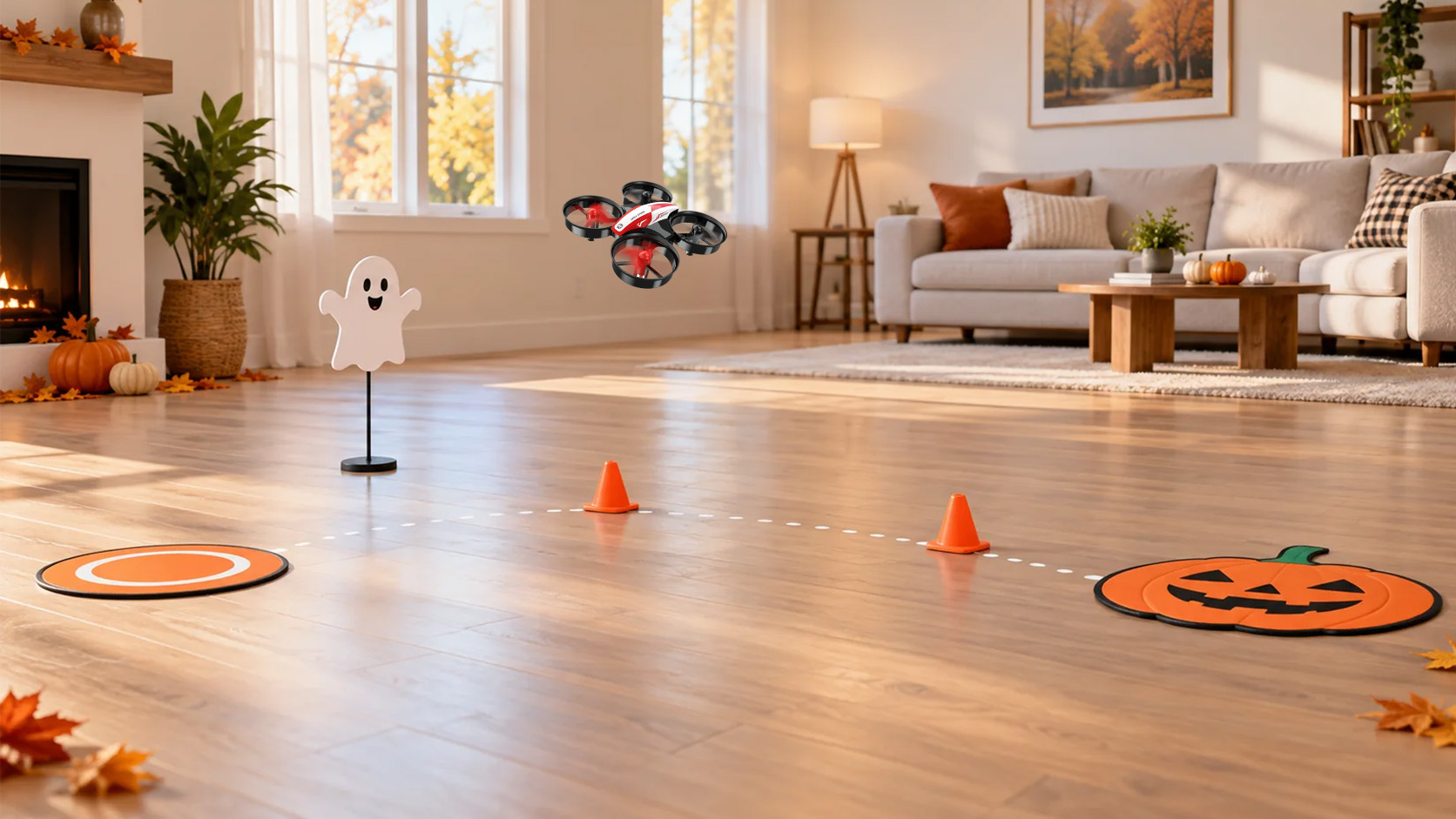
Best for: Learning basic indoor flight control through play
Players: 1–4 taking turns
Suggested setup time: 5–10 minutes
You’ll need: Floor markers, one paper ghost, one pumpkin landing pad
Not every Halloween activity needs a camera or special battle mode. The HS210 works well as an indoor flight-control practice drone and a simple source of fun for children and first-time pilots. The foldable HS190 can join the same course as the pocket-size option, especially for short precision routes and a trick bonus. Both choices suit a cleared indoor room where children can practice takeoff, hovering, turning, and landing at a comfortable pace.
- Wake the Bat: take off from the marked starting circle.
- Ghost Hover: hold position near a paper ghost for three seconds.
- Witch’s Turn: make a slow left turn and then a slow right turn.
- Pumpkin Home: return and land inside the orange finish area.
- HS190 Trick Bonus: finish with one controlled flip only after the basic route is complete and the pilot is comfortable.
Keep the course untimed for the first round. Once the pilot can complete the route without rushing, add points for smooth control rather than speed. Choose HS210 as the straightforward practice-first option, or HS190 when portability and a compact trick challenge are part of the fun.
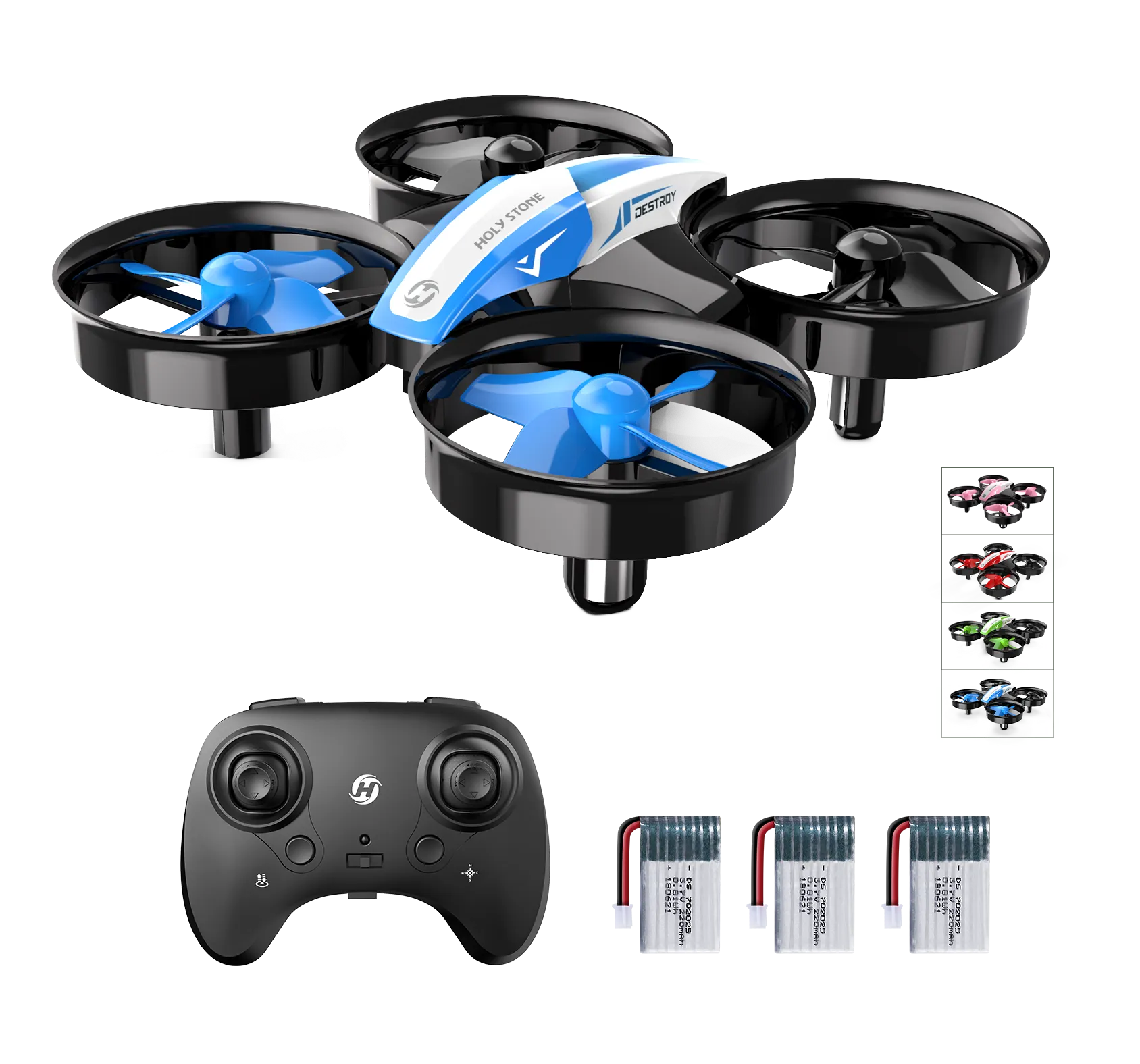
Why HS210 Fits This Game
HS210 focuses on approachable indoor flying instead of photography or specialized game hardware. It is the straightforward choice for children who want to practice the controls, repeat simple stunts, and enjoy short family challenges.
Explore HS2105. Haunted Photo Mission with HS210P or HS420
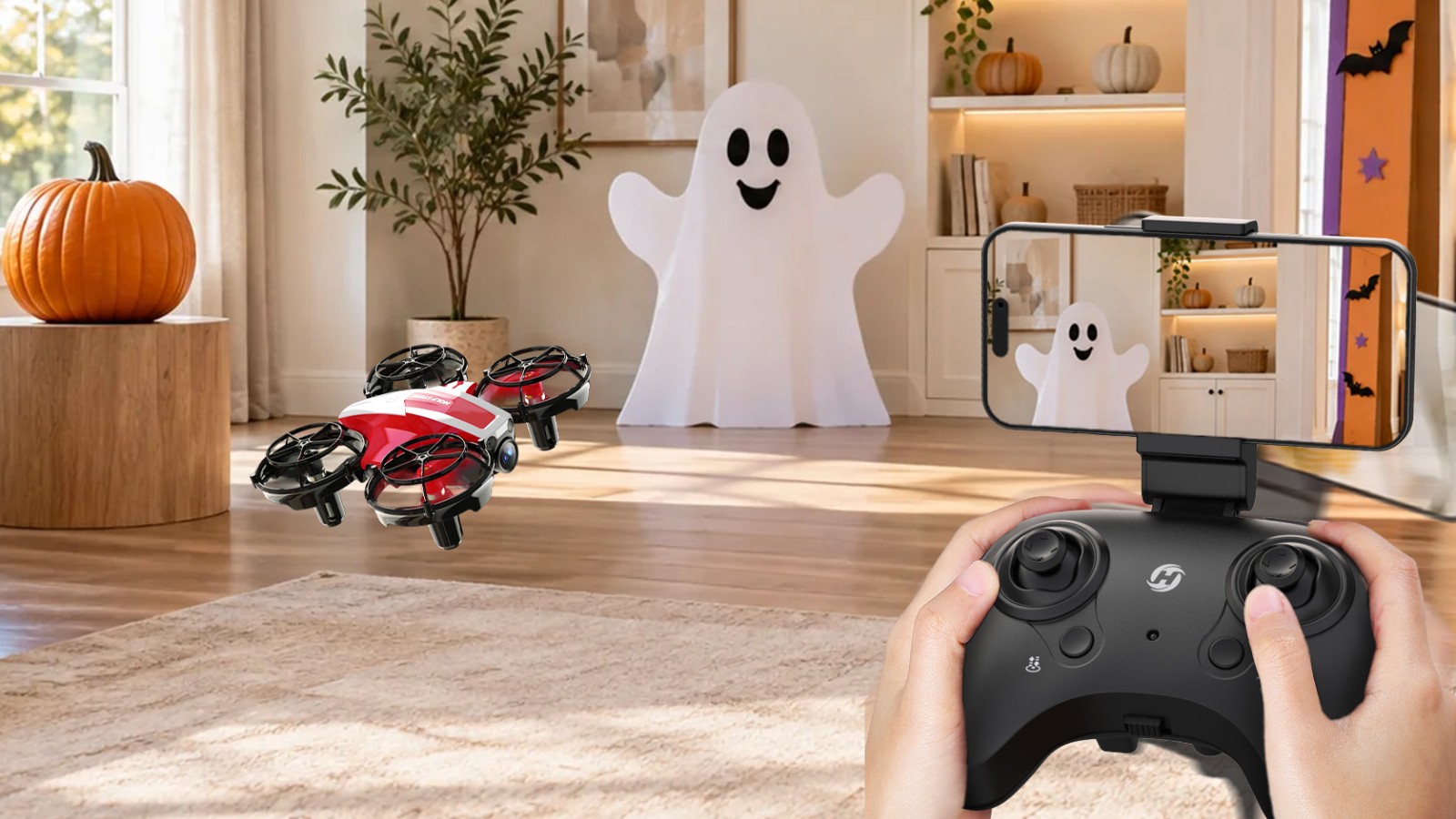
Best for: First-person viewing and playful indoor photos
Players: One pilot plus one photo director
Suggested setup time: About 10 minutes
You’ll need: Three stable photo subjects and a connected phone
For children who are more interested in seeing and capturing the Halloween setup, turn the room into a small photo mission. Both the HS210P and HS420 are compact indoor camera drones with 1080P FPV viewing. HS210P adds an adjustable camera and optical-flow hover, while HS420 combines FPV viewing with gesture capture and playful beginner flight modes.
- Shot 1 — Pumpkin Portrait: hover at a safe distance and frame one pumpkin.
- Shot 2 — Find the Ghost: use the live view to locate a friendly ghost marker.
- Shot 3 — Haunted Doorway: line up the decorated doorway without flying through it.
The goal is not professional image quality. It is to help a beginner connect what the drone sees with small, deliberate control movements. Keep subjects stationary, provide good room lighting, and review the three images together after landing instead of looking at the phone continuously while flying.
HS210P or HS420?
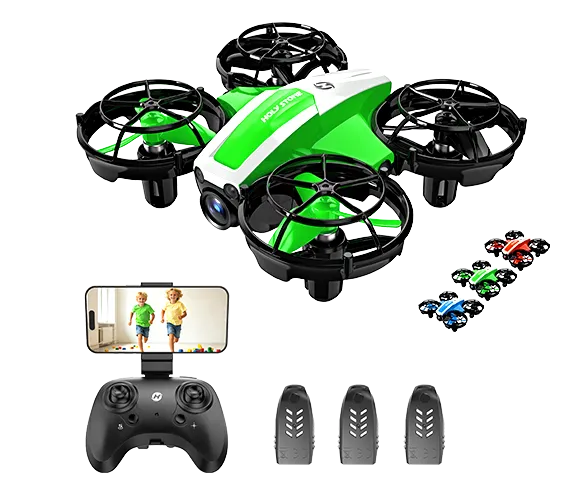
HS210P
Choose it when adjustable framing and steadier optical-flow hovering are the priority.
Explore HS210P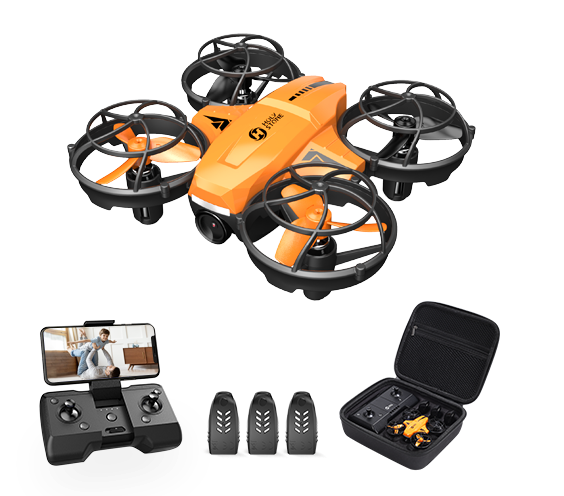
HS420
Choose it for a compact first FPV experience with gesture capture and playful flight features.
Explore HS4206. After Trick-or-Treating: Monster Drone Battle with HS210FS
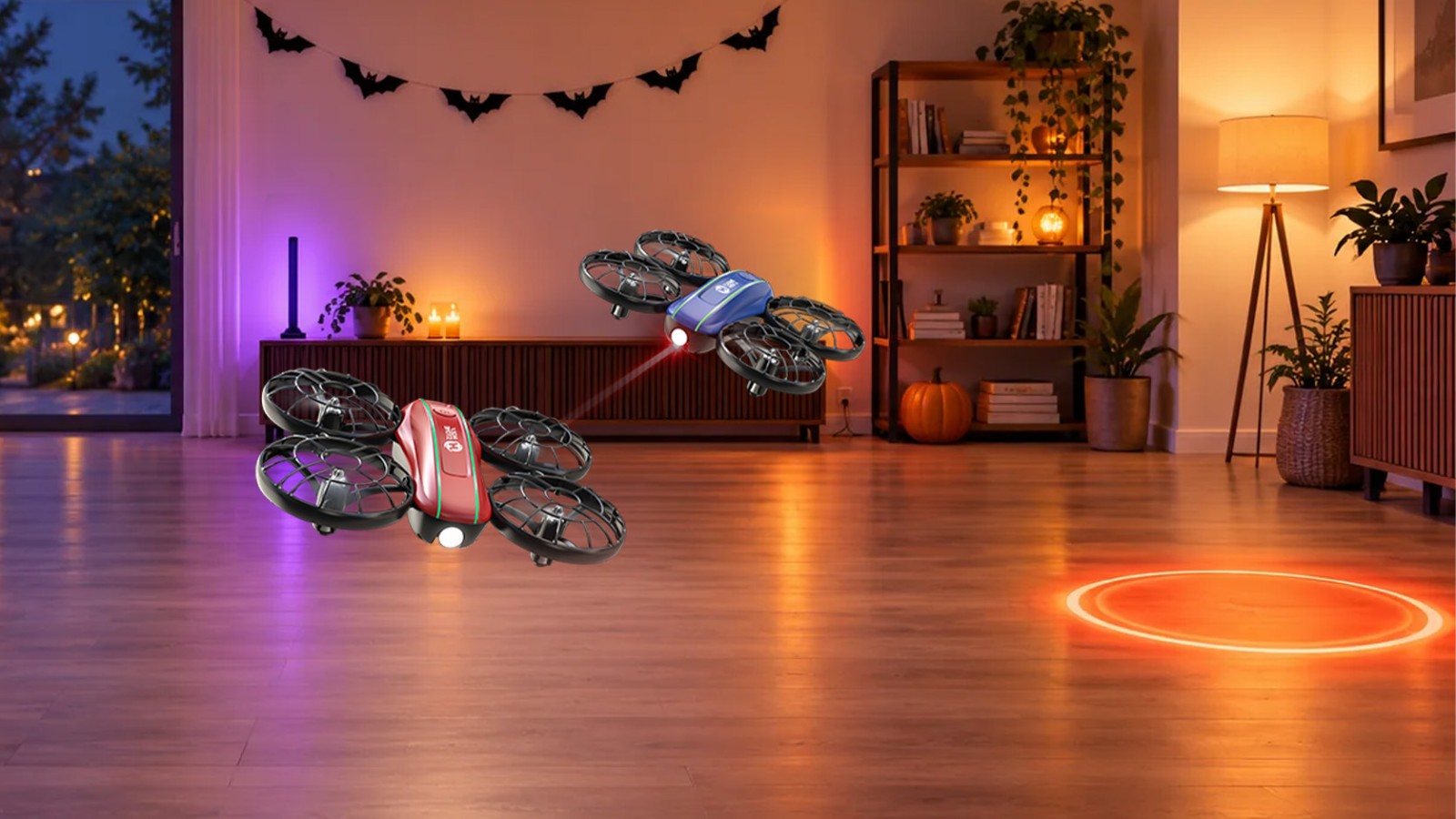
Best for: A structured head-to-head game
Players: Two pilots per round
Suggested setup time: 5–10 minutes
You’ll need: Two starting zones and a clear arena boundary
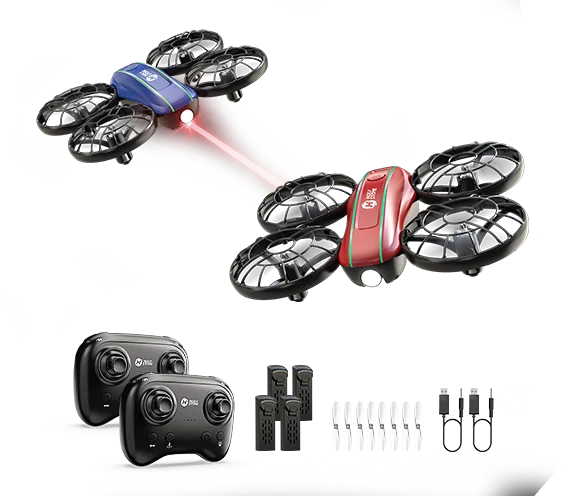
When two children want to play at the same time, turn the room into a monster arena. The HS210FS is a two-player indoor battle set with infrared hit detection. Each drone begins with three lives, so the game already has a clear objective: dodge, aim, score three hits, and stay in the air.
- Give each player a monster name and a marked starting zone.
- Begin every round with both drones hovering in their own zones.
- Players may dodge and reposition, but they must stay inside the arena boundary.
- The last drone with lives remaining wins the round.
- Play best of three and switch sides between rounds.
Remove chairs, hanging streamers, and fragile objects before starting. Spectators should watch from behind the boundary instead of walking through the arena.
Why HS210FS Fits This Game
Two drones, two controllers, visible hit feedback, and three lives per drone turn flying into a real head-to-head game. The included four batteries also make it easier to rotate between short rounds.
Explore HS210FS7. Land & Air Haunted House with HS210T or H4831
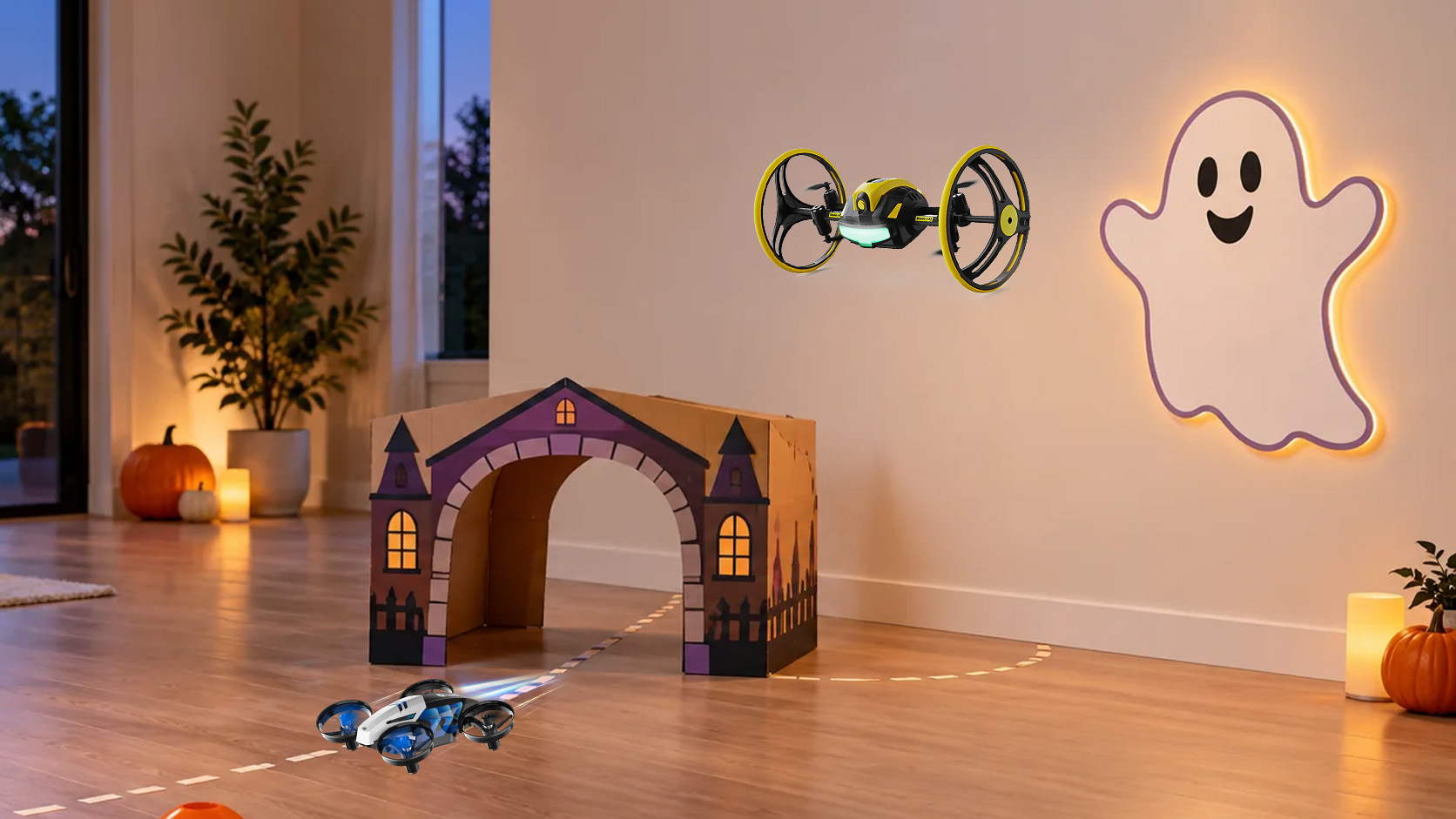
Best for: A creative multi-surface obstacle course
Players: 1–4 taking turns
Suggested setup time: 10–15 minutes
You’ll need: Floor markers, cardboard arch, removable targets
For a challenge that is not limited to ordinary flight, build a mini haunted house around movement changes. The HS210T can glide and drift across smooth floors before lifting into flight for flips, circles, spins, and colorful LED moves. The H4831 uses oversized wheels to add driving, rolling, bouncing, spinning, wall climbing, and ceiling crawling on suitable surfaces.
- The Crypt: drive across a marked section of smooth floor.
- The Tunnel: roll beneath a lightweight cardboard arch.
- Take Flight: lift off after leaving the tunnel and hover inside the open zone.
- H4831 Bonus — Haunted Wall: reach a removable ghost marker on a clean, suitable surface.
- The Escape: return to the floor and cross the finish line.
Test the course slowly before timing anyone. Wall and ceiling performance depends on the surface, so avoid textured, dirty, damp, delicate, or freshly painted areas. Do not place decorations where they could become caught in the drone or wheels.
HS210T or H4831?
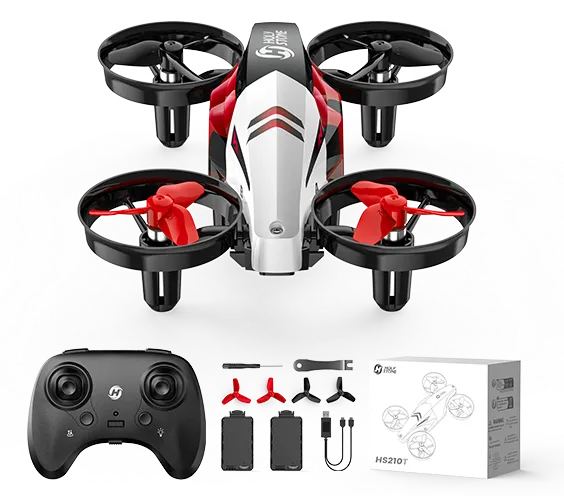
HS210T
Choose it for a simpler floor-to-flight course built around gliding, drifting, LEDs, and aerial stunts.
Explore HS210T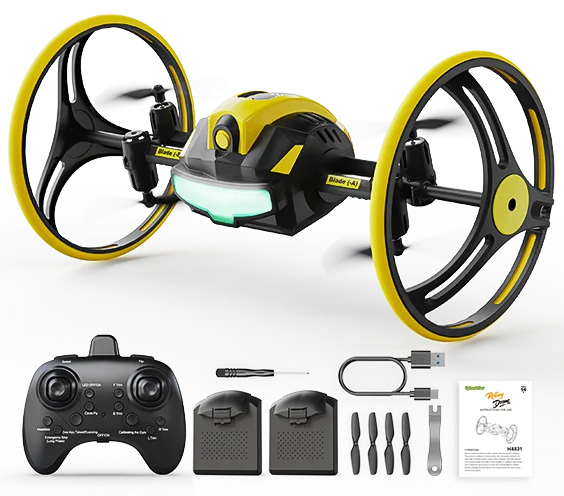
H4831
Choose it when the course includes rolling, bouncing, or suitable wall and ceiling surfaces.
Explore H4831Halloween Drone Safety Tips for Families
Halloween adds costumes, decorations, lower light, excited children, and more foot traffic than an ordinary flight session. A few rules help keep the games fun:
- Use adult supervision. An adult should prepare the space, check the drone, and control when each round starts.
- Avoid loose costumes. Capes, wigs, ribbons, fake cobwebs, and hanging fabric can reach propellers or wheels.
- Never fly over people or pets. Keep players and spectators outside the active flight zone.
- Keep the lights on. Decorative LEDs should add atmosphere, not replace safe visibility.
- Use flameless decorations. Keep drones away from candles, fireplaces, fog machines, liquids, and wet surfaces.
- Inspect between rounds. Check the propellers, guards, wheels, battery, and decorations before restarting.
- Stop when the room becomes crowded. Trick-or-treat traffic and drone games should happen at different times.
Which Halloween Drone Game Should You Choose?
Choose HS320 for a daytime backyard activity built around bubbles, movement, and family photos.
Choose HS180 for a colorful LED ghost patrol around dusk or indoors.
Choose HS190 for a pocket-size indoor landing challenge with adjustable speed as skills improve.
Choose HS210 or HS190 for indoor flight-control practice and uncomplicated children’s flying fun; HS190 is the more compact pocket-size option.
Choose HS210P or HS420 for a beginner indoor-camera mission with 1080P FPV viewing.
Choose HS210FS when two players want a structured head-to-head indoor battle.
Choose HS210T or H4831 for a course that changes between floor movement and flight; choose H4831 when suitable wall or ceiling surfaces are also part of the challenge.
You can also combine the ideas into one Halloween schedule: bubbles before dinner, an LED patrol at dusk, a short practice or photo mission, and one indoor battle or obstacle course after trick-or-treating. Keeping each activity short gives everyone a turn without making the setup feel complicated.
Frequently Asked Questions
Can children fly mini drones during a Halloween party?
Yes, when the model is age-appropriate, the instructions are followed, an adult supervises, and a separate flight zone is kept clear of guests, pets, decorations, and breakable items.
Can I fly a mini drone in complete darkness?
No. LED lights make the drone easier and more fun to see, but pilots still need enough room lighting to see obstacles, boundaries, and people.
What Halloween decorations are safest around a drone?
Use stable pumpkins, flat paper markers, secured cardboard props, and battery-powered lights. Avoid real flames, liquids, loose fake cobwebs, dangling ribbons, and lightweight pieces that can move into the flight path.
Can HS320 take photos of the bubble show?
The activity is designed around its flying bubble feature. Ask a parent or another family member to photograph the moment with a phone or camera from outside the flight zone.
Which Holy Stone mini drone fits each type of Halloween activity?
HS210 is the flight-practice option; HS210P and HS420 add indoor FPV photography; HS210FS is built for two-player battles; HS210T combines floor movement with flight; and H4831 expands the obstacle course to rolling and suitable wall or ceiling surfaces.
Should Halloween drone games be played indoors or outdoors?
It depends on the product and conditions. HS320 fits a calm, open outdoor space, while compact LED, battle, and multi-surface games are better suited to a cleared indoor area. Always follow the product instructions.
Make Halloween a Little More Interactive
The best Halloween game is not necessarily the biggest or loudest one. A clear space, a simple goal, and the right mini drone can turn familiar decorations into an activity the family helps create together.
Start with bubbles while the yard is bright, let LEDs take over at dusk, and end with indoor practice, photography, a battle, or a haunted-house course. That small change—from watching the decorations to playing inside the theme—is what makes the memory last.


COMMENTS