
 Sign in
 Sign up


Black Friday Drone Deals 2026: 7 Things to Check Before You Buy
Black Friday Drone Deals 2026: 7 Things to Check Before You Buy
Find the right features, the right bundle, and the right value for how you actually fly.
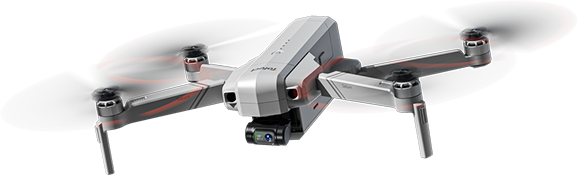
Black Friday is a smart time to shop for a drone—but it is also easy to get distracted by dramatic markdowns, camera numbers, and impressive-looking range claims. A great purchase is the drone you will enjoy flying after the sale ends, not simply the one carrying the largest discount label.
Use the checks below to decide what you actually need: an indoor practice drone, an outdoor GPS model, or a stabilized camera drone. Each choice has a different cost—and different trade-offs.
Before you buy: 7 quick checks
Compare the final price of the same complete package, choose features that fit your flying goals, and check real-world usability—not just the headline specifications.
- Actual price and package contents
- Your real flying environment
- GPS and positioning features
- Camera stabilization, not just 4K
- Per-battery and total flight time
- Controller and app requirements
- Shipping, support, and flight rules
Find Your Drone
Skip straight to the kind of flight you have in mind, then compare the complete kit before checkout.
Check the Real Price, Not Just the Discount
An advertised discount tells you little without the final price. Compare the exact same model and configuration after applying an eligible code; then check what is included before deciding which deal costs less to own.
Compare the complete package
A one-battery kit and a two-battery kit are not directly comparable. Check the controller type, battery quantity, charging equipment and carrying case. A lower-priced listing can cost more once you add the parts you actually need.
| Before you buy | What to check | Why it matters |
|---|---|---|
| Advertised savings | Final price, eligible code, and conditions | Not all deals stack with other offers. |
| Bundle | Battery count, remote, charger, and bag | Extra items can change the real value. |
| Product version | Exact model and selected variant | Similar model names can mean different features. |
| After-sale costs | Spare batteries, propellers, memory card | Accessories can affect the total budget. |
Common mistake: Comparing a drone-only replacement aircraft with a ready-to-fly kit. Verify that a controller and battery are included before judging the price.
Before checkout, check whether the promotion applies to the selected variant and whether the code can be combined with other offers. If two kits differ, compare the cost of buying the missing accessories separately.
Choose the lower total cost for the configuration you need—not the largest percentage-off label.
Choose a Drone for How You'll Actually Fly
Decide where you will fly most often. An indoor mini drone, a backyard practice drone and a GPS camera drone solve different problems; paying for features you cannot use is not a saving.
| Your goal | Look for | Recommend |
|---|---|---|
| Indoor fun and first controls | Compact size, easy controls, and protection suited to the activity | HS190 · HS210 · HS180 · HS210T · HS210P · HS420 · HS210FS · H4831 |
| Backyard flying practice | Easy handling, altitude hold, and room to practise in suitable conditions | HS320 · HS200P · HS110D · HS280D · HS440 |
| First outdoor GPS flights | GPS positioning, smart return features, and portable design | HS175D · HS175D PLUS · HS175G · HS360S · HS360D · HS360E |
| Travel and creative footage | Camera stabilization, portability, and shooting flexibility | HS900 · HS900 Pro · HS790 · HS360G · HS600 · HS600D · T60A |
Practical Ways to Use Your Drone
A camera drone can also help you look at visible parts of a roof, spot standing water in a field, or understand a large property layout—without claiming to replace a professional inspection.
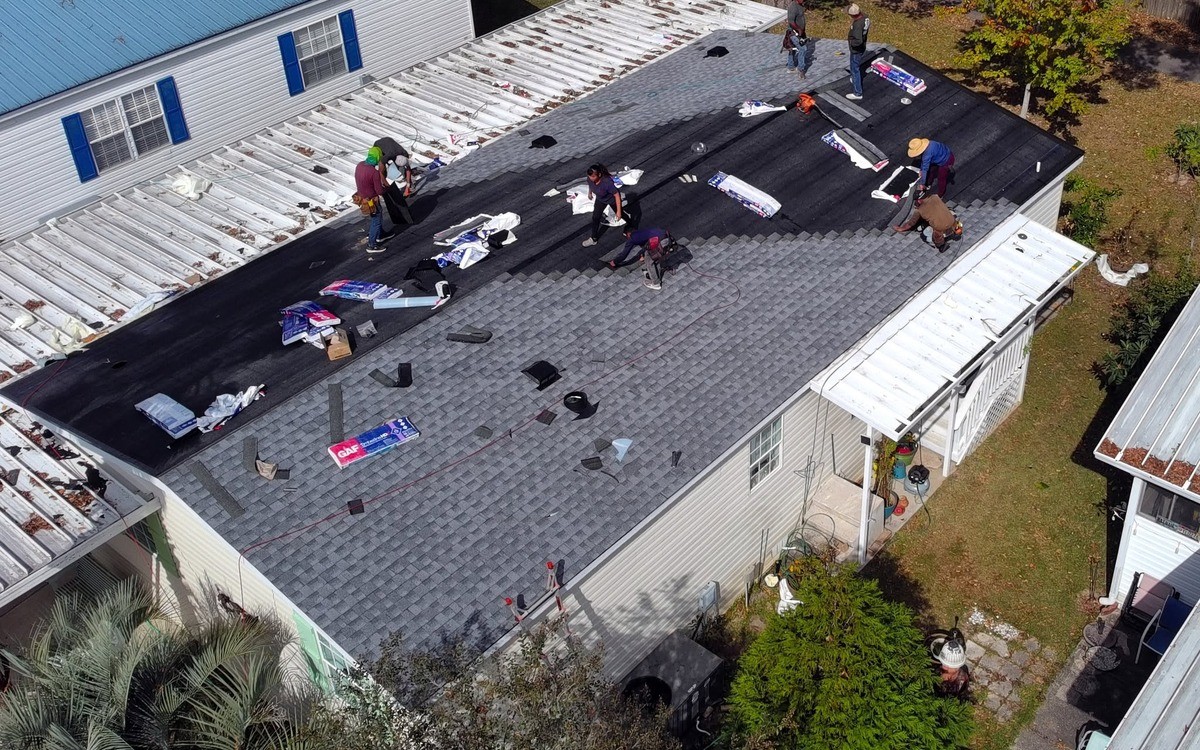
Roof & Gutter Observation
Look at visible roof edges or gutters from a safe, legal flying position.

Farm & Field Observation
View field boundaries, visible fence lines, or standing water from above.
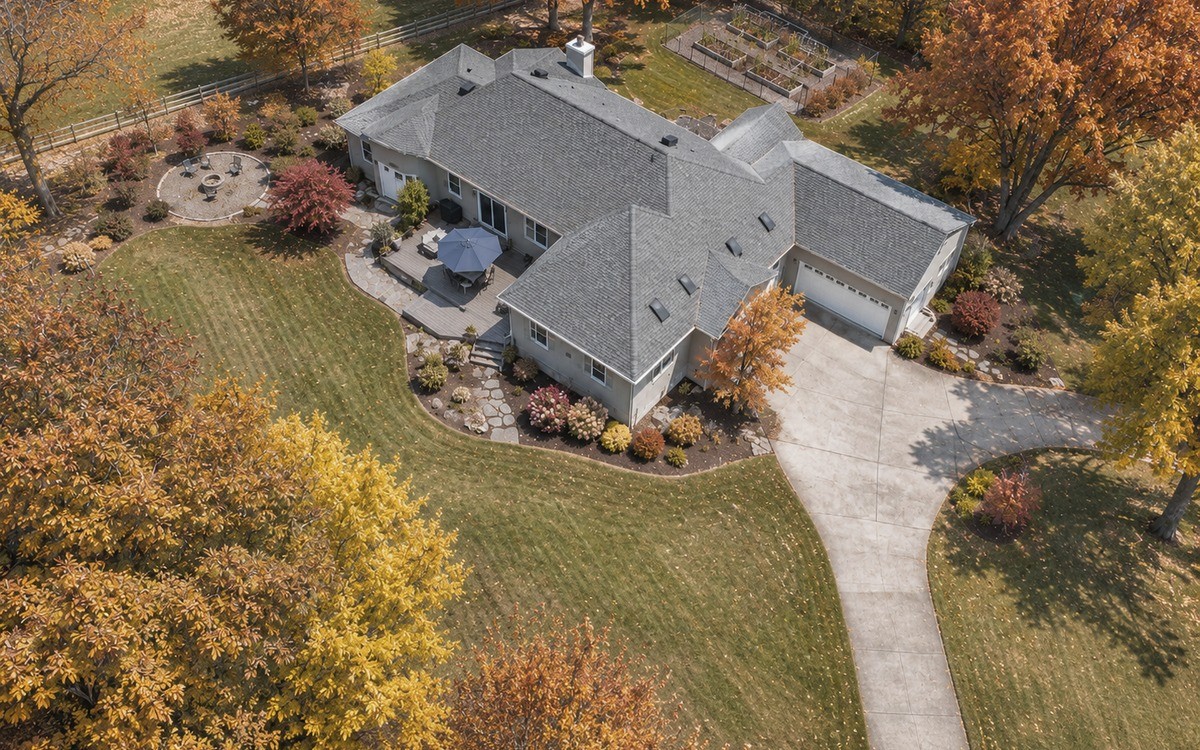
Property Overview
Understand a large yard or property's layout from an aerial viewpoint.
These examples show pilot-controlled observation, not professional inspection or autonomous patrol. Maintain visual line of sight, respect privacy and airspace rules, and check FAA Part 107 requirements for non-recreational use.
Start with your usual flying location; then choose only the positioning, camera and control features that location calls for.
GPS vs Optical Flow: Which Do You Need?
Optical flow reads surface detail beneath the drone at suitable heights and lighting. GPS uses satellite positioning outdoors; on equipped models, it can also support Return to Home.
For indoor & close-range practice
Uses a downward-facing sensor to track visible surface patterns. It can help with low-altitude hovering when lighting and ground texture are suitable.
For open outdoor flying
Uses satellite signals to support outdoor positioning and, on equipped models, Return to Home when conditions and setup requirements are met.
Want more technical detail? Read How Drone Flight Control Systems Work.
EIS vs. 3-Axis Gimbal: Is the Upgrade Worth It?
4K describes resolution, not steadiness. If you mostly film landscapes and simple travel clips, EIS and careful flying may be enough. A mechanical gimbal becomes more useful when you regularly want smooth turns, tracking shots or controlled camera movement.
What Does Each Approach Look Like in Real Flight?
Watch horizon tilt, shake during turns and how smoothly the scene moves. These are videos from different creators and locations—not a matched performance test.
HS360E · EIS
EIS reduces some visible shake digitally, but it does not physically level the camera. Simple, planned shots help you get better results.
Video footage by Vasino Paolo
Try: Pre-frame your shot, fly straight and slowly, and use gentle pull-backs in calm weather.
Avoid: Fast yaw turns, abrupt braking and repeated stick corrections while recording.
Explore HS360E at StoreHS900 Pro · 3-Axis Gimbal
A 3-axis gimbal physically adjusts the camera across three axes, helping maintain framing through more involved movements.
Video footage by Random Tech
Worth considering for: Gradual turns, tracking shots, changing camera angles and filming across several locations.
Keep in mind: A gimbal does not replace steady piloting or make strong winds irrelevant.
Explore HS900 Pro at StoreBeautiful Scenery Doesn't Always Require a Gimbal
Good framing and measured control inputs can help an EIS drone produce attractive travel footage without paying for stabilization features you may rarely use.
Set your camera angle and choose a clear subject before recording.
Use slow forward passes or gentle pull-backs; hold a consistent speed.
Start with open scenery and lighter winds; avoid sudden yaw, stops and corrections.
When to upgrade: Choose a 3-axis gimbal if you often shoot turning or tracking sequences and want more consistent camera framing. For occasional landscape clips, practice with EIS first.
Want to understand the hardware? Read our Drone Imaging System Guide.
Compare Flight Time the Right Way
A claim such as “up to 80 minutes” may add the rated flight times of two batteries. It does not mean one uninterrupted 80-minute flight. Compare per-battery time, charging time and bundle price.
Start with One
If you fly briefly on occasional weekends, start with one battery and see whether you regularly run out of time.
Consider Two
If you travel to fly or cannot recharge between sessions, a second charged battery avoids ending the outing after one flight.
Add Charging Capacity
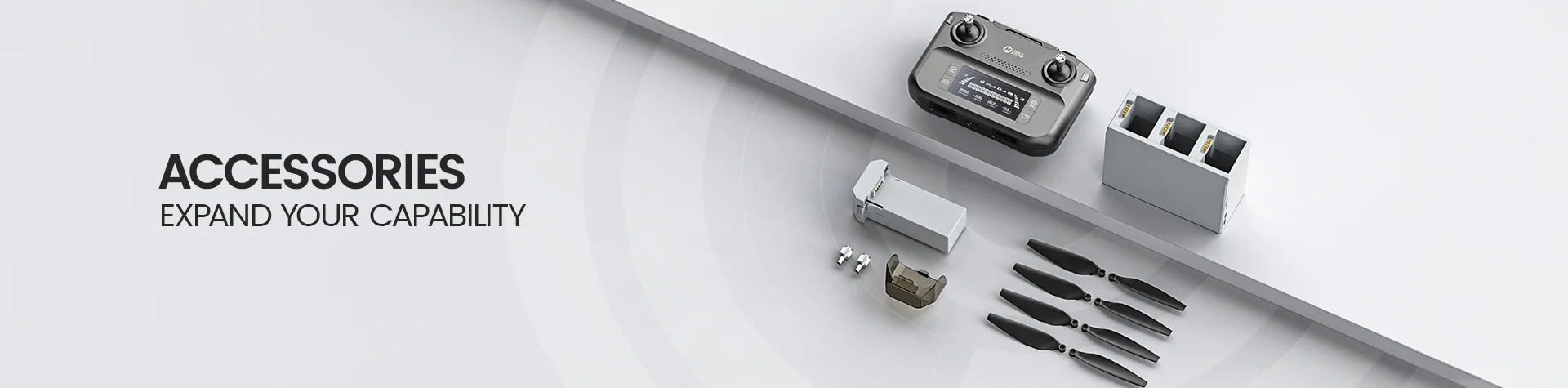
If you fly repeatedly or plan several filming locations, consider compatible spare batteries and a charging hub to organize charging between sessions.
What Repeat Buyers Actually Add
Some customers have purchased charging hubs and additional batteries after choosing their drone. These orders illustrate two practical use cases; they do not establish how common this behavior is.
For repeated short practice flights, a compatible hub can help manage charging between outings. Buy extra batteries only if one routinely limits your session.
For a day with several planned camera locations, an extra charged battery can be more useful than waiting to recharge on-site.
Build Your Flight Setup
Charging hubs are model-specific. In particular, HS900 and HS900 Pro use separate hub products; verify the accessory listing before ordering.
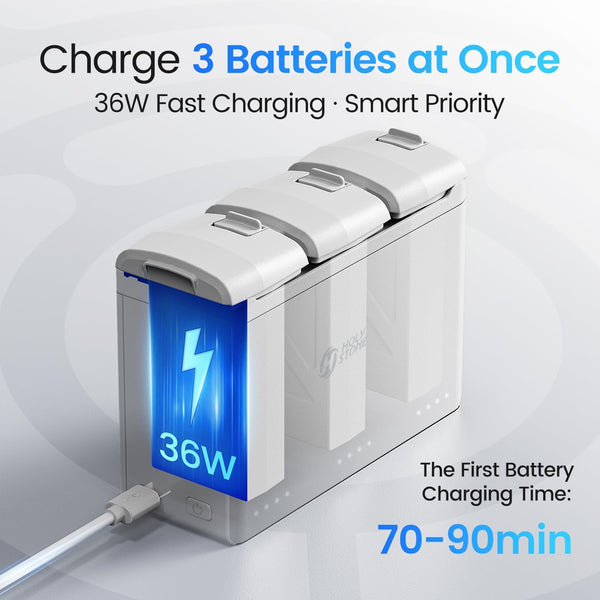
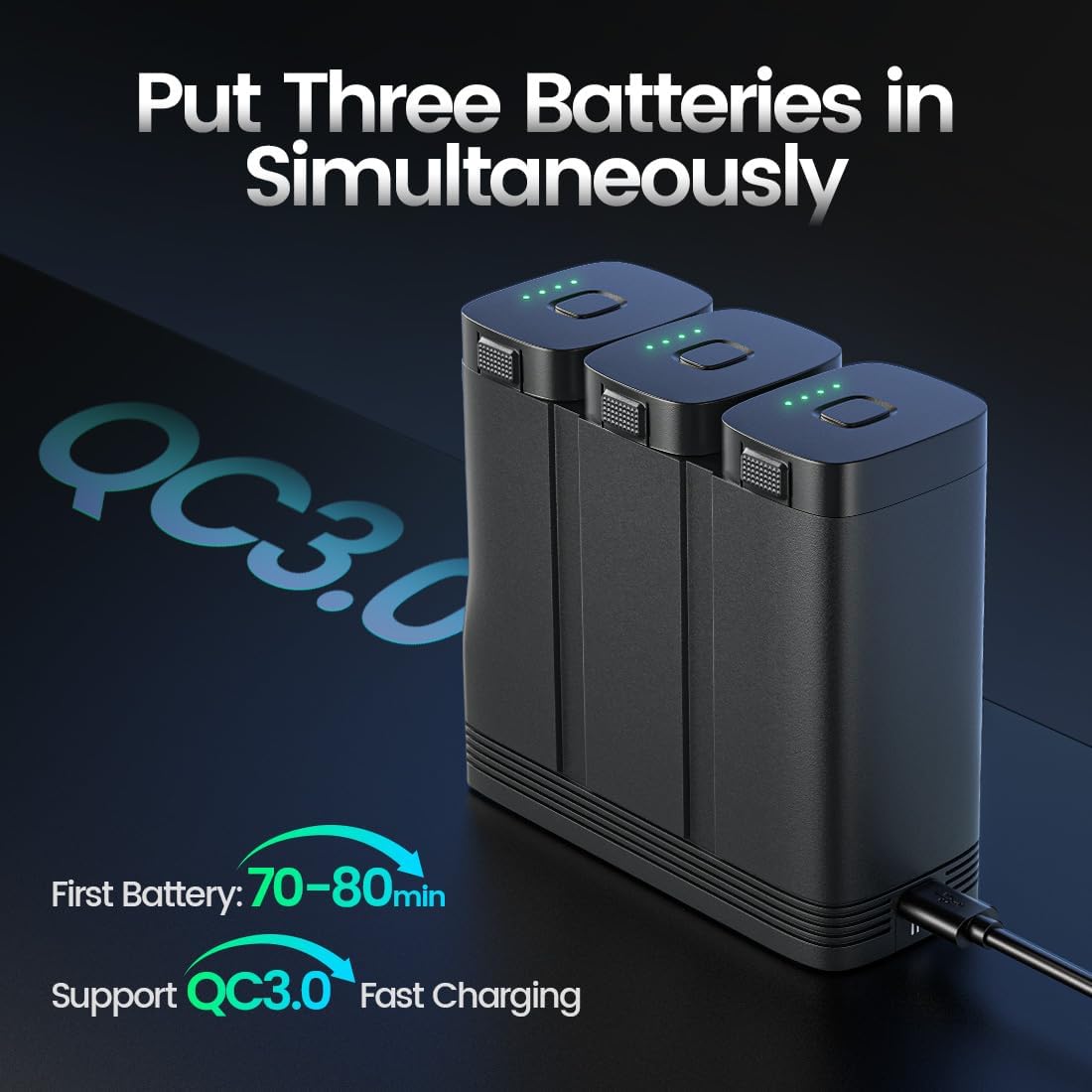
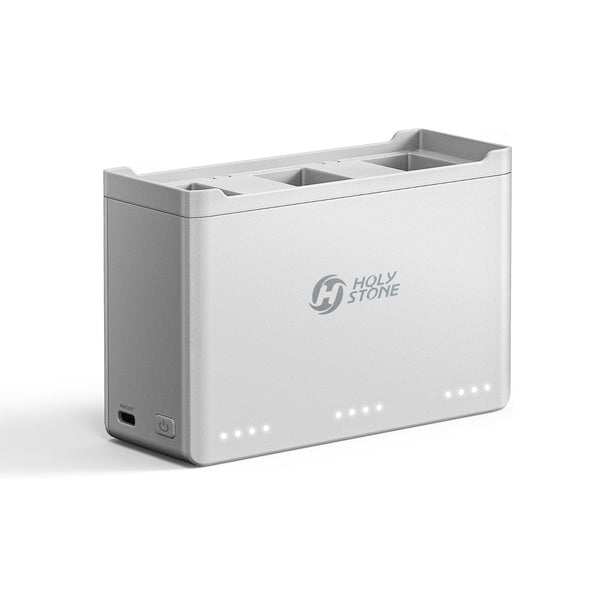
Compare the two-battery bundle premium with the price of a separate compatible battery. Keep enough reserve for a safe landing; advertised time is a maximum, not a flight plan.
Do You Really Need a Screen Remote?
A built-in screen does not make the drone fly more steadily. It changes your setup: whether you need to attach a phone to see live footage and whether that convenience is worth the extra cost.
Save Money. Use Your Phone.
On phone-based live-view models, connect a compatible phone and open the app to see the camera feed. Your phone stays in use during the flight.
Best for: Occasional pilots who already own a compatible phone and do not mind connecting it before flying.Less Setup. A Dedicated Display.
On a supported screen-remote version, the live camera view appears directly on the controller during normal flying. Your personal phone stays free, although some special functions may still need an app.
Best for: Families who do not want to provide an extra phone, and frequent flyers who prefer fewer connection steps.RC243A · 5.5-inch Screen Controller
The RC243A provides a dedicated 5.5-inch 1080p touchscreen (500 nits) for live view. It is a controller accessory—not an upgrade in the drone’s camera or flight stability.
Compatible: HS600D, HS360E, HS360D. HS600: wired connection only (not wireless). Not compatible: HS360S or other unlisted models, including HS600 Wireless Connection version.
View RC243A Screen Controller at Store ↗
Practical advice: If a standard controller meets your needs, keep the savings. Pay for a screen when you will actually benefit from skipping the phone connection. Check the exact drone version before buying a controller separately.
Indoor Mini Drone or Outdoor Drone? Know the Rules First.
Buying a mini drone for a child or a first-time flyer? Start with where it will actually fly. Flying inside a fully enclosed building is different from flying outdoors—even with the same small drone.
Flying Inside Your Home
No FAA flight registration or TRUST test is needed just to fly entirely indoors. Indoor flights are outside the National Airspace System regulated by the FAA.
What matters instead: Follow the drone's age guidance; supervise young pilots; use propeller guards where provided; keep clear of people, pets, lamps and breakable objects.
Check permission before flying inside schools, malls or other shared buildings.
Taking It Into the Backyard?
TRUST is required for recreational outdoor flying, regardless of drone size. It's a free online safety test; carry proof of completion.
Under 250g: Usually no FAA registration when flown purely for recreation. 250g or more: Registration is required, with Remote ID generally required for registered drones, subject to exceptions.
Follow airspace limits, keep the drone in visual line of sight and yield to other aircraft. Read the FAA recreational rules ↗
Need Remote ID? Check HSRID02 & HSRID03
These external Remote ID broadcast modules are not limited to Holy Stone drones. They may also be suitable for other brands and aircraft that need a module-based Remote ID solution. Check your drone's registration needs, the module's FAA compliance information, and safe mounting before choosing.
 HSRID02Remote ID module with strobe light and recovery buzzer.View HSRID02 at Store ↗
 HSRID03Compact external Remote ID broadcast module.View HSRID03 at Store ↗
An external module is not needed for every aircraft. Confirm your exact operation and registration requirements, module documentation and mounting suitability. Adding a module also adds weight, which may affect a lightweight drone's regulatory category.
Three Checks Before You Order
Delivery: Will the package arrive before the gift date?
First flight: Is the model intended for indoor or outdoor use, and is a phone needed?
After purchase: Are replacement propellers and batteries available for this exact model?
Confirm the current delivery estimate and return policy at the Holy Stone Store ↗.
Fly with a Screen. Leave the Extra Phone Behind.
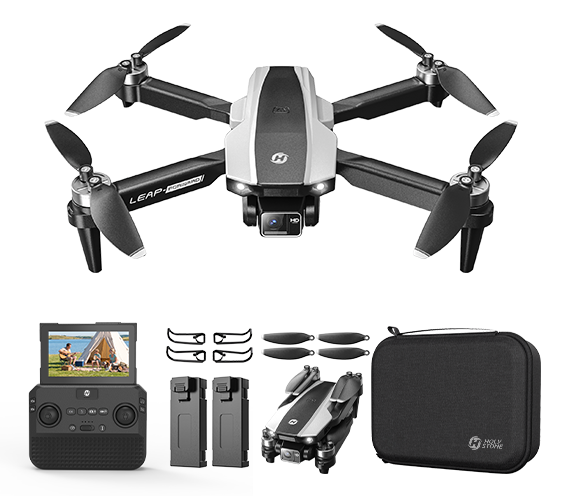
HS200P
4.3-inch built-in screen; normal flying and live view without an extra phone. Gesture Photo and Tap Flight require the smartphone app.
SELECT SCREEN-REMOTE VERSION ↗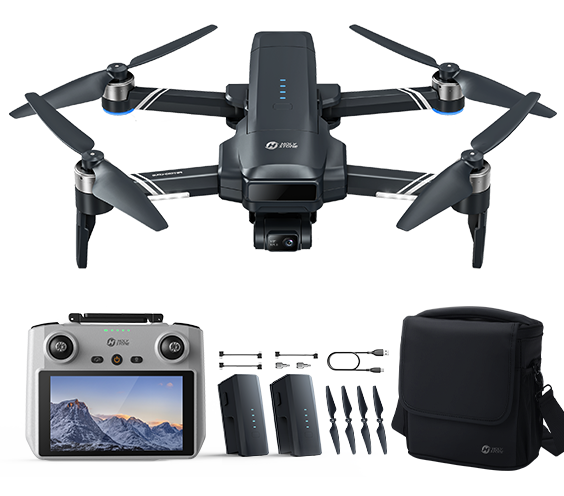
HS600D
RC243A 5.5-inch screen option; 3-axis gimbal plus EIS. Select the screen-remote bundle before checkout.
SELECT SCREEN-REMOTE VERSION ↗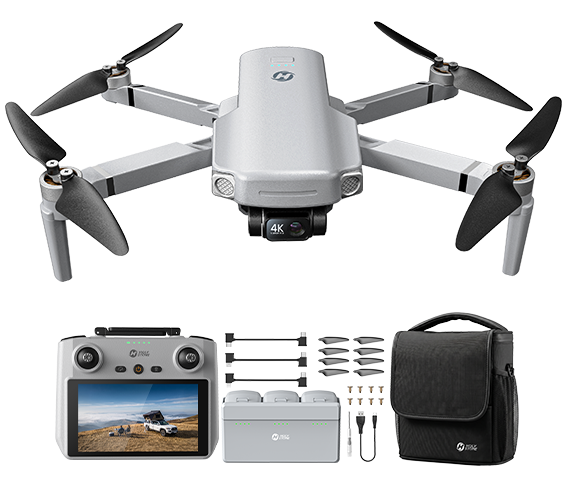
HS360G
Screen-remote Creator package for gimbal travel footage. Check the selected variant and included controller.
SELECT SCREEN-REMOTE VERSION ↗Before checkout, confirm the pictured controller matches the selected variant. HS200P still needs a smartphone app for Gesture Photo and Tap Flight.
Black Friday & Cyber Monday Drone Offers
Black Friday & Cyber Monday promotion · Check eligible items and final price at checkout.
BFCM15Use the code on eligible drones at checkout. The single-product promo codes shown below are separate offers; discounts may not be combined. Confirm which offer gives you the better final price for your selected bundle.
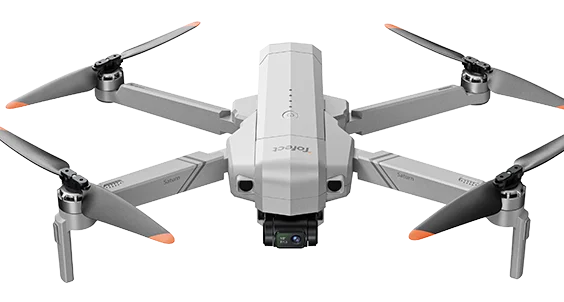
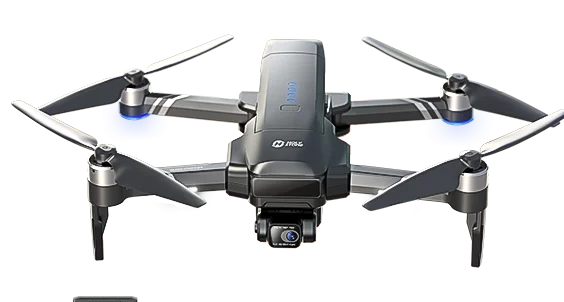
Individual-product listing prices shown here are snapshots and may change. BFCM15 and model-specific coupon codes are separate promotions; eligibility and whether offers can be combined depend on checkout rules. The HS360G listing starts at $399.99; a screen-remote Creator package may be priced differently.
Black Friday Drone Buying FAQ
Are drones cheaper on Black Friday or Cyber Monday?
Neither day is reliably cheaper for every drone. Save the exact model, controller version, battery count and checkout price when you find a deal; compare those same details again on Cyber Monday. A bigger discount percentage can still mean a higher final price.
What is a good budget for a first drone?
For indoor stick practice, choose a low-cost mini drone before paying for GPS or a gimbal you may not use. If you expect to fly mainly outdoors, budget for positioning assistance, replacement propellers and a spare battery only if your flight routine requires it.
Is a GPS drone better for beginners?
For indoor or low-altitude learning, a non-GPS model with suitable optical-flow assistance may be sufficient. For open outdoor flying, GPS can help with position holding and supported return functions. Neither replaces obstacle awareness, correct setup or safe piloting.
Is a drone under 250g a better choice in the US?
It can be convenient for eligible purely recreational use because drones under 250g generally do not require FAA registration under the recreational exception. TRUST, airspace rules, and other safety obligations still apply. Requirements differ for non-recreational operations, so check the FAA rules relevant to your purpose.
Is a two-battery bundle worth it?
Start with one if your practice sessions are short and infrequent. Consider two if you travel to a flying location and cannot recharge between flights. Compare the bundle premium with the cost of a compatible battery purchased later.
Do I need a 3-axis gimbal for casual travel videos?
Not for every traveler. EIS may be enough for casual daylight clips; a 3-axis gimbal is more useful if you routinely film turns and moving landscapes and want the horizon to stay level. Check real moving footage before paying extra.
Should I buy a drone with a screen remote?
Choose one if you regularly dislike mounting and connecting a phone or want to keep your phone available during flights. If you fly occasionally and already have a compatible phone, the standard controller may save money. Special features can still need an app; verify the exact model and selected bundle.
What should I check when buying a drone as a gift?
Check the recipient’s usual flying location first: an indoor mini drone is different from an outdoor GPS drone. Then confirm recommended age, propeller protection, whether live view needs a phone, delivery date, return terms and availability of replacement propellers.
Continue Reading
More Flight. Less Spend.
Take 15% OFF eligible drones with code BFCM15. Find the right model and compare your final checkout savings.
SHOP DRONES · USE BFCM15 ↗Code eligibility, final prices and discount combinations are determined at checkout. Single-product offers may not stack with BFCM15.
Dare to Fly. Soar to Live.


COMMENTS