 Sign in
 Sign up


Drones with Screens on Controllers: Find Your Phone-Free Drone
Holy Stone · Buying guide
No Phone Needed.
Just Fly.
Drones with screens on controllers
Featured: HS600D Screen. Capture more ambitious outdoor footage with a 48MP camera, 3-axis gimbal + EIS and the dedicated 5.5-inch Full HD RC243A touchscreen — without mounting your phone.
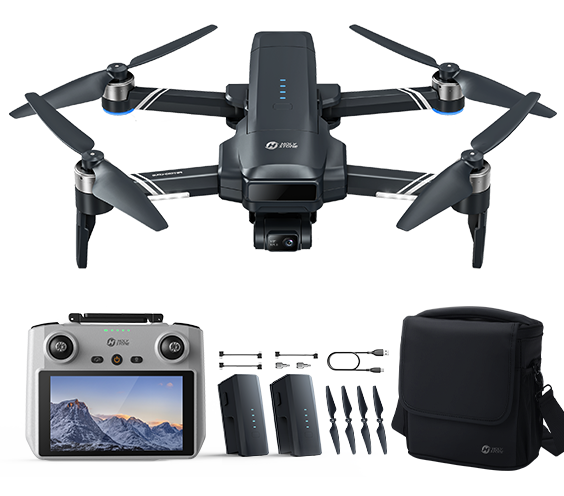 HS600D Screen · 48MP · 4K/30fps · 3-axis gimbal + EIS
Quick answer
Can you fly a camera drone without a phone?
Yes. A compatible drone with a built-in live-view screen lets you fly and watch the camera feed without mounting a smartphone. A status-only LCD is different: it may show battery, signal and altitude but not the camera feed.
Choose by who will fly it: HS200P for kids and families, HS175D MAX for first-time GPS beginners, HS360G Creator for travelers and lightweight creators, and HS600D Screen for users who want a larger aircraft for more serious outdoor photography. Already own a compatible Holy Stone drone? RC243A may let you upgrade without replacing the drone.
Fly and watch live video without a phone. You can still use the compatible app for supported extra features and sharing.01 / Shop by your needs
Four ways to fly. Which one is yours?
Choose by who will fly, where they will fly and how much camera control they really need.
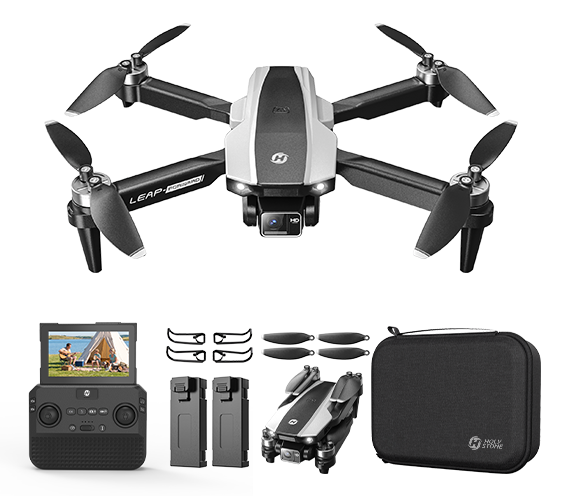
First camera flight
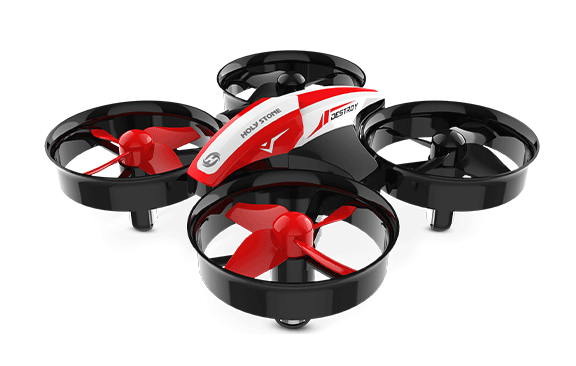
HS200P
For kids, teens & family gift buyers
For a family gift when the young pilot does not own a phone. Start with camera fun, not GPS missions.
Up to 28 min / 2 batteries
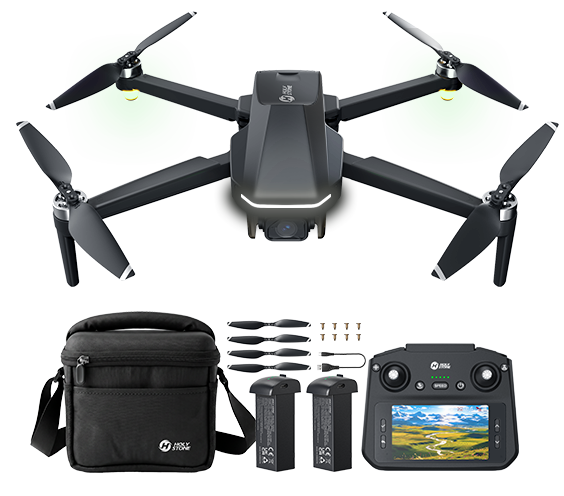
First GPS flight
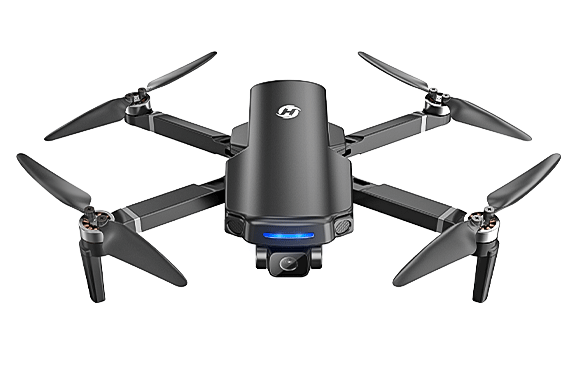
HS175D MAX
For first-time outdoor GPS beginners
For a beginner ready for outdoor GPS flight and a dedicated screen, without moving straight to a gimbal drone.
Up to 60 min / 2 batteries
Select MAX
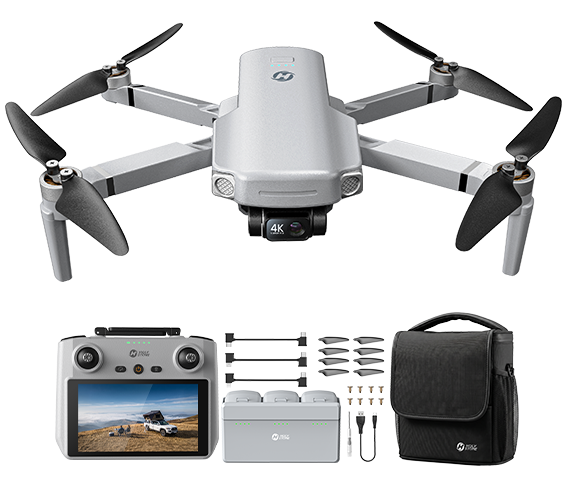
Travel & everyday creators
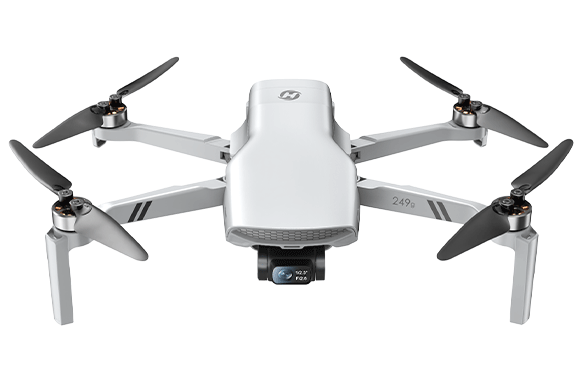
HS360G Creator
For travelers & lightweight creators
For trips where packing light, smooth video and a ready-to-go charging kit matter.
3 batteries + charging hub
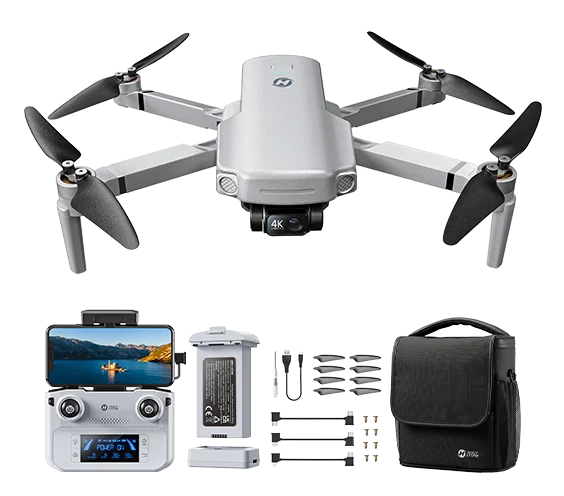
Advanced aerial photography
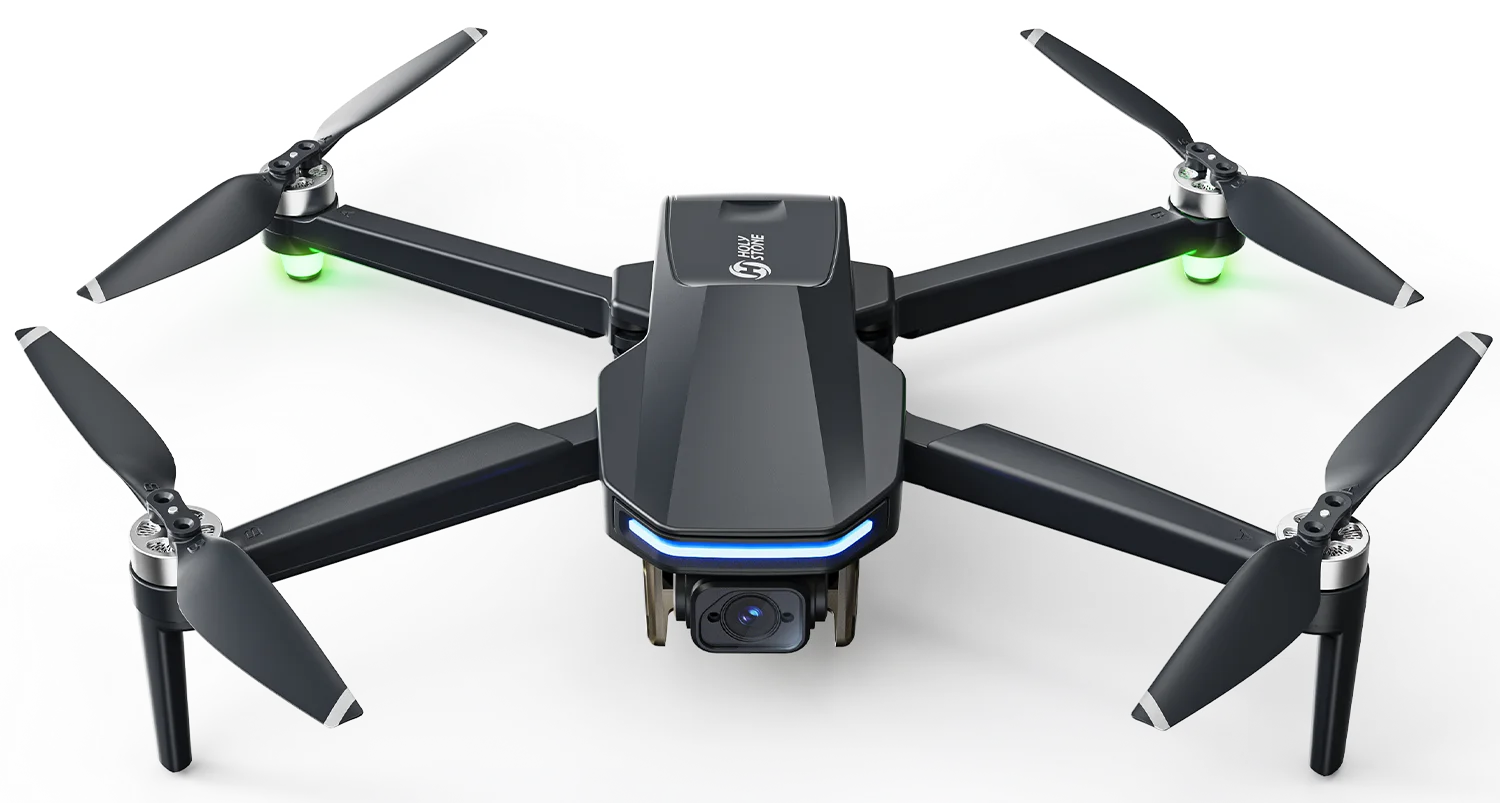
HS600D Screen
For hobbyists & serious outdoor creators
For hobbyists prioritizing outdoor shooting capability over minimum aircraft weight.
Up to 80 min / 2 batteries
02 / One less device to prepare
Why choose a drone with its own screen?
A built-in screen solves everyday problems: phone compatibility, cables, calls, battery drain and setup time.
Will it work with my phone?
No need to check whether your particular iPhone or Android model, operating system or app version supports ordinary live-view flying.
What if someone calls me?
Incoming calls, texts and app notifications on your personal phone no longer cover the drone's dedicated live view. Keep your phone available for important calls; land safely before attending to it yourself.
Will my phone actually fit?
Thick protective cases, large phones, awkward clamps, USB-C or Lightning cables and loose connectors can complicate a phone-based setup. A built-in display removes that mounting and phone-connection step.
What if my phone runs low?
Save your phone battery for navigation, photos and the trip home. You also avoid relying on a phone that may dim its display in hot weather. A screen remote still needs charging and has its own temperature and brightness limits.
Can I just get ready and fly?
For ordinary flight and live view, there is no need to mount a phone, install a separate smartphone app or troubleshoot its permissions or connection. Pair the drone, complete preflight checks and use the dedicated display. Optional features and updates may still require a phone or network.
Keep your phone free for everyday life.
A child who meets the recommended age can learn with appropriate adult supervision without borrowing a phone. A parent or travel companion can use their own phone to capture the moment, navigate or stay in touch. Keep the pilot focused on flying.
Is a screen remote worth the extra cost?
Choose a dedicated screen if you fly regularly, want to keep your everyday phone available, or prefer not to remove its case, mount it and connect it before each flight. A standard remote remains a practical entry option if minimizing upfront cost is your main priority and you are comfortable using a compatible smartphone for live view.
Kit images show different configurations; accessories may differ. A built-in status LCD is not the same as a live-view screen. Some screen remotes use buttons; others use touch controls.
What are you really paying for?
A screen remote replaces the phone as a required part of the ordinary live-view setup. It does not automatically improve camera quality, wind resistance or flight range. If you already own a spare compatible phone, a standard remote may be the better value. If you take your drone on weekend outings, use your phone for navigation and ground photography, or simply want a dedicated flying setup, the screen can remove those repeated preparation steps.
With a standard remote, check that your phone fits the holder and runs the app. With a screen remote, charge the controller and follow its setup instructions.
03 / Know what you are buying
Not all controller screens are the same.
When a listing says “LCD screen,” check whether it shows the camera feed or only flight data. The distinction can determine whether you need a phone at all.
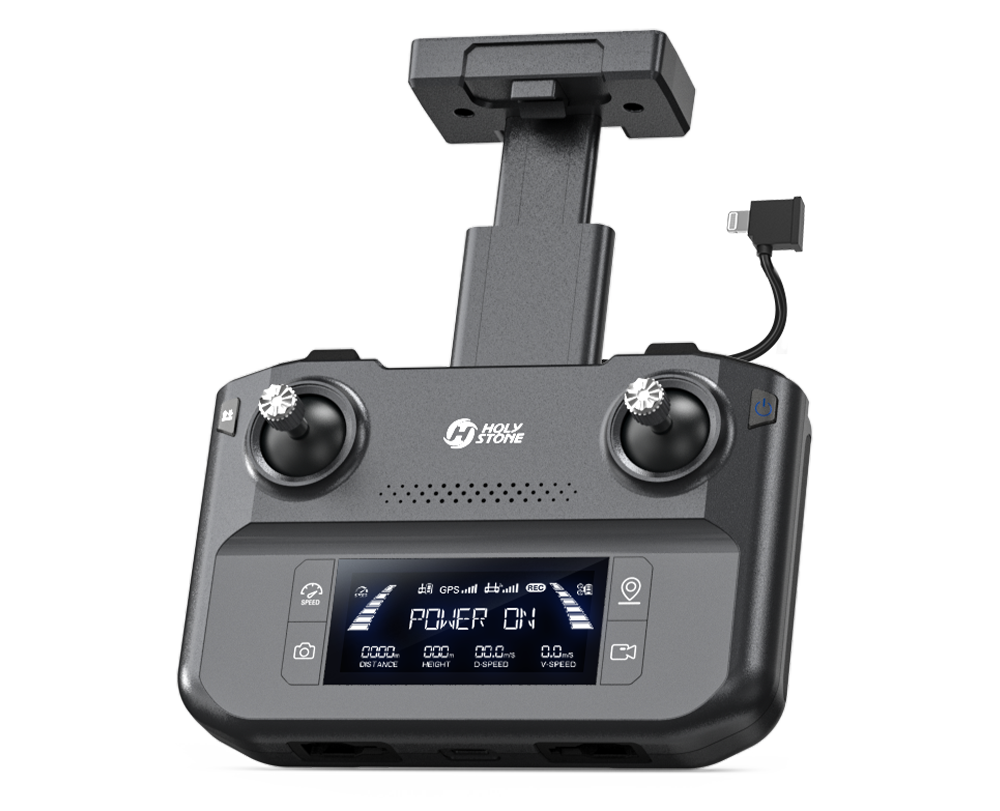
Status LCD
Shows flight information such as battery level and GPS status. You still need a compatible phone to see the camera view. Example: HS360S.
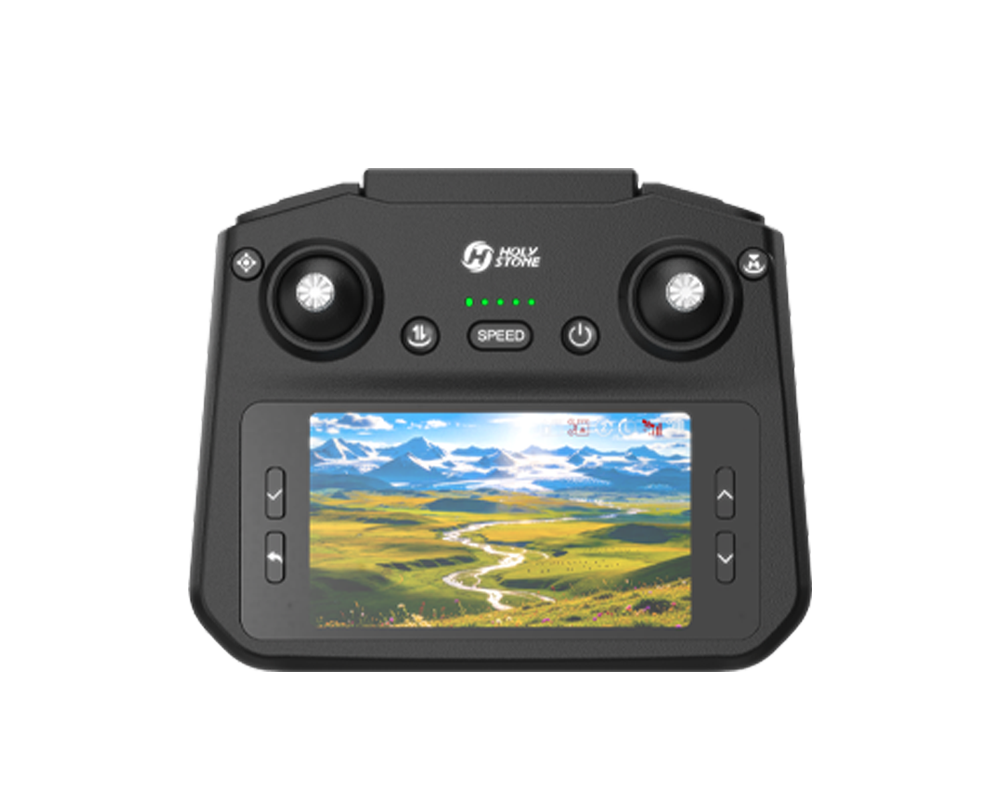
Button-operated live view
Shows the live camera view without a phone. Use physical buttons to navigate menus. Examples: HS200P and HS175D MAX.
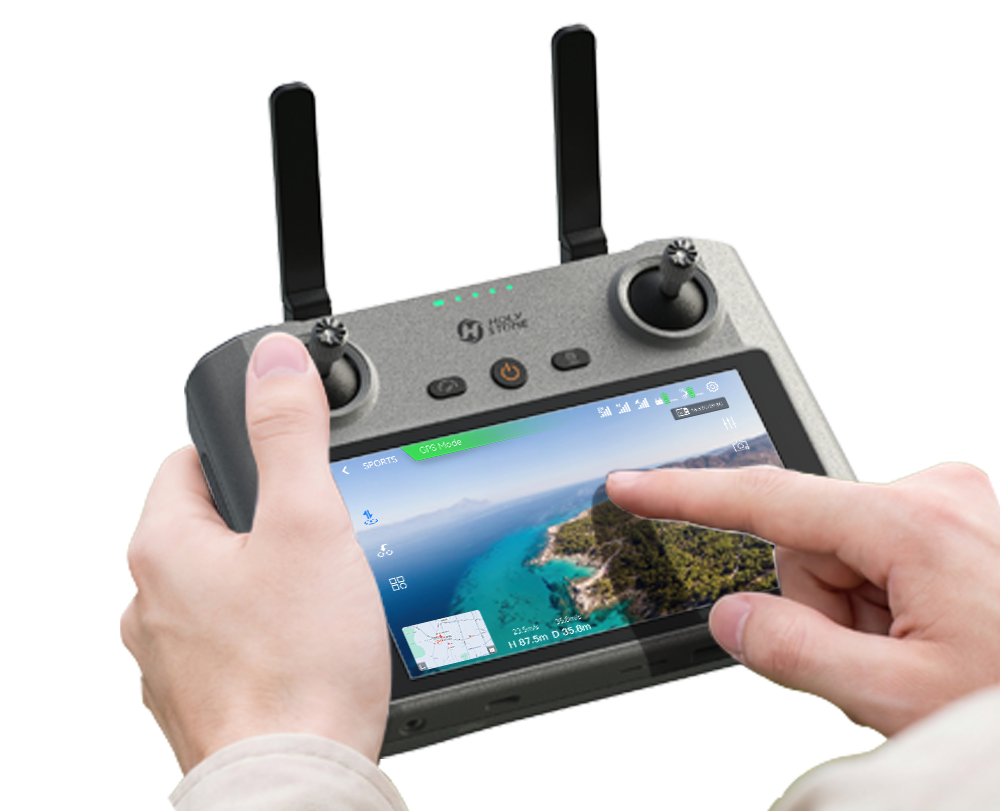
Touchscreen live view
Watch live video and navigate menus on a touchscreen. The RC243A comes with HS360G Creator and HS600D Screen.
Actual Holy Stone controllers shown. Choose the screen-equipped package when ordering.
04 / The value of a screen remote
What do you gain by upgrading to a screen remote?
A screen remote gives you a ready-to-use display for flying and framing shots. Keep your phone free for calls, navigation and photography, without mounting it every time you fly.
| Everyday experience | Standard remote + smartphone | Dedicated screen remote |
|---|---|---|
| Live camera view | Uses a compatible phone and its app | Built-in live-view display |
| Before every flight | Fit the phone and establish the app connection; use a cable where required | Power on the dedicated controller, pair as required and complete preflight checks |
| Phone compatibility | Check supported OS, app and physical fit | No personal phone compatibility check for ordinary live-view flight |
| Calls and notifications | May interrupt or obscure the phone display depending on the device and app | Personal phone notifications do not cover the dedicated live view |
| Phone battery and heat | Live viewing uses the phone's battery and display | Preserve phone battery for other tasks; the remote has its own power and operating limits |
| Camera and media workflow | Use controller controls and supported phone app functions | Use dedicated camera controls and supported on-controller menus and playback; storage requirements vary |
| Mobile app option | Part of the normal live-view setup | Optional alternative phone-based operation using the model's compatible app and connection procedure |
Screen remotes improve the way you operate the drone. Some kits, such as HS175D MAX, also upgrade the transmission system. Land safely before taking a call or switching devices.
Two ways to fly
Phone-free, not phone-limited.
Choose the built-in screen for everyday flying. If you prefer to use your smartphone on another occasion, the screen-equipped models also retain a phone-app option. Download and install the app for your aircraft and follow its supported connection and control instructions.
Enjoy live view and supported controls without mounting your personal phone.
HS200P uses HS FPV V6. HS175D MAX, HS360G and HS600D use HS FLY. Depending on the model, a compatible controller or connection method may still be required.
Set up the phone app before takeoff. If you want to switch devices, land the drone first. Follow your model’s connection instructions.
Find your model's app and instructions05 / Compare screen remote drones
Which screen remote drone is right for you?
All four models offer dedicated live view, but they are built for different pilots and flying goals. Compare the aircraft, camera, flight kit and price to choose the model that fits your needs — not simply the one with the most features.
| Feature | HS200P | HS175D MAX | HS360G Creator | HS600D Screen |
|---|---|---|---|---|
| Primary flying purpose | First camera fun | First GPS flight | Travel & stabilized video | Advanced outdoor photography |
| Best suited to | Kids, teens & family gift buyers | First-time GPS beginners | Travelers & lightweight creators | Hobbyists & serious outdoor creators |
| Aircraft weight | 143g | 247g | 249g | 603g |
| Live-view display | 4.3″, buttons | 4.5″, buttons | 5.5″ Full HD touchscreen (RC243A) | 5.5″ Full HD touchscreen (RC243A) |
| Camera | 1080p | 4K | 4K/30fps, 48MP | 4K/30fps, 48MP |
| GPS return to home | No | Yes | Yes | Yes |
| 3-axis mechanical gimbal | No | No | Yes | Yes |
| Flight kit | 2 batteries, up to 28 min | 2 batteries, up to 60 min | 3 batteries + hub | 2 batteries, up to 80 min |
| Phone for ordinary live view | Not required | Not required | Not required | Not required |
| Select this version | Screen remote kit | MAX | Creator | Screen Controller |
| Price guidance | $99.99 US store price | $229.99 pre-order after code | $399.99 with code | $299.99 with code · Save $200 |
| Main reason to choose this model | Own live-view screen for camera fun | GPS assistance and 4K | 3-axis gimbal in a lightweight kit | Larger airframe and rated wind resistance |
On small screens, swipe the table sideways. Manufacturer-rated flight time is cumulative across separate batteries under test conditions; actual results vary. Weight refers to the aircraft body as presented in official specifications.
Compare what each screen controller can do
Compare what you can do directly on each controller: watch live video, record, review footage and store files.
| Function | HS200P | HS175D MAX | HS360G Creator (RC243A) | HS600D Screen (RC243A) |
|---|---|---|---|---|
| Ordinary flying / live view | Yes | Yes | Yes | Yes |
| Photo / video buttons | Yes | Yes | Yes | Yes |
| Review recorded media | Controller album; TF card needed | Controller album | RC243A Album: drone album and transmitter media | RC243A Album: drone album and transmitter media |
| On-controller shooting modes | Basic camera and flight controls | Far Fly, Circle, Skyward, Spiral | Supported functions vary by aircraft and firmware | Supported functions vary by aircraft and firmware |
| Optional phone media transfer (Quick Transfer) | Not specified | Not specified | Via HS FLY on phone | Via HS FLY on phone |
| Controller storage | TF card | TF card slots | 32 GB + microSD up to 256 GB | 32 GB + microSD up to 256 GB |
| Optional mobile app | HS FPV V6 | HS FLY | HS FLY | HS FLY |
HS360G Creator and HS600D Screen use the same RC243A controller: dedicated camera buttons, touchscreen Album, flight records, screen recording and screenshots, 32 GB internal storage, microSD expansion (Class 10 or above, up to 256 GB), and rated 180-minute controller runtime. Quick Transfer uses HS FLY on a phone; aircraft-specific flight functions may differ.
Live-view quality may differ from saved video quality. Check your model’s manual for recording and memory card settings.
06 / HS200P · First camera flight
Their first camera drone.
Not their first phone.
They want to see the world from above. You want a gift that does not mean buying another smartphone or handing over yours every time they fly.
HS200P gives supervised young beginners their own retractable live-view screen, with simple camera buttons and optical-flow assistance for suitable low-altitude practice.
Make the first flight part of the gift.
If the child does not have a smartphone, a phone-based camera drone may require another device before they can see what the camera sees. With the HS200P screen kit, the included controller is the viewing device. A parent can keep their phone to record the experience instead.
Confirm the 4.3-inch screen version, recommended age, included batteries and whether a compatible TF card is supplied. The screen-version manual describes USB charging for the remote; check your actual kit if the packaging differs.
Charge both devices, follow pairing and calibration instructions, allow about 20–30 seconds for the screen image, and use a suitable open area with adult supervision.
With a compatible TF card in the controller, use its photo/video library to review recordings together. That is a separate experience from simply seeing live video.
Optical flow needs suitable lighting and ground texture. This is not a GPS return-to-home drone. Optional smartphone-only features are not part of the phone-free experience.
07 / HS175D MAX · First GPS flight
Your first GPS flight, made simpler.
Ready to move beyond short camera practice? MAX adds GPS-assisted outdoor flying, return-to-home assistance and a 4.5-inch live-view screen to your first GPS camera drone.
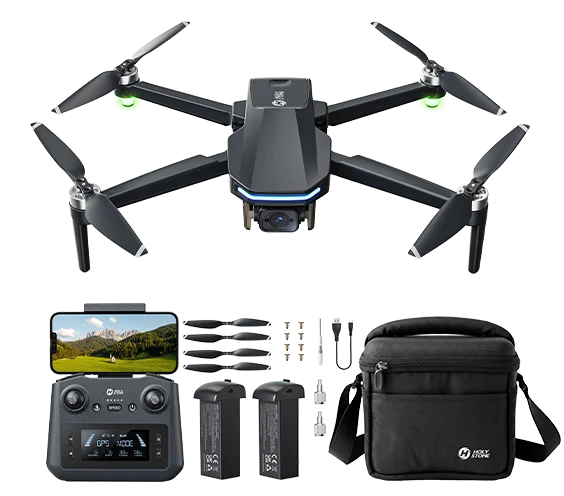
Choose Plus if…
You already have a suitable smartphone and prefer a standard controller. Rated control range is up to 1 km and FPV up to 500 m.
Choose MAX if…
You value standalone live view and button-operated filming modes. Rated control and FPV reach up to 3 km in suitable conditions.
Both use the same aircraft platform. Some optional HS FLY functions still require a phone. Transmission range is a technical specification, not permission to fly beyond visual line of sight. At the time of writing, MAX is promoted at $229.99 after code with an estimated ship date of Dec 6; confirm the current offer before ordering.
Explore Plus & pre-order MAX08 / Travel or advanced photography?
Same ambition. Different kinds of adventure.
Both configurations combine 4K video, GPS and three-axis stabilization. Choose the aircraft and kit that match the way you travel and shoot.
Travel light
Pack for the shot, not the setup.
The lightweight HS360G is designed for everyday adventures and travel. Creator combines the RC243A 5.5-inch Full HD touchscreen remote, three flight batteries and a charging hub, reducing the need to assemble a separate kit.
Choose it for: portability and a complete travel package.
Keep your phone available for directions and ground photos, pack a 249 g aircraft, and manage three batteries through the included charging hub. The hub charges sequentially; plan charging time rather than expecting all batteries to refill at once. The 3-axis gimbal matters more than simply increasing resolution if smooth moving footage is your goal.
Choose Creator specifically; Starter and Explorer use the standard remote.
More ambitious outdoor shooting
Stay focused on the flight.
HS600D adds a larger 603 g aircraft, manufacturer-rated level 6 wind resistance, 48MP photography and electronic stabilization alongside its three-axis gimbal. RC243A provides a dedicated 5.5-inch Full HD touchscreen.
Choose it for: more demanding outdoor filming and photography.
If your priority is shooting in suitable open outdoor conditions rather than carrying the smallest kit, the 603 g HS600D's rated wind resistance and combined mechanical and electronic stabilization are relevant. If portability is your main constraint, the HS360G is the more natural starting point. Neither is a reason to fly in unsafe weather.
Consider weight, local rules and suitable weather. Select the Screen Controller edition.
09 / Already own a Holy Stone drone?
Keep your drone. Upgrade your experience.
RC243A brings a 5.5-inch Full HD touchscreen and dedicated camera controls to selected compatible aircraft. This section is for existing owners who want a screen-controller upgrade without buying a new drone.
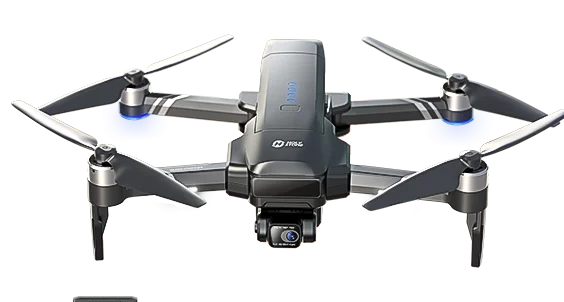
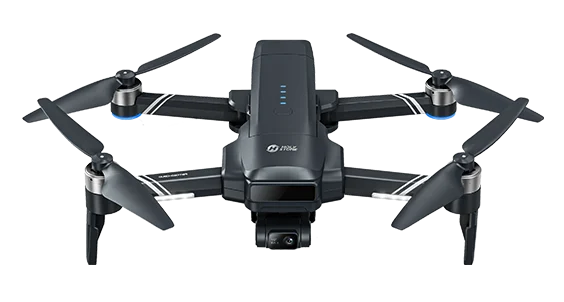
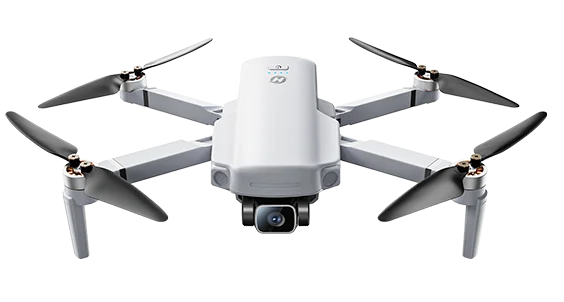
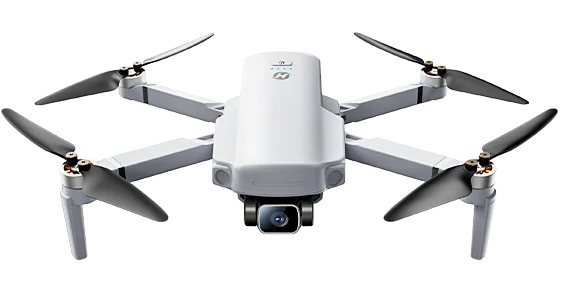
Check your hardware before buying
HS600: wired-connection version only. HS600D: wireless-connection version is excluded by the official controller guide. HS360E and HS360D are listed compatible models; verify the exact hardware before purchase. HS360S and unlisted models are not supported by this upgrade.
Already own one of these models? Check your hardware version before buying RC243A.
Find your model and original order details. If you are unsure about compatibility, send photos of your drone and original remote to Holy Stone support before ordering.
For more on the controller itself, see our built-in screen controller guide.
10 / Before you buy
Common questions, clear answers.
Can I fly a camera drone without a smartphone?
Yes, with a compatible controller that displays live video independently. Ordinary flight and live viewing do not require attaching a phone on the four specified screen configurations. Optional features may differ.
Do I need to check iPhone or Android compatibility before buying a screen remote drone?
For ordinary flight and live view with the specified screen-equipped versions, your personal smartphone is not part of the required setup. Check compatibility separately if you want optional phone-based functions.
What happens if someone calls my phone while I fly a drone?
A separate screen remote keeps the live view independent of incoming calls and notifications on your personal phone. Phone-based controllers may handle interruptions differently depending on the phone and app. Keep your attention on the aircraft and land safely before answering a call.
Which Holy Stone camera drone is suitable for a young beginner without a phone?
HS200P is our suggested starting point for supervised young beginners who meet the recommended age. It has a 4.3-inch live-view display and optical flow assistance. For GPS-assisted outdoor flying, consider HS175D MAX when appropriate for the pilot’s age and experience.
Can I take photos and videos without a phone?
HS200P supports camera buttons and recording to a compatible TF card inserted in the remote. HS175D MAX also has camera controls and an album interface. Both HS360G Creator and HS600D Screen use RC243A with dedicated photo and video buttons. Check each model’s storage requirements and selected recording settings.
Do drones with screens need Wi-Fi or internet?
A drone’s wireless control and video link is not the same as an internet connection. Ordinary standalone flying uses the aircraft-controller link. Updates, map services or optional connected functions may require a network or phone depending on the model.
Is a screen controller a touchscreen?
Not always. HS200P and HS175D MAX use physical controls for their screen functions. RC243A has a touchscreen. A status-only LCD is different from a live-view display.
Is HS175D Plus the same as MAX?
Both share a GPS camera-drone platform, but Plus uses a smartphone for live view and MAX has a built-in 4.5-inch screen with upgraded relay transmission. Select MAX if standalone live viewing is important.
Does every HS360G come with a screen remote?
No. The Creator configuration includes the RC243A 5.5-inch Full HD touchscreen remote. Starter and Explorer use the standard remote.
Can I upgrade my existing drone to RC243A?
Selected HS600, HS600D, HS360E and HS360D versions are listed. HS600 must be the wired version, and HS600D wireless is excluded. Confirm your exact aircraft hardware and controller version before ordering.
Does a screen controller make long-distance flying legal?
No. A rated transmission distance describes a technical capability under specified conditions. Maintain visual line of sight and follow the rules applicable to your flight.
Can I use a screen remote drone if my phone is too old to run the app?
For ordinary flight and live view on the specified screen kits, your personal phone is not required. Check separate compatibility requirements for any optional mobile features or transfers you intend to use.
Is a screen remote worth buying if I already have a spare phone?
Not necessarily. A compatible spare phone can be a practical lower-cost display. Consider a dedicated screen when mounting, charging, compatibility or keeping your everyday phone available creates recurring friction.
Can I watch recorded videos on the remote without a phone?
The HS200P screen manual documents a photo/video library with a TF card inserted into the remote; the MAX manual documents an album interface. Both HS360G Creator and HS600D Screen use RC243A, whose Album lets you view drone album and transmitter media files. Quick Transfer can export transmitter media to a phone using HS FLY.
Do I need a 3-axis gimbal for my first camera drone?
Not for basic camera fun or learning GPS flight. A mechanical gimbal becomes more useful when smooth moving footage is a priority. Consider HS360G Creator for portability or HS600D Screen for more demanding outdoor shooting.
Can I still use a phone app with a screen remote drone?
Yes. The screen-equipped models retain an optional mobile app setup: HS FPV V6 for HS200P and HS FLY for HS175D MAX, HS360G and HS600D. Follow your model's supported connection and control instructions; some configurations may require compatible remote hardware. Set up and test on the ground, rather than switching during flight.
Product facts & further reading
See the details before you decide.
This manufacturer buying guide uses Holy Stone product specifications and user manuals, not independent hands-on testing. For model-specific setup, storage requirements, operating conditions and supported functions, consult the official product pages and corresponding manuals.
HS200P · HS175D Plus / MAX · HS360G · HS600D · RC243A
Follow the applicable local rules, maintain visual line of sight and complete preflight checks. Features and package contents can vary by version and region.
More flying. Less phone setup.
Choose the screen-equipped drone that fits your experience, budget and the moments you want to capture.
Find your screen remote drone

COMMENTS