
 Sign in
 Sign up


Do You Really Need a Drone Controller with a Built-in Screen? RC243A Explained
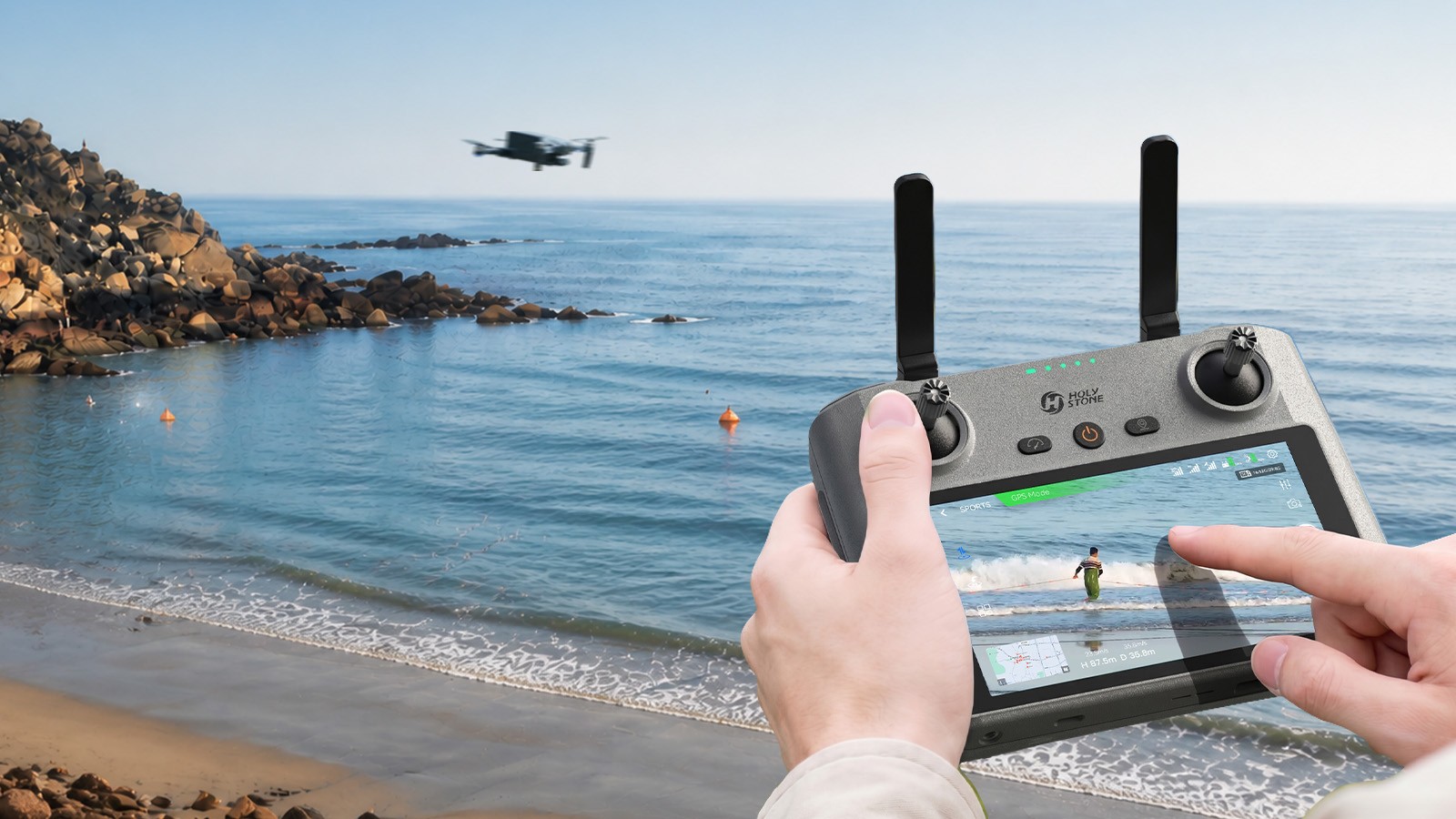
Do You Really Need a Controller with a Built-in Screen?
RC243A Explained
A dedicated screen controller designed for a simpler, smoother, and more focused flying experience — no phone required.
What is a drone controller with a built-in screen?
Flying a drone should feel simple, smooth, and focused. But for many pilots, using a smartphone as part of the control setup can add extra steps before every flight.
A built-in screen controller is designed to remove that friction. Instead of turning your phone into part of the flight system, everything you need is built directly into the remote.
A built-in screen controller does not replace your drone — it simplifies how you control it.
Built-in screen vs smartphone drone control
The biggest difference is not just the screen. It is how the entire flying process feels.
RC243A Built-in Screen Controller
No phone required
Dedicated flight screen
Integrated controller system
Power on and fly
More focused and streamlined
Smartphone Setup
Phone required every time
Mount phone before flying
Connect cable and open app
Notifications may interrupt
More steps before takeoff
Why setup simplicity matters
The benefit is not about saving a few seconds. It is about making the flying experience feel easier, cleaner, and less interrupted.
RC243A Setup
Power on the controller.
Power on the drone.
Wait for pairing.
Start flying.
Smartphone Setup
Mount your phone.
Connect the cable.
Open the flight app.
Adjust the setup before flying.
With RC243A, you are not thinking about cables, apps, or phone setup. You turn it on, connect, and focus on flying.
With RC243A, you do not need to worry about incoming notifications, phone battery drain, app switching, or cable connection issues during setup.
What RC243A brings to the flying experience
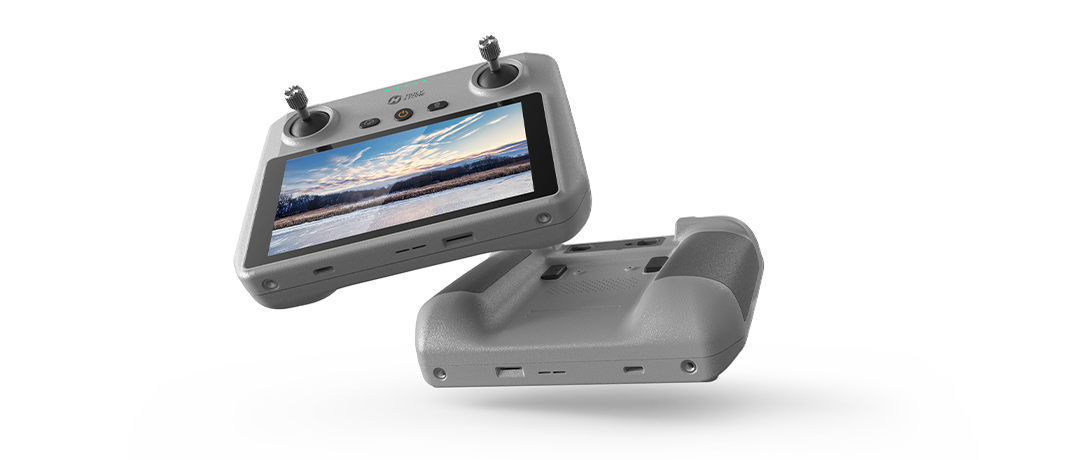
RC243A gives pilots a clear built-in live view without needing to connect a phone. Everything feels more direct because the display, control interface, and flight tools are built into one dedicated controller.
Built-in flight tools
Flight Map, Album, Flight Records, and Find My Drone help create a more complete control experience in one device.
Quick Transfer
Move photos, videos, and flight files from the controller to your phone more easily.
Cleaner live view
Fly without relying on your phone screen, phone storage, or phone notifications.
Compatibility: which drones work with RC243A?
RC243A is not a universal controller. It is designed for select Holy Stone drone models only.
Compatible Models
Holy Stone HS600D
Holy Stone HS600
Wire Connection versions only
Wireless Connection versions not supported
Holy Stone HS360E
Holy Stone HS360D
Compatibility Notice
RC243A is not compatible with other Holy Stone drone models. Different drones may use different transmission systems, so it is important to check compatibility before purchasing.
Who is RC243A best for?
RC243A is a strong fit for pilots who want a simpler and more focused way to fly.
Beginners
Fewer setup steps make the flying process feel easier from the start.
Replacement users
A practical option for compatible Holy Stone drones when a replacement controller is needed.
Frequent and focused pilots
Ideal for users who want a cleaner setup, fewer interruptions, and a more dedicated flying experience.
If you only fly occasionally or already enjoy using your phone, a smartphone-based setup may still work well. But if you want less setup friction and fewer interruptions, RC243A can make flying feel much smoother.
FAQ: everything you need to know about RC243A
Does RC243A require a phone?
No. RC243A has a built-in 5.5-inch Full HD touchscreen, so you do not need to connect a smartphone to fly.
What drones is RC243A compatible with?
RC243A is compatible with Holy Stone HS600, HS600D, HS360E, and HS360D only. Please note: Not compatible with the HS600D Wireless Connection version, HS360S, or other Holy Stone drone models.
Is RC243A compatible with HS900?
No. RC243A is not compatible with HS900 series drones.
How far can RC243A transmit video?
RC243A supports up to 6KM transmission range under optimal conditions.
How long does the battery last?
RC243A supports up to about 3 hours of operating time on a full charge.
Does RC243A support external storage?
Yes. RC243A includes 32GB built-in storage and supports microSD card expansion.
Does RC243A come with a drone?
No. RC243A is sold as a standalone remote controller.
Is RC243A worth it?
If you want a cleaner setup, a built-in screen, and a more focused flying experience with a compatible Holy Stone drone, RC243A is a meaningful upgrade.
Final verdict: is a built-in screen controller worth it?
RC243A is not just a controller with a screen. It creates a cleaner, simpler, and more focused flying experience for compatible Holy Stone drones.
For pilots who want less setup friction and a more dedicated flight interface, RC243A can make everyday flying feel noticeably smoother.
Fly without the phone. Stay focused on the sky.
RC243A is designed for pilots who want a cleaner setup, a built-in screen, and a more focused flying experience with compatible Holy Stone drones.


COMMENTS