

 Sign in
 Sign up


Drone Battery Care Guide: Charging, Storage & Battery Life
Charging · Storage · Flight Time · Safety
Your drone battery powers the motors, camera and flight-control systems. This guide explains how to charge and store it safely, understand real-world flight time, and recognize problems that need attention.
Understanding Drone Batteries
What types of batteries do drones use?
Many consumer camera drones use rechargeable lithium-based battery packs. Lithium-polymer (LiPo) and lithium-ion (Li-ion) designs are common. Their suitability depends on the aircraft's power needs, weight, pack design and electronics—not simply on the name of the battery chemistry. Never substitute an apparently similar battery without confirmed compatibility.
What do mAh, Wh and voltage mean?
| Term | Meaning | Why it matters |
|---|---|---|
| mAh | Rated charge capacity | Useful with voltage when estimating nominal energy. |
| V | Nominal voltage | Part of the battery's energy and compatibility specifications. |
| Wh | Rated energy | Helps compare batteries and check airline restrictions. |
not mAh alone
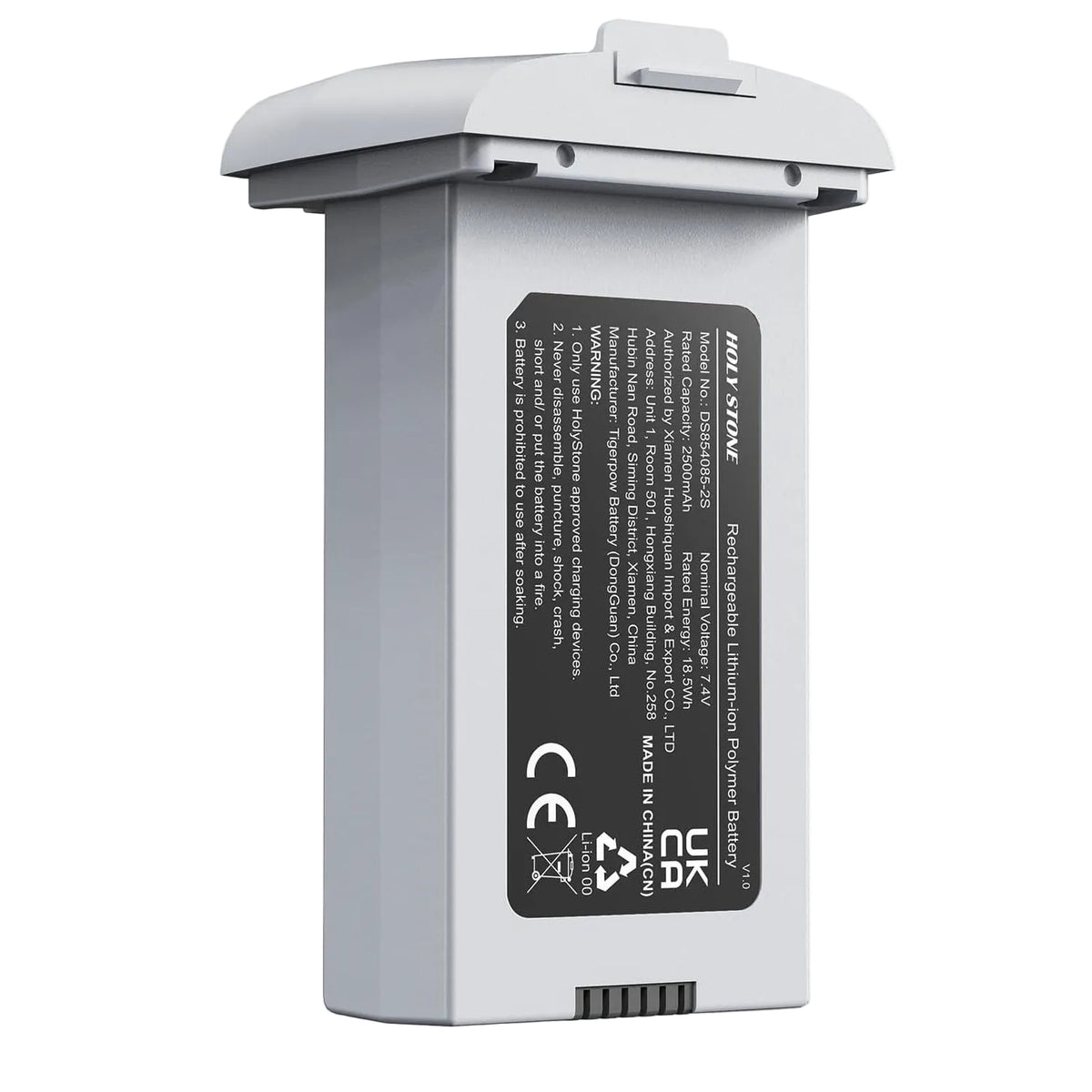
A battery with more mAh doesn't necessarily provide longer flight time than another battery with a different voltage. The drone's weight, motors, propellers and operating conditions also matter.
What is a smart drone battery?
Some batteries include electronics that monitor their status or provide protective functions. Depending on the model, these may include temperature management and automatic reduction of stored charge after days of non-use. For example, the HS360S manual describes self-discharge protection that reduces a fully charged battery to roughly 70–75% after more than three days unused. This is model-specific, not a rule for all batteries.
How does a smart charging hub help?
A smart battery manages functions within the battery pack, while a compatible smart charging hub can make multiple-battery management easier. Depending on the model, a hub may charge batteries in sequence, show charge status, or offer a storage mode. These are separate features—not every smart battery requires a charging hub, and not every hub supports storage discharge.
For example, the HS360S battery's self-discharge protection works at the battery level. The HS900 Pro charging hub offers a separate Storage Mode that can reduce batteries above approximately 60% to around 60% charge. Always follow the instructions for the exact battery and hub model.
Battery Management in Practice
Three model-specific examples of intelligent battery care and charging accessories.
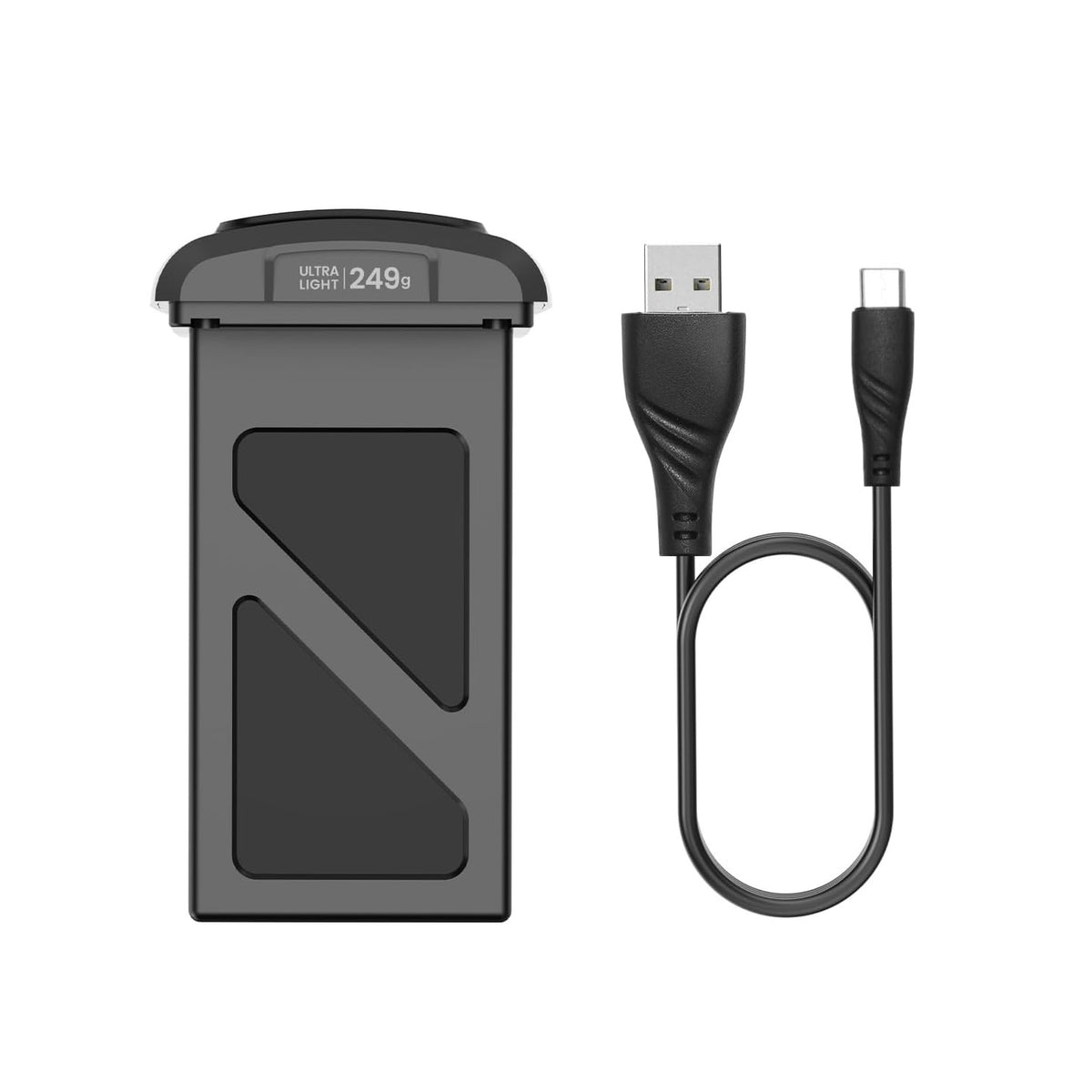
HS360S Battery with Charging Cable
Model-specific smart-battery protection helps manage charge during inactivity.
View HS360S battery 02 / INTELLIGENT FLIGHT BATTERY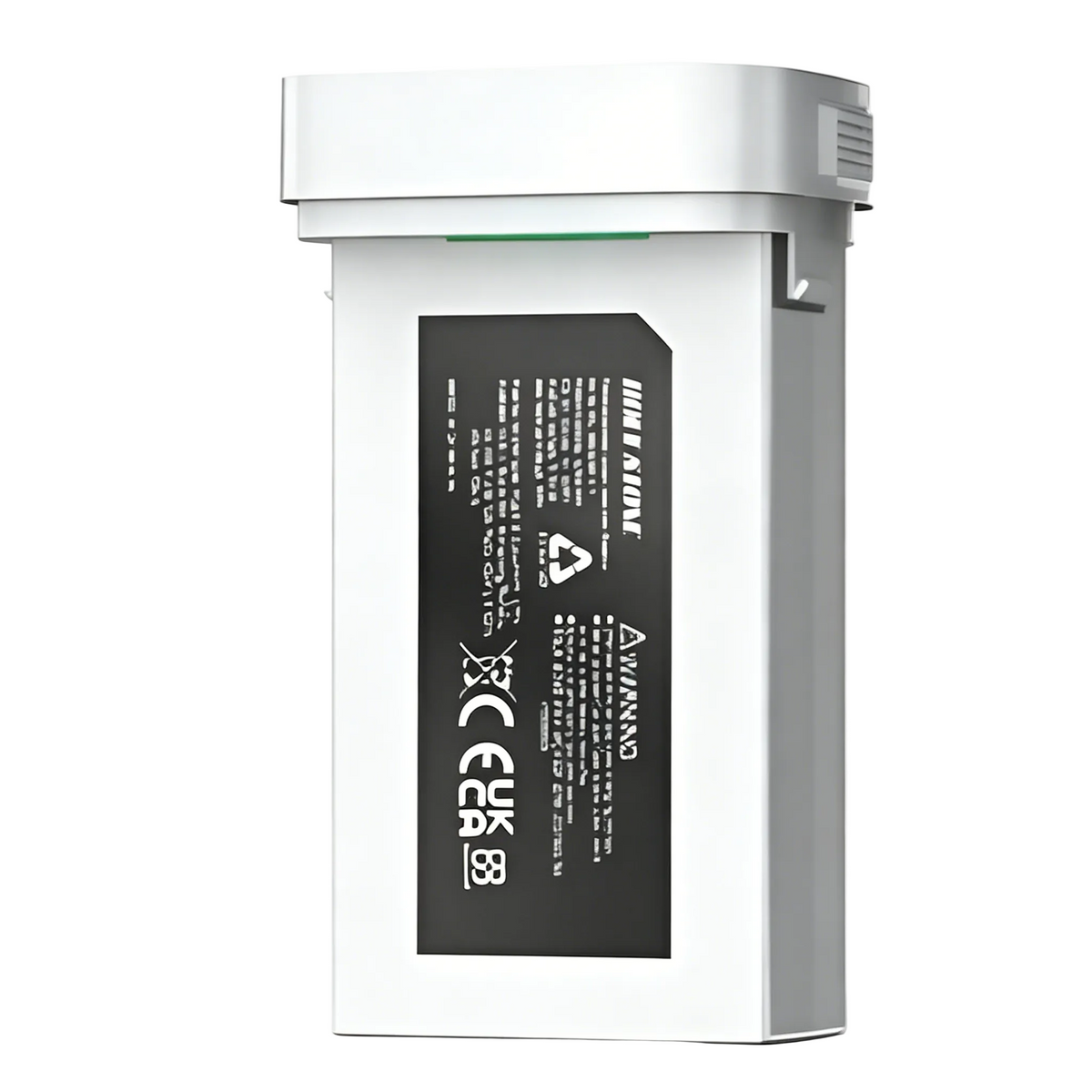
HS900 Pro Battery
Dedicated intelligent flight battery designed for the HS900 Pro aircraft.
View HS900 Pro battery 03 / STORAGE MODE & CHARGING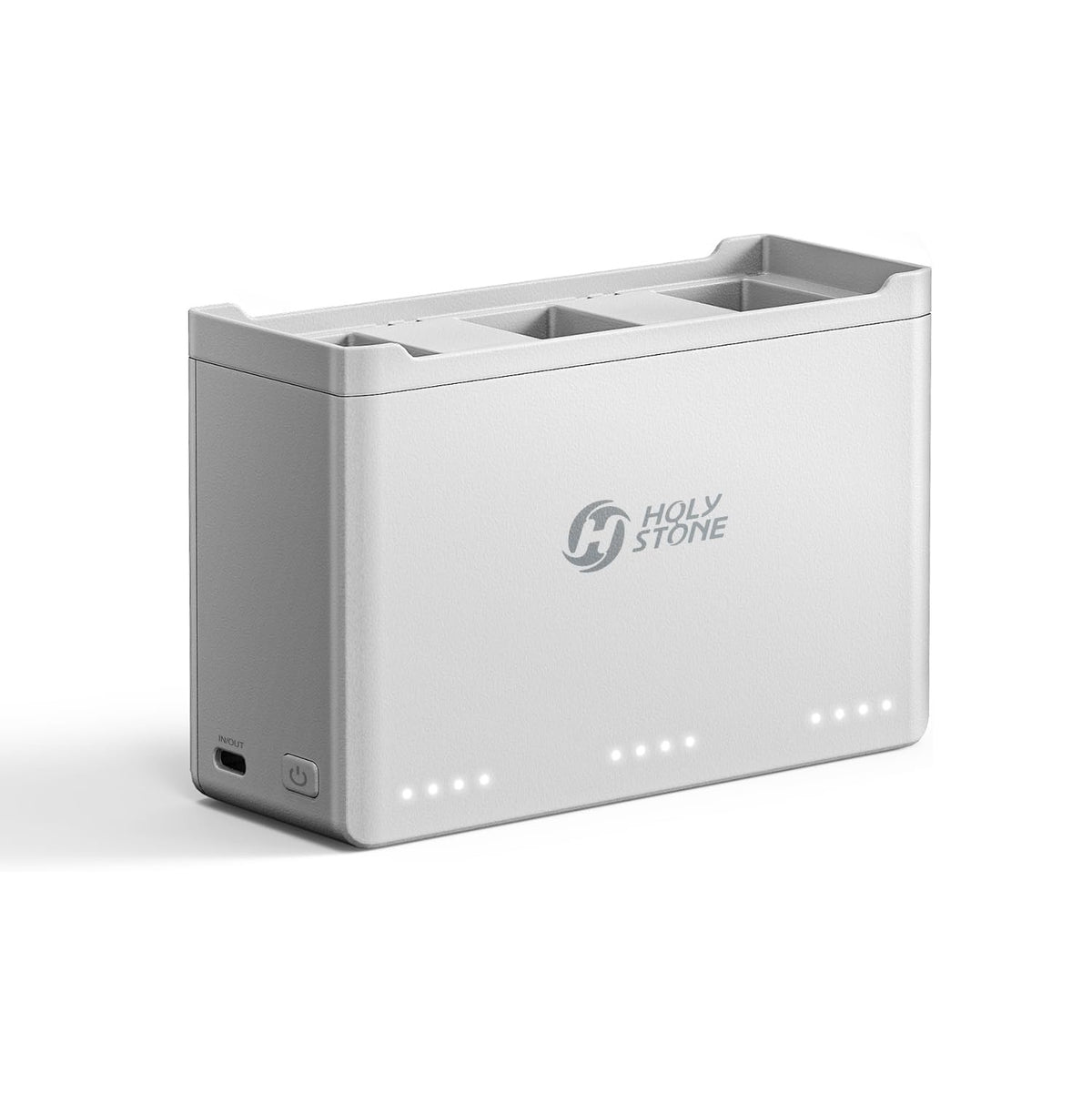
HS900 Pro Charging Hub
Sequential charging, Power Bank Mode, and a dedicated Storage Mode for compatible batteries.
Explore charging hubBattery and charging-hub compatibility is model-specific. Refer to your product manual before charging, storing, or purchasing accessories.
Explore all batteries & charging parts ↗For the system-level explanation, see Drone Power System.
How Long Do Drone Batteries Last?
Flight time means minutes in the air on one charge; battery lifespan means how long a battery remains useful across months and repeated use. Maximum advertised flight time is measured under stated test conditions, so real flights may be shorter. Batteries also age gradually with use and storage; there is no universal number of cycles that applies to every model.
How long a drone can fly on a single charge
How long a battery remains usable with proper care
Why is my drone battery draining so fast?
Drone flight time can vary with weather, flying style, battery condition and charging practices. Understanding these eight common factors can help you evaluate real-world performance and recognize when a battery may need attention.

Strong wind
Extra motor power may be needed to stabilize the aircraft or fly upwind.

Cold weather
Low temperatures can reduce usable battery performance.

Aggressive maneuvers
Repeated acceleration, steep climbing and quick turns increase demand.
Incomplete charging
Insufficient charging or incompatible equipment may leave the pack short of full charge.

Storage discharge
Certain batteries intentionally lower charge after a period of inactivity.

Reduced capacity
Long-term aging can shorten useful flight time even when a battery indicates full.

Additional functions
Camera and other systems may add power demand, depending on the model.

High altitude
Thinner air can change propeller performance and power needs.
“My drone is rated for 40 minutes, but I got around 30. Is that normal?”
Not enough information to tell from the minutes alone. Maximum figures are measured under specified conditions. Compare the wind, temperature, flight speed, battery charge and your aircraft's official test conditions. If the difference is unusually large or persistent in similar conditions, go directly to the safety checks in Section 05.
Normal variation or a warning sign?
Shorter flights in high winds or cold weather can be expected. A low-battery warning shortly after takeoff, repeated unusually fast drain, or charging trouble calls for closer assessment. Swelling, leakage or abnormal heat is different: stop using the battery immediately and skip all tests.
How to Charge a Drone Battery Safely
Inspect the battery first
Look for swelling, punctures, cracks, deformation, leakage, an unusual smell or abnormal heat. Ensure connectors are dry and undamaged. Do not charge a battery showing signs of damage.
Use compatible charging equipment
Use the original charging cable and an approved charger or adapter that meets your battery's specific requirements. A connector that fits does not prove electrical compatibility. Check the manual before trying another charger.
Let it cool after flying
A flight battery may be warm after landing. Allow it to return naturally toward room temperature before charging. Do not speed the process with water or refrigeration.
Follow safe charging habits
- Use a stable, dry, ventilated area, away from flammable materials.
- Keep the battery and charger uncovered and away from direct heat.
- Do not leave charging unattended or charge while sleeping.
- Disconnect when charging is complete, unless the model's instructions specify otherwise.
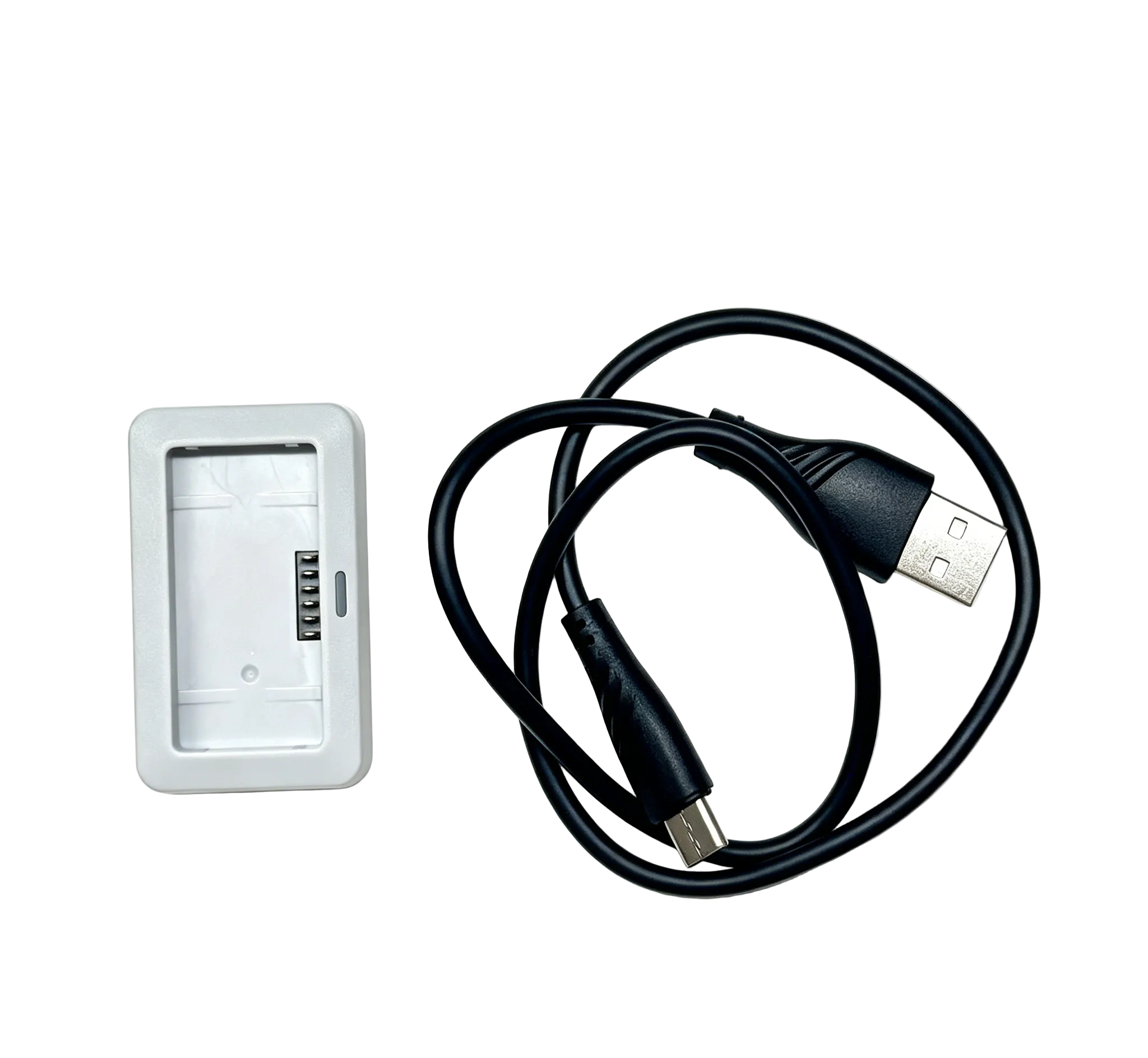
Check compatibility, not just connector shape
This official HS360E/HS360D charging dock is an example of model-specific charging equipment. Follow the exact input specifications and indicator instructions supplied with your battery, charging dock or charging hub.
View this official charging dock →Do drone batteries need full discharge cycles?
No. Most modern drone batteries do not need repeated full charge-and-discharge cycles to remove so-called memory effect. That issue is mainly associated with older nickel-cadmium (Ni-Cd) batteries, not the lithium-ion or LiPo batteries commonly used in consumer drones.
- Before flying: charge normally according to your drone's instructions.
- During flight: follow low-battery warnings and land safely rather than intentionally draining the pack to zero.
- During storage: keep the recommended storage charge level instead of leaving the battery fully charged or nearly empty for long periods.
Some smart batteries may use a manufacturer-specified charge-and-discharge procedure to calibrate the battery-level indicator. That is not the same as restoring battery capacity or removing memory effect, and it should only be done when your product manual specifically recommends it.
How to Store Drone Batteries Properly
A useful reference for some lithium drone batteries, not a universal requirement. Always follow your model’s battery manual.
Choose a cool, dry environment
Store drone batteries in a cool, dry place. An ambient range around 22–28°C (72–82°F) is a useful reference for some lithium drone batteries, but the temperature and humidity limits in your own model's manual take precedence. Avoid direct sunlight, hot cars, moisture, heaters, loose metal and anything that could puncture the pack.
Avoid prolonged full or nearly empty storage
Lithium-based batteries may age faster when stored at high charge for long periods, and remaining at a very low charge can lead to damaging over-discharge. Follow your model's recommended storage charge level; don't assume a single percentage works for every pack. Some smart batteries manage charge automatically.
Remove, protect and check batteries
For extended non-use, remove removable batteries from the aircraft when the manufacturer recommends it, and protect the contacts from metal objects. If you won't be flying for an extended period, check the battery's condition and charge level approximately every two to three months, or at the interval specified in your product manual. This is an inspection reminder—not a requirement to recharge every two or three months. Recharge a healthy battery only when necessary to maintain the model's recommended storage level.
Can I leave batteries in a charging hub?
Only if the manufacturer explicitly allows it. A hub's storage mode may change the charge level without authorizing indefinite storage inside the hub. If long-term in-hub storage is not supported or documented, complete the instructed process, disconnect external power and store batteries separately.
After Every Flight: Four Steps
Use this as a simple routine, then follow your model's specific instructions.
- Power off and inspectLook for swelling, cracks, leaks, damage or unusual heat.
- Allow natural coolingWait before charging a warm battery. Never use water or a freezer to speed it up.
- Charge safely if neededUse approved equipment in a dry, attended charging area.
- Prepare for storageIf you won't fly soon, use the recommended storage charge and protect the contacts.
“I haven't used my drone for three months. Can I fly today?”
Check for physical damage and confirm the battery's current charge and condition before any flight. If the battery is healthy, charge only as permitted by its manual, then perform normal preflight checks. A stored battery that is swollen, leaking, unusually hot or unresponsive should not be forced to charge or flown.
Common Drone Battery Problems and What to Do
A simple check can sometimes distinguish charging problems from environmental factors. Safety always comes first: do not test a battery that is damaged, swollen, leaking, excessively hot or behaving dangerously.
Does the battery show any warning signs?
Check for swelling, leakage, physical damage, unusual heat, smoke or strange odors.
Stop using it immediately
Do not charge, fly or attempt repairs. Follow the damaged-battery disposal guidance.
Continue with basic checks
Only proceed if the battery is otherwise behaving safely. An abnormal battery may still require support.
Three checks before contacting support
Charging setup
Verify the compatible cable and adapter, connections, charging temperature and model-specific indicators.
Flight conditions
Consider wind, cold, altitude, storage discharge and whether the difference persists across comparable flights.
Optional hover comparison
Only for a healthy battery. Use the five-step comparison below and land safely before the battery becomes too low.
How to compare flight time safely
A simple hover comparison can reduce variation from flight maneuvers. It is not a battery-health diagnosis or a test to full depletion.
- Choose a suitable location. Use a safe, legal, open area with little or no wind.
- Start with a full charge. Use the charging equipment recommended for your model.
- Maintain a steady hover. Keep the drone within sight and avoid frequent or unnecessary control-stick movements.
- Disable only optional features. Turn off video recording or modes such as Follow Me where appropriate, but keep all required flight-safety functions enabled.
- Record and land safely. Note the actual time from takeoff to the normal low-battery return or landing. Follow the aircraft's warnings and land earlier whenever needed.
Safety first: Never intentionally discharge a flight battery to zero, bypass protection circuitry or attempt a forced recovery charge. Stop any comparison before the battery becomes too low to land safely.
How to Get More Flight Time From Your Drone
Fly efficiently, never at the expense of safety
Choose conditions within the aircraft's operating limits. Smooth maneuvers and avoiding unnecessary high-power climbs can help reduce demand. Strong wind and cold conditions may require an earlier return.
Leave a return-and-landing reserve
Plan around distance, wind direction, obstacles and the need to return safely. Maximum advertised flight time is not a promise of the same number of minutes in every flight. Follow the model's low-battery warnings and return-to-home guidance.
Illustrative rated times only. Two flights, not one uninterrupted flight.
Use compatible spares for longer sessions
Two batteries rated for up to 40 minutes each may provide up to 80 minutes of combined flight time—not 80 minutes continuously without landing. Use only approved batteries and let equipment cool as directed between sessions.
Compatible Batteries for Different Flying Needs
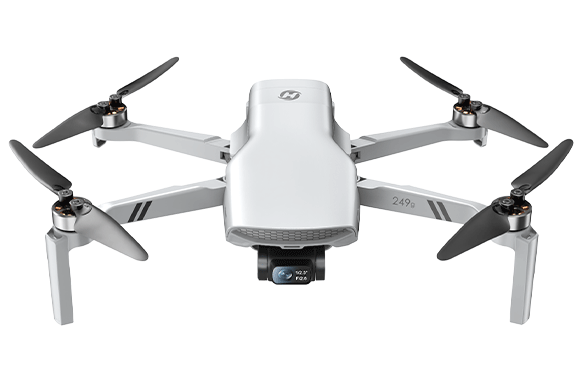
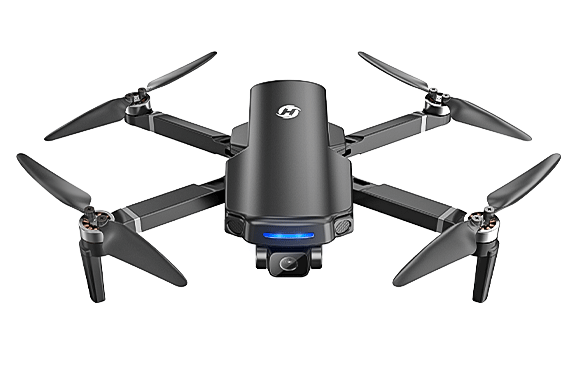
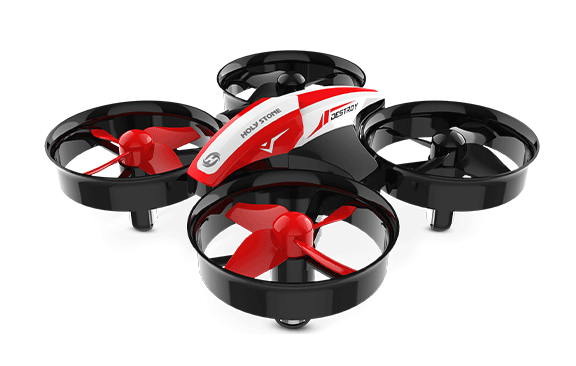
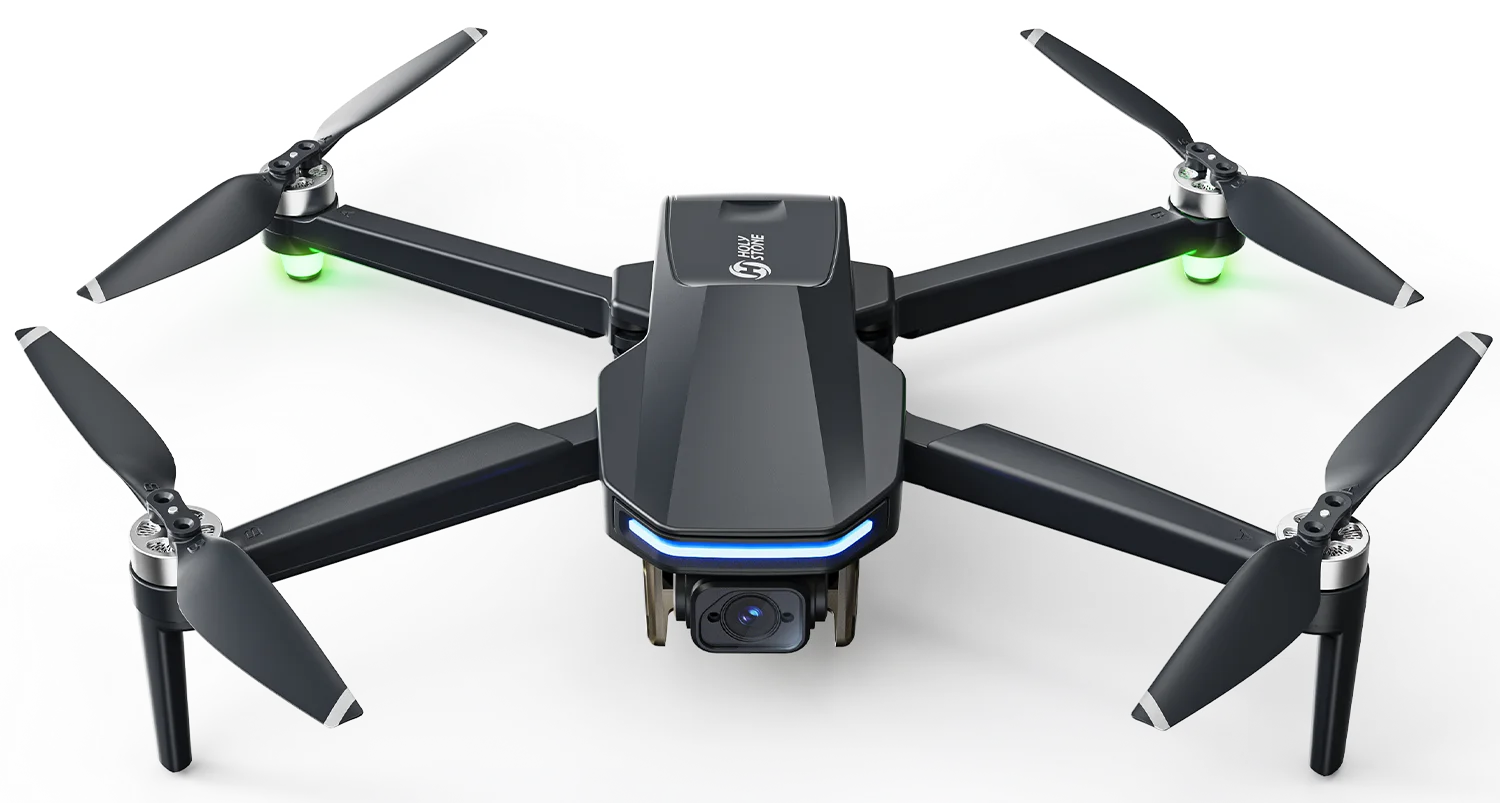
Choose a replacement battery designed for your exact drone model. The aircraft photos below identify compatibility; each link opens the matching battery accessory page.
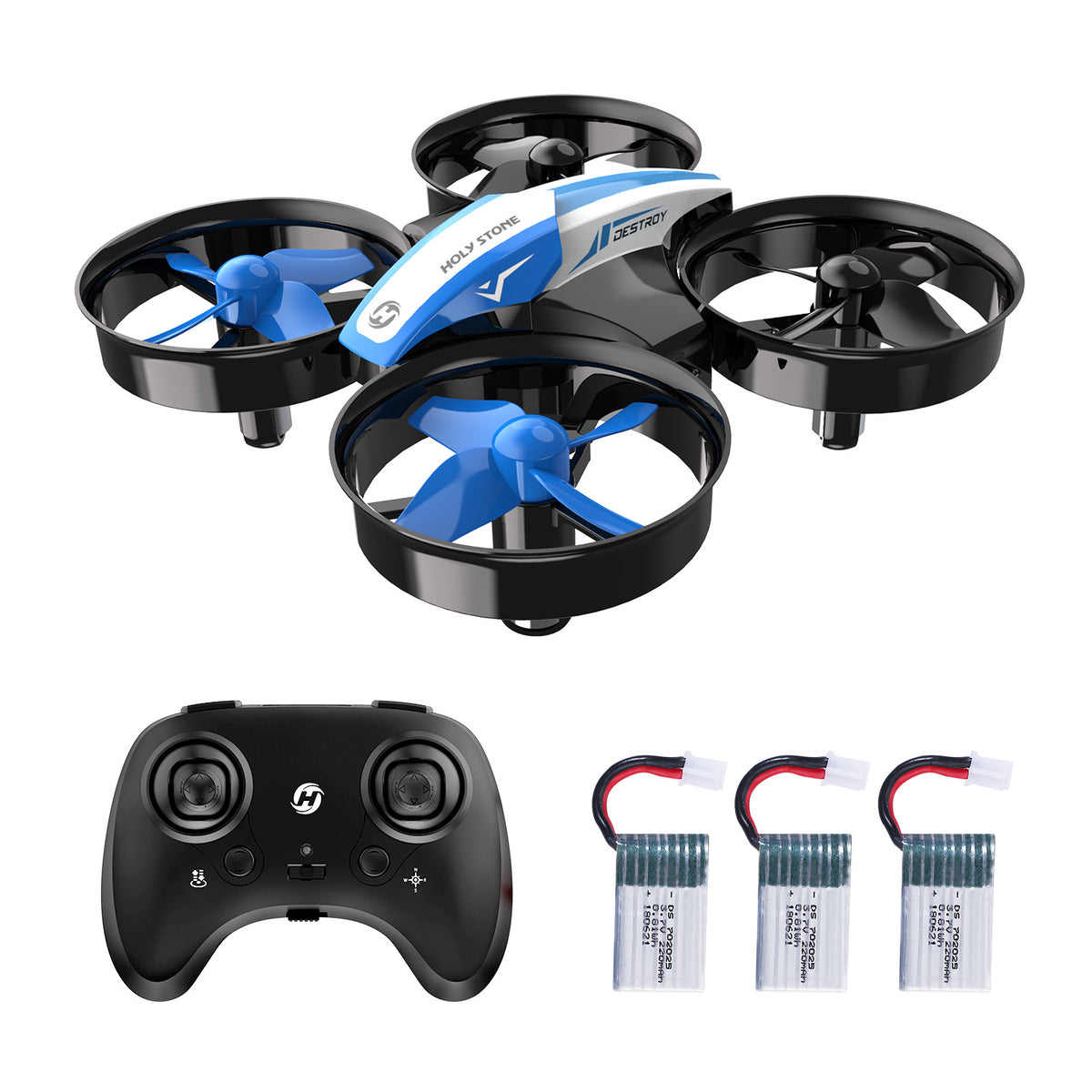
HS210 Battery
A compatible spare supports short indoor sessions. Let each battery cool before charging and rotate batteries safely.
View HS210 Battery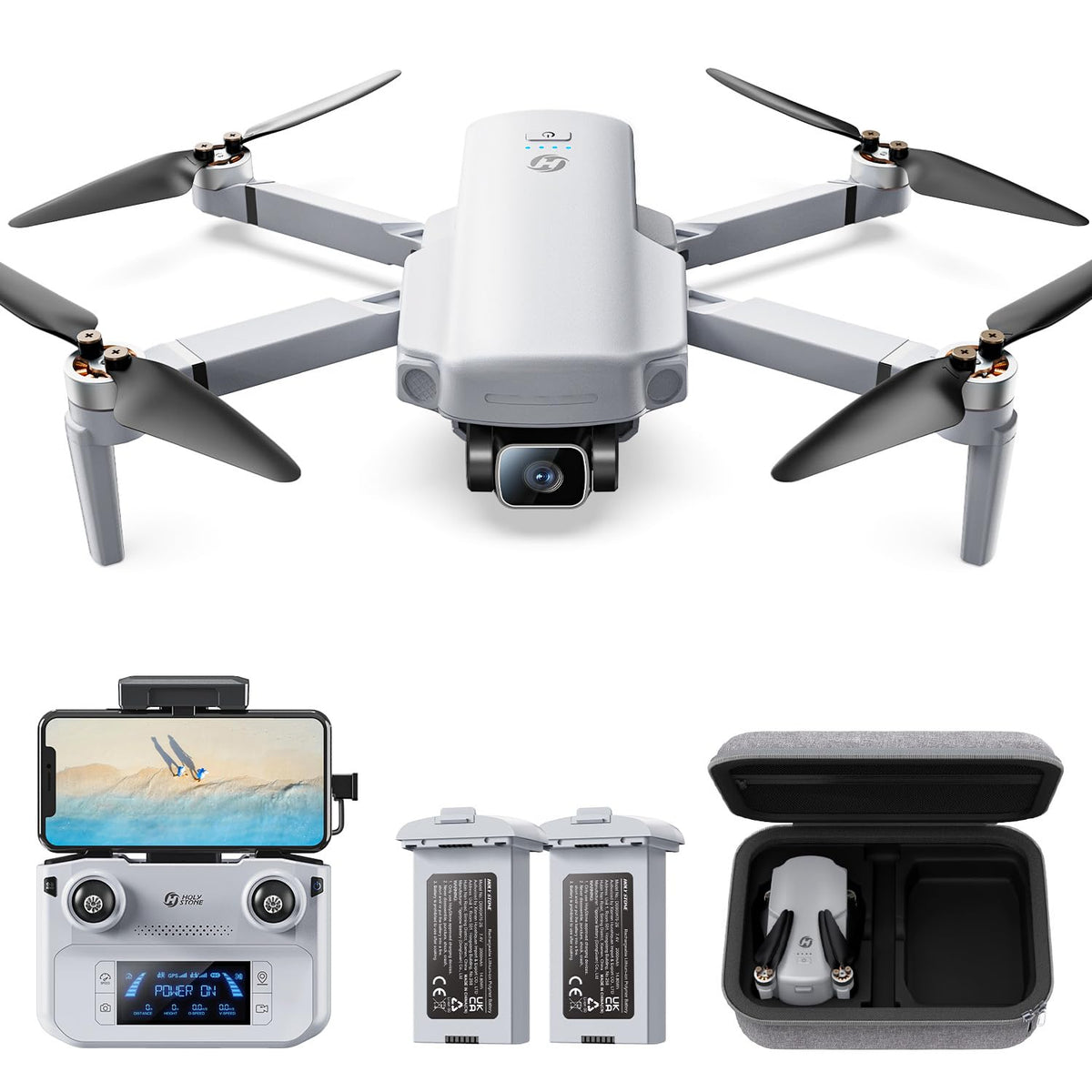
HS360D Battery
Check the HS360D battery before each GPS flight and leave a sufficient return-and-landing reserve.
View HS360D Battery
HS600D Battery with Charging Cable
A model-compatible spare supports separate aerial photography flights, with safe cooldown and preflight checks between sessions.
View HS600D BatteryAircraft photos are shown for model identification. Battery compatibility is model-specific; refer to the accessory listing and your product manual before purchasing.
Can You Take Drone Batteries on a Plane?
For travel under US FAA rules, spare lithium batteries must travel in carry-on baggage, with their terminals protected against short circuits. For personal-use rechargeable lithium-ion batteries, 0–100Wh batteries are generally permitted; 101–160Wh batteries require airline approval and are limited to two spare batteries per person. Batteries above 160Wh are generally not allowed on passenger aircraft under these provisions.
Airlines and other countries may apply stricter rules. Check the battery label, airline and destination requirements before travel. Do not travel with swollen or damaged batteries. See the FAA PackSafe lithium-battery guidance.
When Should You Replace or Recycle a Drone Battery?
Signs a replacement may be needed
Persistent flight-time loss after basic checks, repeated unexplained battery errors or failure to charge normally may require support assessment and replacement. Physical damage, swelling, leakage or dangerous heat is more urgent: stop use immediately. Choose a replacement approved for your exact drone model, not simply a similar-looking battery. Voltage, connectors, dimensions and protection electronics can differ even between related models.
If you need a replacement, check the exact model and battery specifications before ordering. Find model-specific options in the Holy Stone Batteries & Charging Parts collection.
What should you do with a swollen battery?
Swelling may indicate internal damage and a fire hazard.
- Stop using or charging the battery immediately.
- If it is stable and safe to handle, isolate it away from heat, metal and flammable materials; do not squeeze, puncture or dismantle it.
- Contact a local household hazardous waste program, qualified battery recycler, the retailer or manufacturer. Tell them the battery is swollen so they can advise on special handling.
- Follow the receiving facility's transport instructions. Do not place a damaged battery in a regular battery collection box or send it by ordinary mail without explicit authorization.
If it becomes dangerously hot, hisses, smokes or burns: do not touch or move it. Move away, keep others clear and call local emergency services.
What the U.S. EPA recommends
The U.S. Environmental Protection Agency (EPA) warns that a swollen lithium-ion battery may be damaged and pose a fire hazard. If there is no immediate fire danger, keep it in a safe location away from flammable materials and contact the manufacturer, retailer, local household hazardous waste program or relevant waste-management authority for disposal instructions. Never put lithium batteries in household trash or ordinary recycling. If there appears to be an imminent fire threat, move away and call local emergency services.
For a battery that is stable and safe to handle, the EPA also recommends protecting terminals from short circuits, for example with nonconductive tape or by isolating batteries individually. For swollen or damaged batteries, follow the receiving facility's specific handling and transport instructions.
Read the U.S. EPA's official lithium-ion battery guidanceRecycle responsibly
Never throw lithium drone batteries into household trash or mixed recycling. Use a qualified battery collection or household hazardous waste service. Protect exposed terminals only when it is safe to do so and according to the receiving facility's instructions. Never deliberately discharge a damaged or swollen battery to zero for disposal.
Frequently Asked Questions
How long does a drone battery last?
Single-charge flight time depends on the aircraft and conditions; usable battery lifespan depends on usage, charging, storage and aging. These are different measurements.
Why does my drone battery drain so fast?
Wind, temperature, demanding maneuvers, incomplete charging, intentional storage discharge or aging can contribute. Unusually rapid drain under normal conditions deserves safe troubleshooting.
Should I fully charge my drone battery before storing it?
No. For most lithium-ion and lithium-polymer drone batteries, storing them at 100% charge for extended periods can accelerate battery ageing, especially in warm conditions. This may lead to faster capacity loss and a shorter battery lifespan. For long-term storage, keep your battery at the recommended partial charge level specified in the product manual rather than leaving it fully charged. If your battery supports automatic discharge or a smart storage mode, follow the manufacturer's instructions.
Can I charge my drone battery right after flying?
If it is warm or hot after flight, let it cool naturally toward room temperature before charging, following the model's temperature limits.
How often should I check stored drone batteries?
Follow your model manual. If no shorter interval is specified, inspect a stored battery about every two to three months for damage and low charge. Checking does not mean automatically recharging; top up only when needed to maintain the recommended storage level.
Can I leave a drone battery in a charging hub?
Only when your model's instructions permit it. Storage-management features do not automatically authorize indefinite in-hub storage.
What if my drone battery won't charge?
Check its condition, temperature, compatible charging equipment and connections. If it remains unresponsive, contact the manufacturer; never attempt forced recovery charging.
When should I replace a drone battery?
Seek assessment for persistent deterioration or charging problems. Stop using a battery immediately if it is swollen, leaking, physically damaged or dangerously hot.


COMMENTS